Static Routing Configuration
Preconditions for static routing configuration:
- Tenant services and container gateway services are deployed in the same k8s cluster
- The API access of the tenant service needs to go through the container gateway
If the services provided by the tenant are in the public cloud, do not configure static routing; instead you need to use the swagger file to register the API
Static Route Management
Use the user of tenantCode. admin to log in to the portal environment and configure the tenant routing. Only tenant administrators have the default management function for static routing.
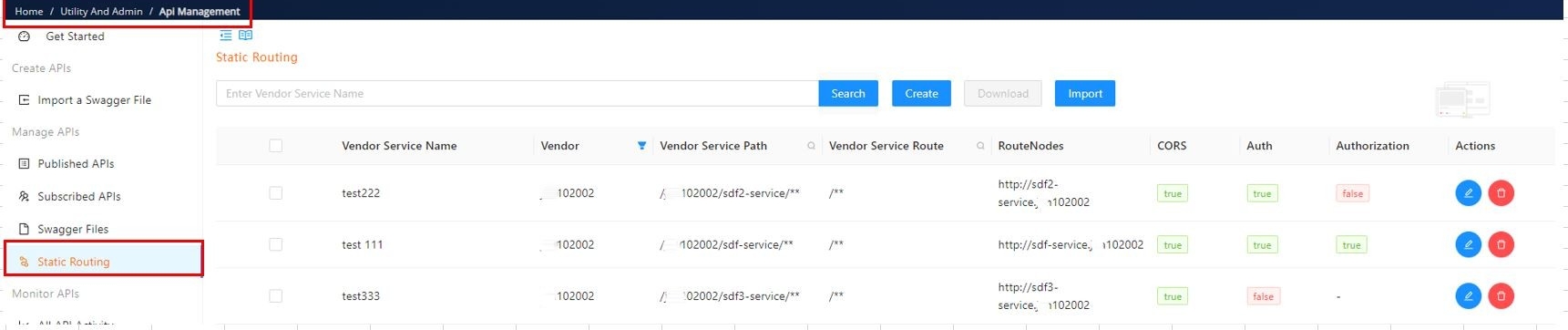
Function Introduction
Create Route
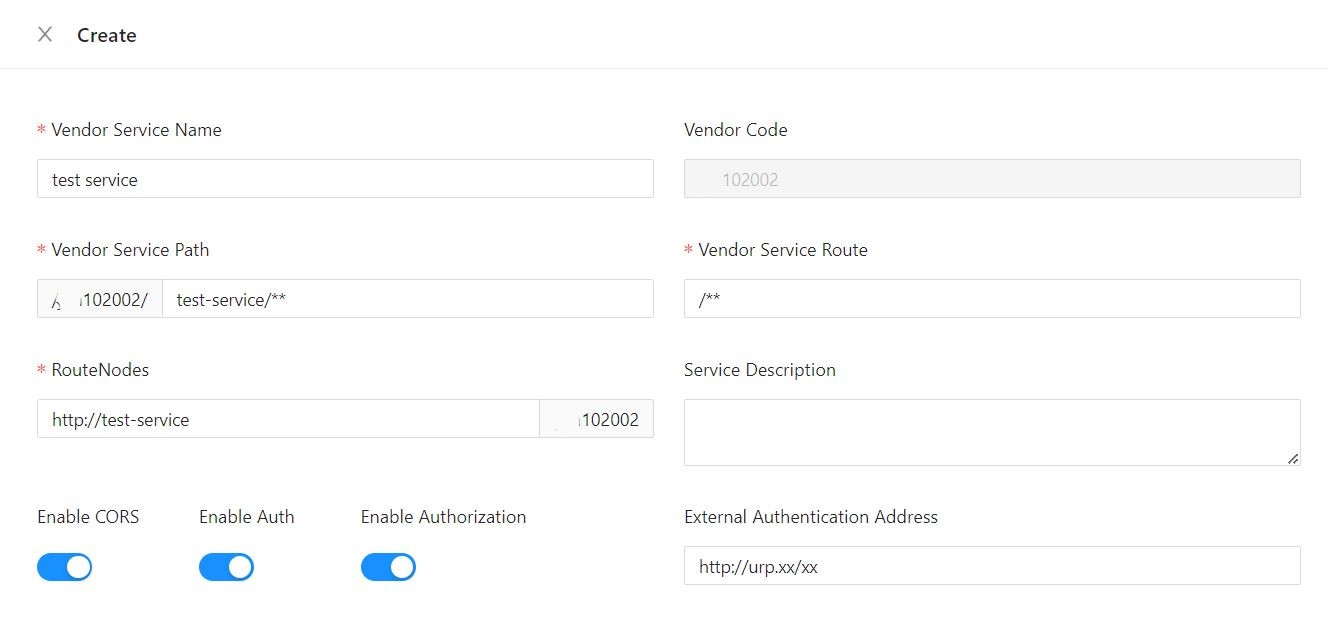
Configuration Introduction:
| Field | Description |
|---|---|
| Vendor Service Name | Static Routing Service Name. |
| Vendor Code | The static route belongs to the same tenant as the current login user, and cannot be modified by default. |
| Vendor Service Path | Routing entry, starting with the tenant prefix, cannot be modified by default ”/**” Identify wildcard routing matching rules. It is not recommended to configure conflicting addresses, especially non authenticated APIs. It is recommended to distinguish them from wildcard configured APIs. |
| Vendor Service Route | The address that the gateway requests backend services can be concatenated after RouteNodes to access backend services. |
| RouteNodes | The backend service address ends with the tenant suffix, which is not modifiable by default. |
| Service Description | Service description. |
| Enable CORS | Do gateways need to be unified for cross domain processing? |
| Enable Auth | Does the API exposed by the backend service require authentication if the enabled gateway checks the token? |
| Enable Authorization | Does the API exposed by the backend service require authentication if the enabled gateway verifies whether the current user has access to the API? |
| External Authorization Address | 1. If not configured, use the container’s URP for authentication. 2. If configured, authenticate to the specified address. For example, when authenticating to the platform (GIMO) URP, the address configuration is as follows:http://urp.platform/public/checkApi/fromContainer |
Route import and export
-
Check the route that needs to be downloaded and download it. The downloaded data structure is as follows:
If you want to manually edit the routing data for batch upload, please note the following:
- disableAuthorize
- true: represents that the authentication verification for APIs is disabled
- false: represents that the authentication verification for APIs is enabled
- order
- If the route enables auth, the value is configured as 0
- If the route disables auth, the value is configured as 10
[{"vendorServiceName": "test 111","vendorServicePath": "/jan102002/sdf-service/**","vendorServiceRoute": "/**","vendorCode": "jan102002","serviceDescription": "","routeNodes": "http://sdf-service.jan102002","attribute": "{\"enableCORS\":true,\"enableAuth\":true,\"extAuthorizationUrl\":\"http://aaa/bbb\",\"disableAuthorize\":false}","order": 0},{"vendorServiceName": "test222","vendorServicePath": "/jan102002/sdf2-service/**","vendorServiceRoute": "/**","vendorCode": "jan102002","serviceDescription": "","routeNodes": "http://sdf2-service.jan102002","attribute": "{\"enableCORS\":true,\"enableAuth\":true,\"disableAuthorize\":true}","order": 0},{"vendorServiceName": "test333","vendorServicePath": "/jan102002/sdf3-service/**","vendorServiceRoute": "/**","vendorCode": "jan102002","serviceDescription": "","routeNodes": "http://sdf3-service.jan102002","attribute": "{\"enableCORS\":true,\"enableAuth\":false,\"disableAuthorize\":false}","order": 10}] - disableAuthorize
Static routing automation publishing
Currently, it supports configuring static routes on portal environments and publishing them to designated environments through the CICD.
In order to ensure the smooth progress of the automated publishing, the following related content needs to be processed in advance:
Check if the CI/CD task exists
Check if the gateway-static-route-data job exists. If it does not exist, contact CM for processing.
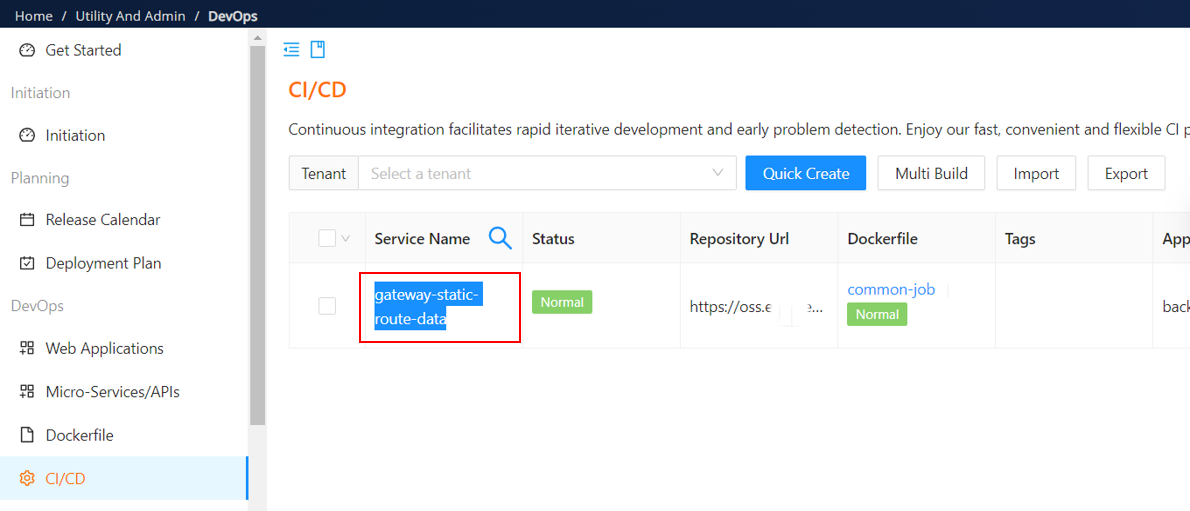
Check Service List
Check the service list of the target environment at devops and add gateway-static-route-data to the service list. Otherwise, this job will be ignored during deploy.
Contact TS colleagues to modify the service list