Introduction
Our email service is a connector to SMTP-based email server and SendGrid email service. It supports sending out emails with a plain text body or attachment in a business scenario like policy issuance. The manual and restful APIs are provided for user.
Usage Scenarios
Email service is designed to help digital marketers and application developers send marketing, notifications, and business emails. It is a reliable, economical, and practical service for enterprises of all sizes that contact customers with email. The user can configure their own email account before using the service.
Apply for an email sender
If you need to apply for an email sender of your own domain with aws ses, the following table shows the information you need to fill in.
| Title | Example | Description |
|---|---|---|
| Project Code | 1234567 XXX project | |
| Email Sender Address / @Domain | xxx@insuremo.com / @your-domain.com | The email address you want to send from |
| Site / Env | ptdev | The site or environment that the email will send from |
| Type of email | Send to policy holder after issuing | Briefly describe the type of email your will send |
| Quotas | 100 emails per day | Expect number of emails sent per day |
| Other requirements | None | Such as configuration set rules, DKIM, SPF, specify the region… |
If you need to add configurations such as DKIM or SPF to prevent being identified as spam by the recipient, please verify your domain.
Basic UI Operations
Entrance
- Log in to insureMO Portal with your personal account.
If you don’t have insureMO personal account, click Sign Up to register one. Then log in to the portal.
-
Click Catalog at the top of the home page.
-
In the left panel of the Catalog page, navigate to Non Insurance Services > Communications.
-
Find EMail Service card. You will see API Details and Settings.
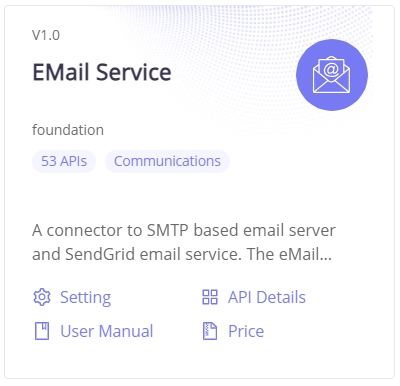
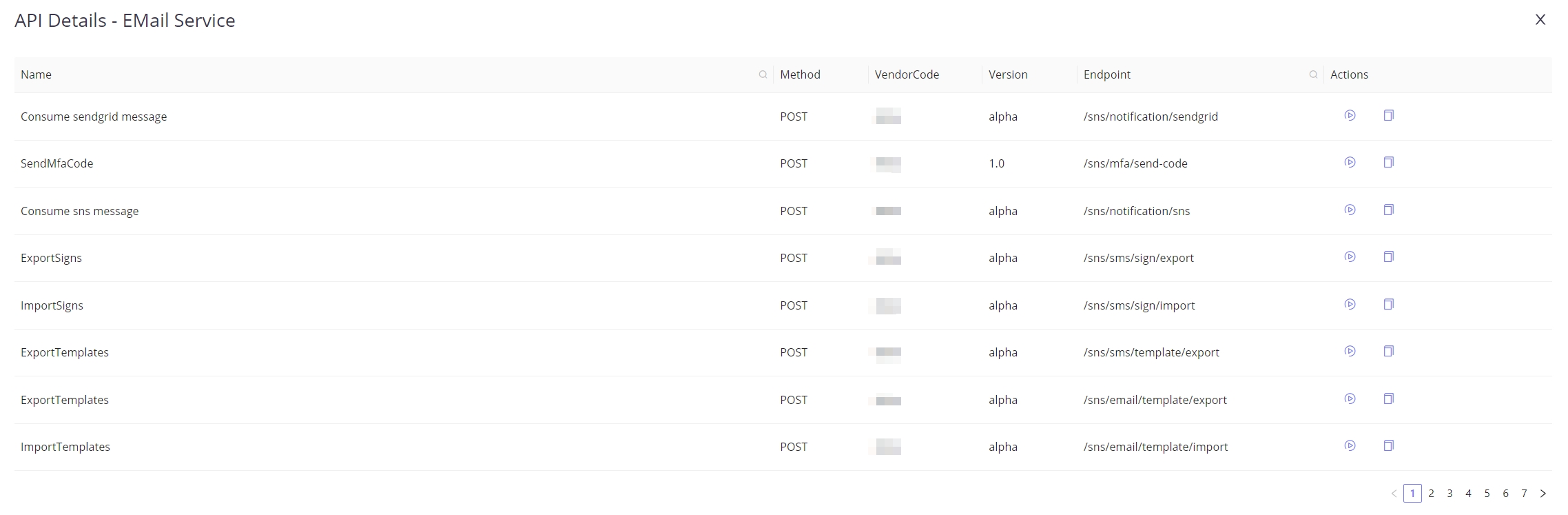
a. API Details will give you direct access to the APIs listed in it.
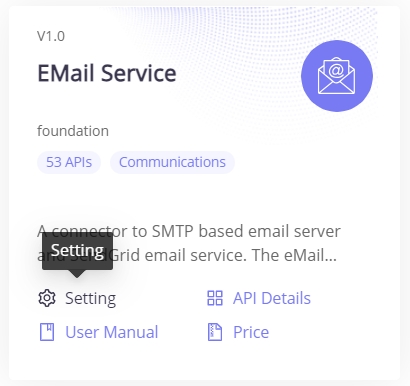
b. For creation and other actions, you need to click Setting to go to the Email Management page.
c. This will navigate to the main email settings page where you can manage the service.
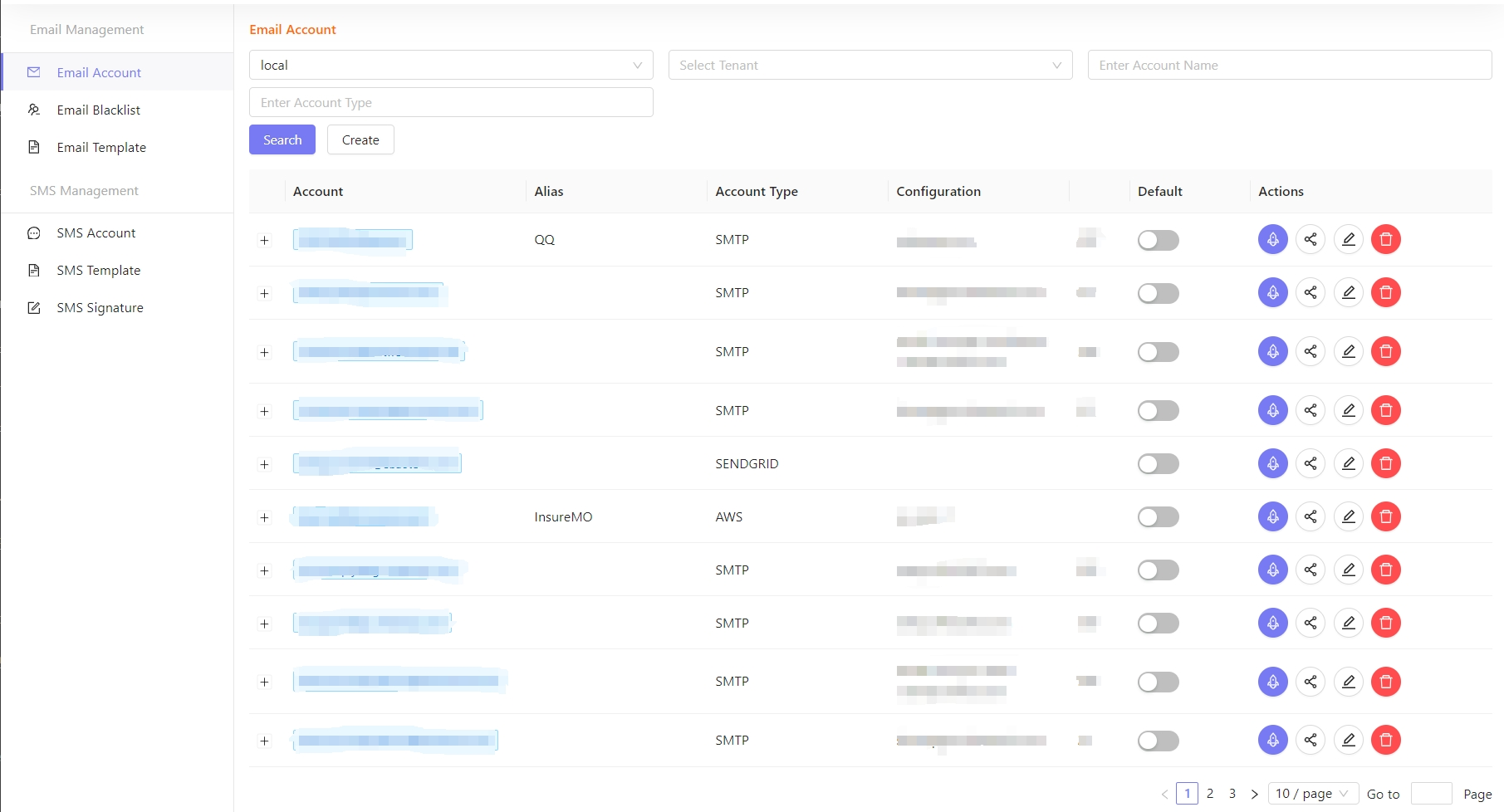
Account Management
Create
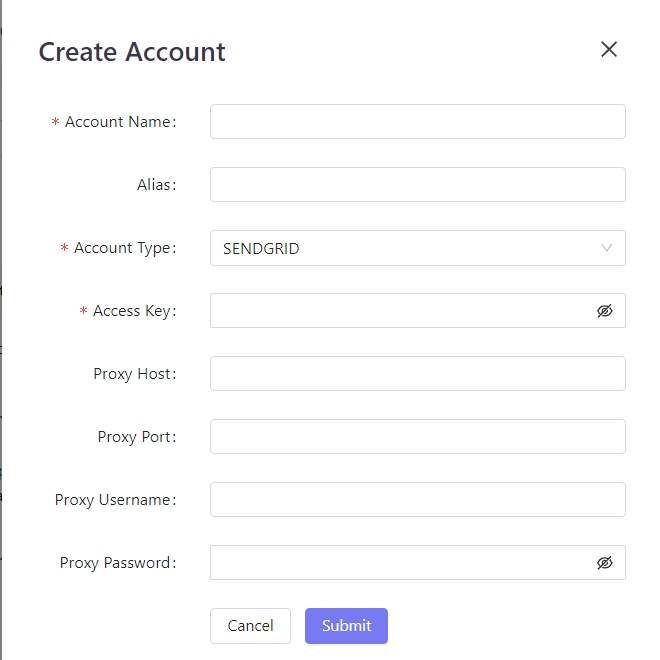
- Click Create on the email service console.

- Register your email account. Click Submit. It will be saved and appear in the list in the main page.
Edit
- Click Edit on the email service console.

Delete
- Click Delete against a particular record to delete the account.
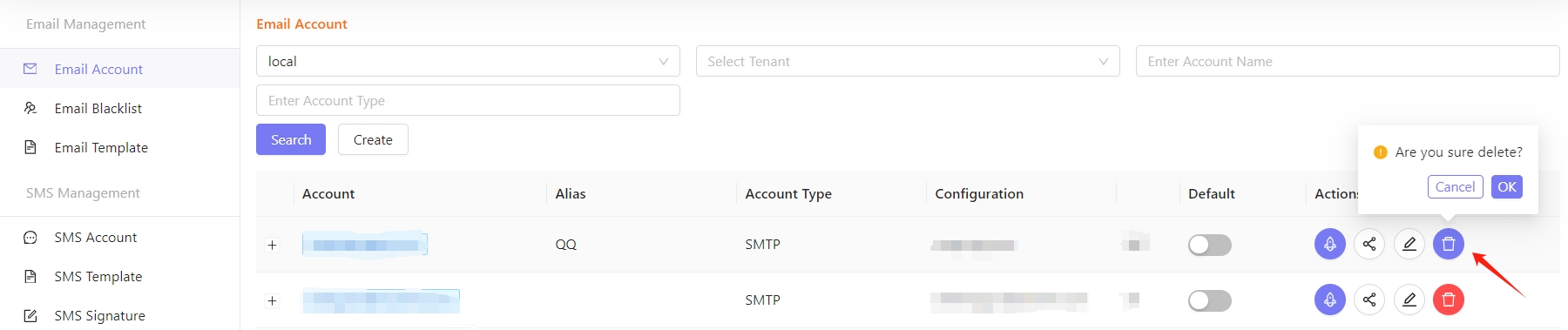
After confirming deletion, the account will not continue to be used. Before deleting the account, make sure that the account is no longer used by the application.
Share
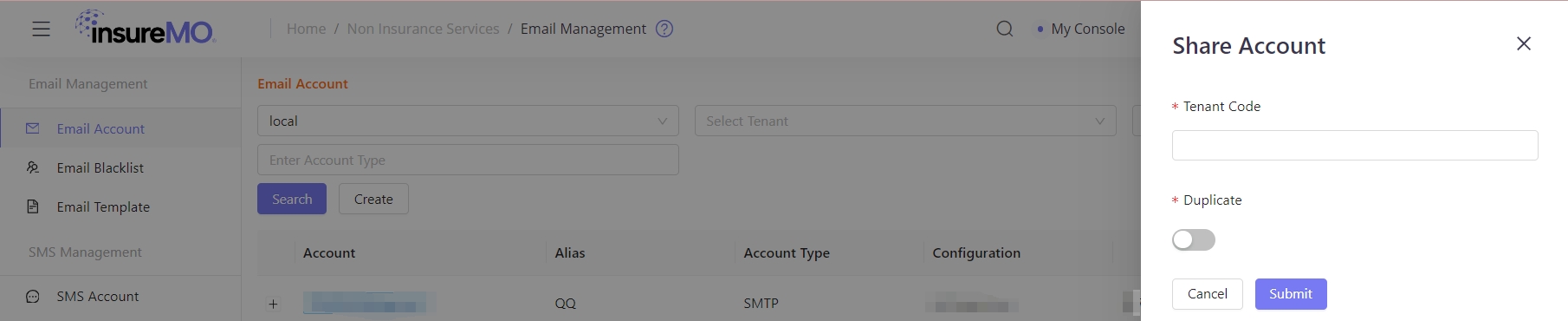
- Click Share to share the current configuration of email account operator with other tenants.

Test
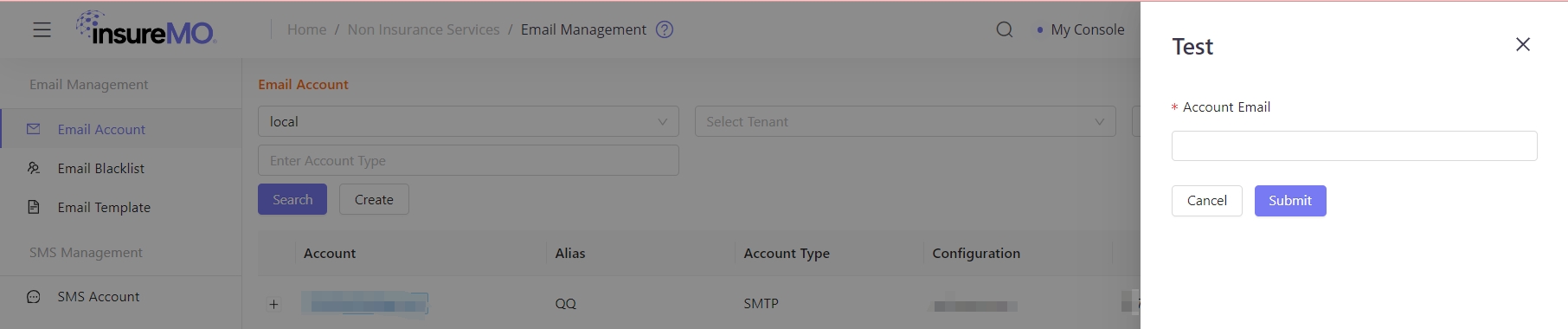
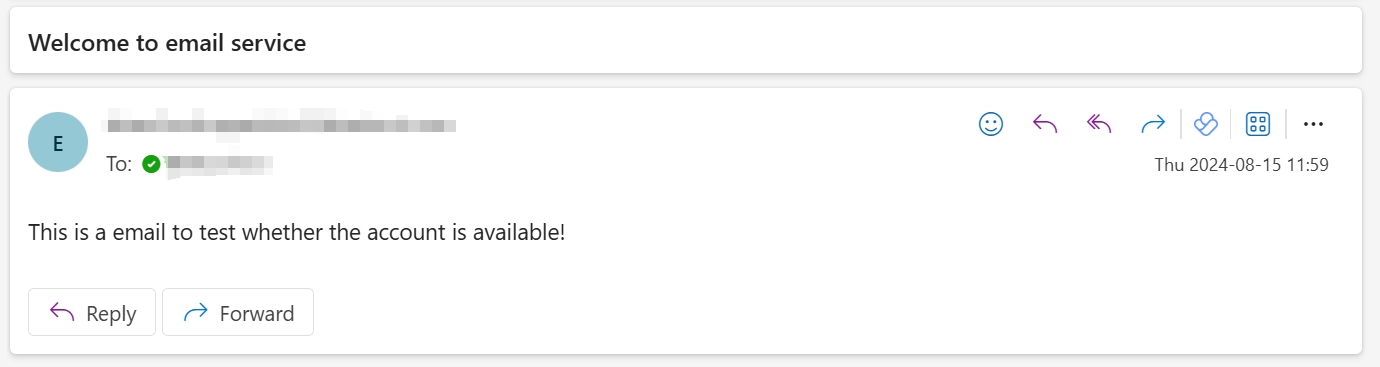
- After the account is created successfully, you can verify whether the current account is available through a test email. If available, the receiver will receive the following test email.

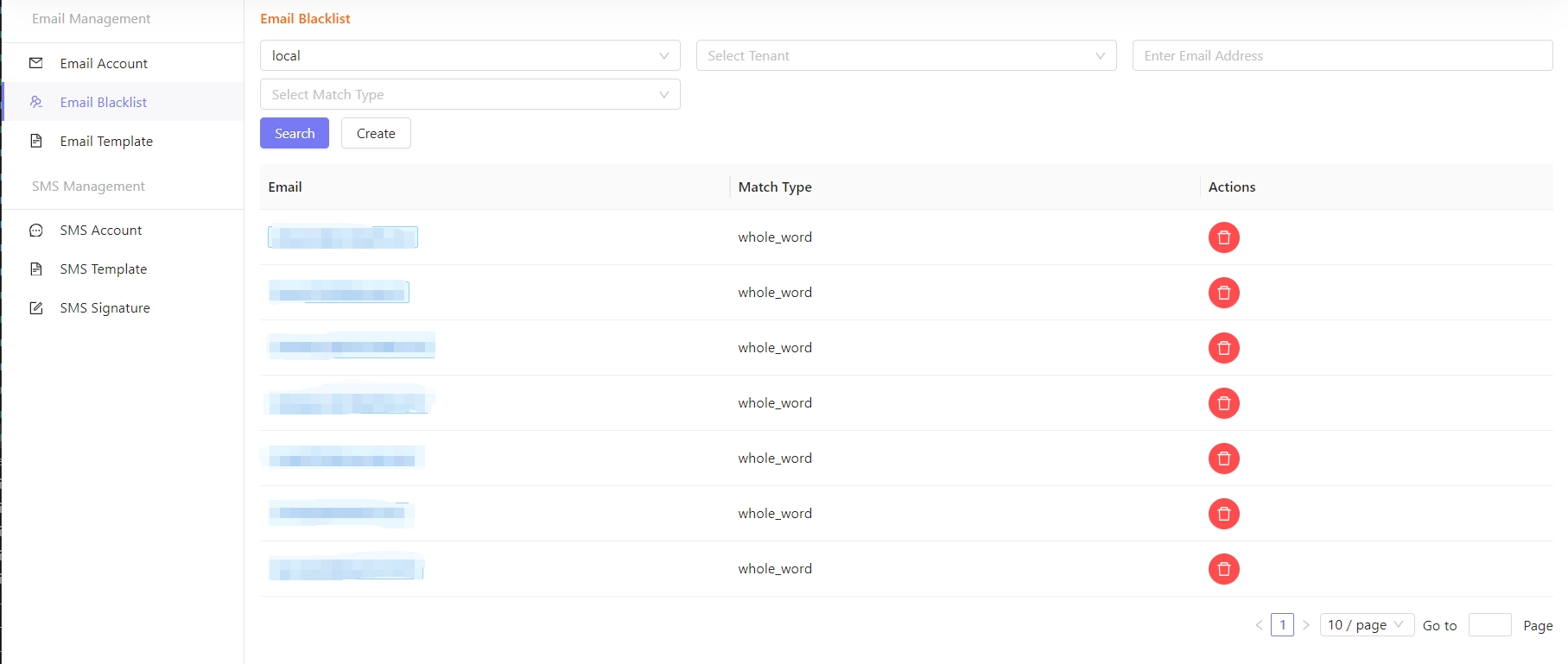
Blacklist Management
- If there is a recipient in the blacklist, the email address of the recipient will be invalid, and all accounts in the mail service cannot send email to the recipient.
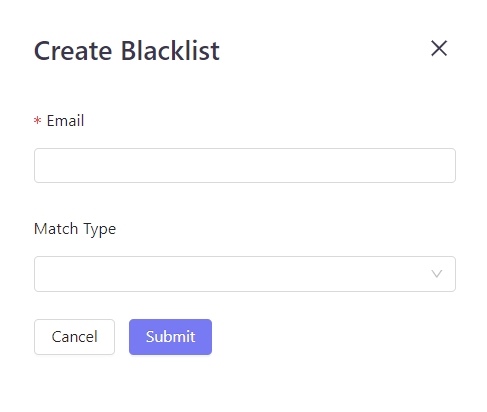
Create
- Click Create on the Blacklist management page.

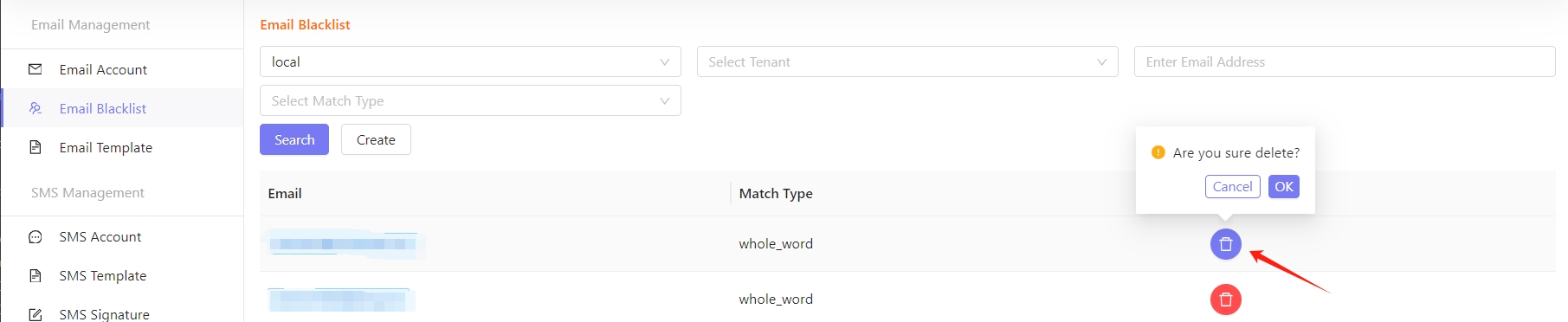
Delete
• Click Delete to remove the email address from the blacklist.
Template Management
• Configure the email content Template to automatically send notifications.
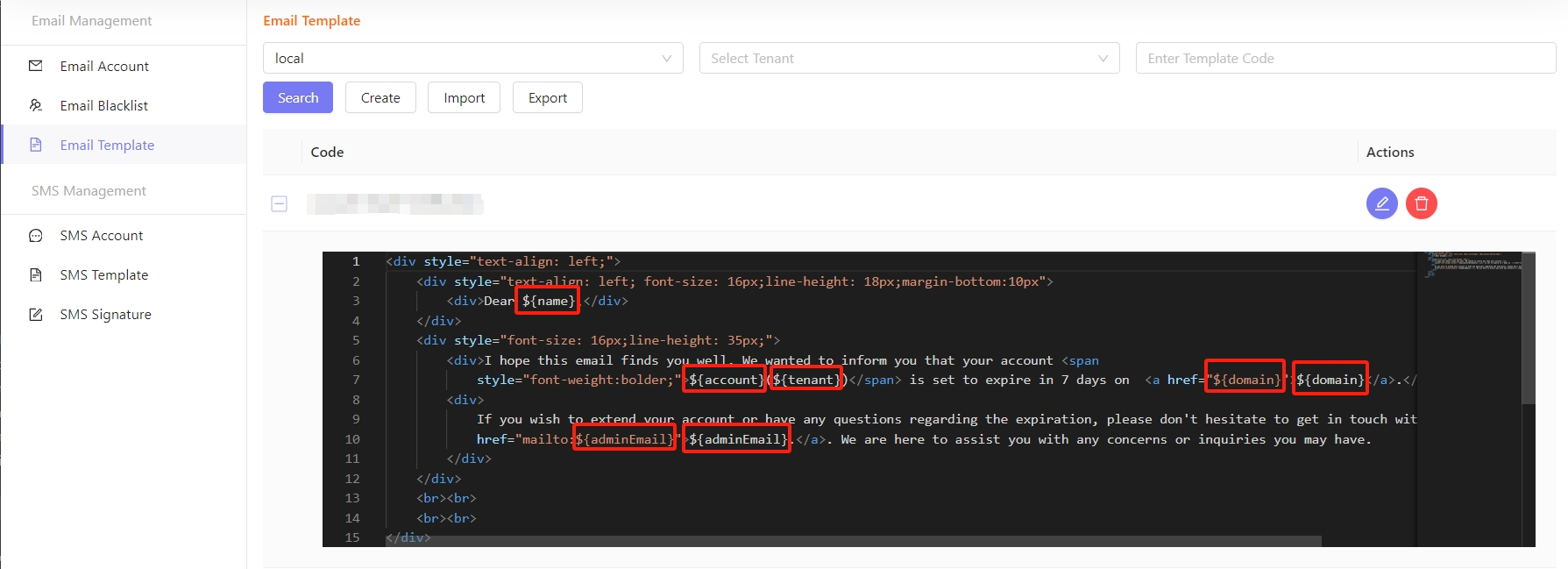
Create
• Click Create on the Template management page.

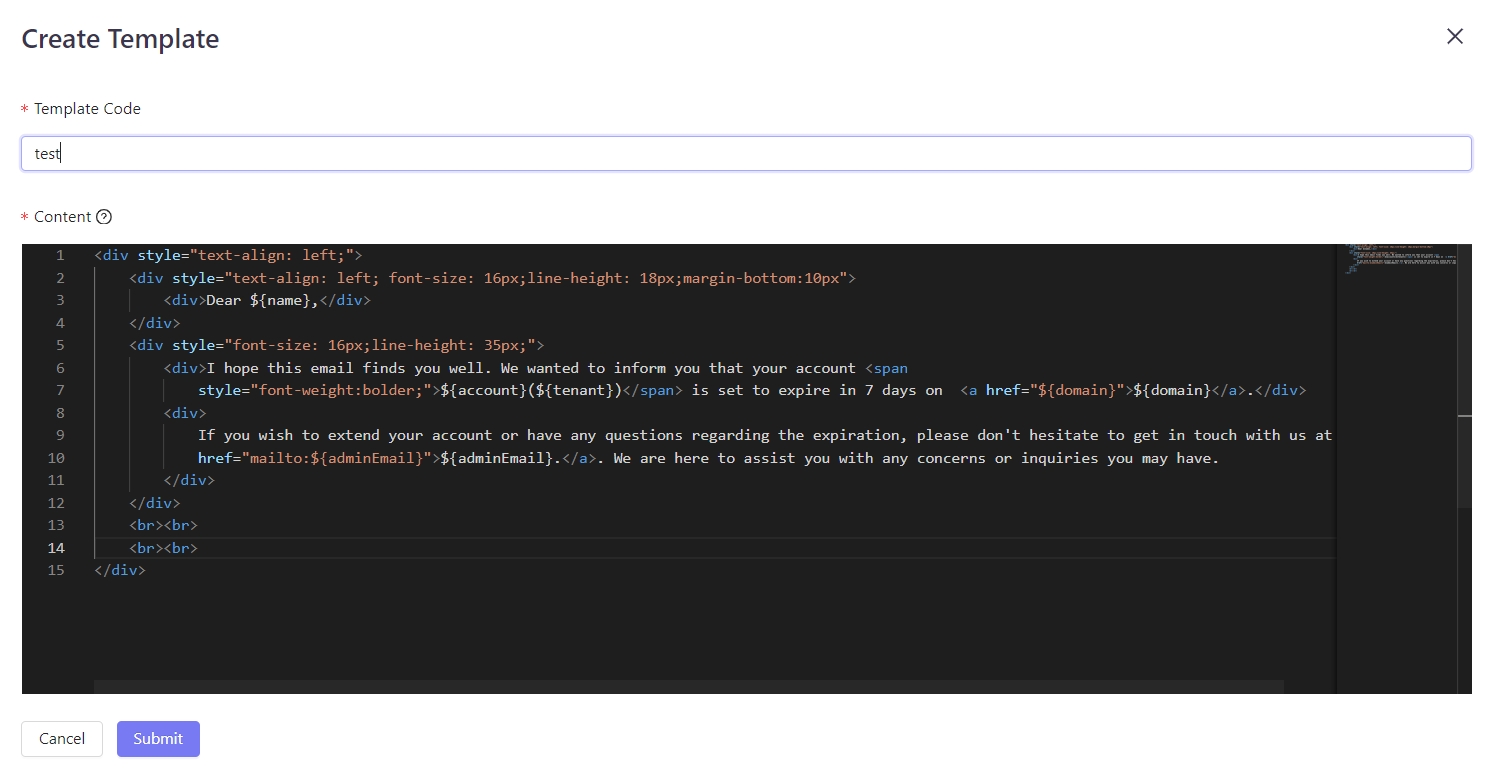
Template Content Restriction Description
- The variable names can only be filled in with English letters or combination of English letters and numbers. The first variable name cannot be number, and the other cannot be the following string: email, mobile, id, nick, site.
- When sending emails, the variable content can neither be empty, nor contain any symbols. The content length should be less than 16 characters.
- [ ] is not allowed to be added to the beginning or the end of the email template.
- If there is a URL in the template, it must be an ICP-filing URL.
- The content cannot include marketing, loans, jackpot, lottery, party and government, religious promotion and other related information.
- The notification email and promotional email don’t support the finance, financial management, real estate and other related content.
- The email content cannot contain politically sensitive words and vulgar sensitive words.
- The template cannot just contain ${}. Please specify the structure of the message content.
- The email templates do not support special symbols.
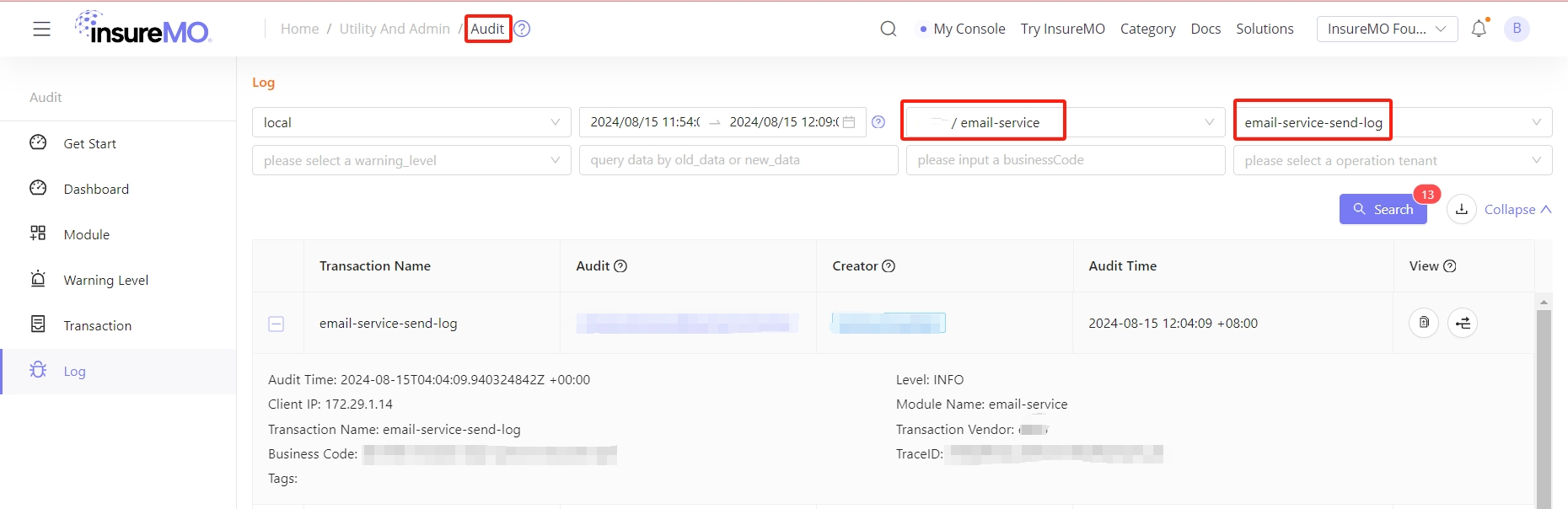
Log
• You can view the log files in the Audit Service, they are available for a particular day and can be downloaded as well. This is required for audit purpose and to check if there is any issue in the service.
Developing with Email Service
Send Email
Calling REST APIs
For all API list, see insureMO API Reference - email.
After the mail account is configured by the tenant, the tenant can call the API to send emails.
Restriction Description
-
We will monitor the content of emails sent by users to prevent it from violating the requirements of national laws and regulations.
-
If the message content violates the rules, the relevant users will be frozen. After the account is frozen, the user cannot continue to use the mail service.
Authentication
HTTP Authentication, scheme: bearer
POST SendEmail
| API URL | Method |
|---|---|
| https://[HOST]/mo-fo/1.0/sns/email/send | POST |
- Header
| Parameter | Value |
|---|---|
| Authorization | Bearer XXXXXXXXXXXXXXXXXXXXXXXXXXXXX |
Body Parameters
{
  "account_name": "insuremo@insuremo.com",
  "alias": "insureMO",
  "attachments": [
    {
      "content": "string",
      "content_id": "string",
      "headers": {
        "property1": "string",
        "property2": "string"
      },
      "mime_type": "string"
    }
  ],
  "auto_format_html": false,
  "bcc": [
    "sample@insuremo.com"
  ],
  "cc": [
    "sample@insuremo.com"
  ],
  "content": "string",
  "content_type": "text/html",
  "custom_headers": {
    "property1": "string",
    "property2": "string"
  },
  "priority": false,
  "reply_to": "string",
  "sender_params": {
    "property1": "string",
    "property2": "string"
  },
  "subject": "Email Service Testing Email",
  "template_code": "string",
  "template_params": {
    "property1": "string",
    "property2": "string"
  },
  "to": [
    "sample@insuremo.com"
  ]
}
Response Examples
If the code is “i_common_success”, it indicates successful sending. Otherwise, the sending fails.
{
  "code": "i_common_success",
  "data": {
    "content_length": 0,
    "data": "string",
    "message_id": "string"
  },
  "message": "string",
  "message_params": [
    "string"
  ],
  "trace_id": "string"
}
Using insureMO Email SDK For Java
Please refer to this document: Welcome to insureMO SDK for Java.
Code example:
import com.insuremo.sdk.core.exception.ApiException;
import com.insuremo.sdk.services.sns.SnsSdkClient;
import com.insuremo.sdk.services.sns.api.EmailApi;
import com.insuremo.sdk.services.sns.bundle.SendEmailResponseBundle;
import com.insuremo.sdk.services.sns.model.SendEmailRequest;

public class EmailApi_sendEmail {

    public static void main(SnsSdkClient snsSdkClient) {
        System.out.println("----- Example for EmailApi.sendEmail -----");
        EmailApi emailApi = snsSdkClient.emailApi();

        System.out.println("----- sendEmail -----");

        try {
            SendEmailResponseBundle responseBundle = emailApi.newSendEmailRequestBuilder()
                    .sendEmailRequest(new SendEmailRequest().
                            accountName("portal-test@insuremo.com").
                            subject("email testing").
                            content("This is a testing email").
                            addToItem("sdk-test@simulator.insuremo.com"))
                    .doRequest();
            System.out.println(responseBundle.getBody().getData());
        } catch (ApiException e) {
            System.out.println(e.getResponseBody());
            System.out.println(e.getCode());
        }
        System.out.println("----- Done. -----");
    }
}
Send 2FA Email (Verify Code)
Please see Send An MFA Code via Email.
Migrate to SNS API
Send Email
API:
https://[host]/eBao/1.0/email/send
=>
https://[host]/mo-fo/1.0/sns/email/send
Request Body:
| /eBao/1.0/email/send | /mo-fo/1.0/sns/email/send | Data Type | Difference |
|---|---|---|---|
| account | account_name | string | |
| alias | alias | string | |
| attachment | attachments | array/Object | |
| attachment.attachmentContent | attachments.content | string/byte | |
| attachment.attachmentMimeType | attachments.mime_type | string | |
| attachment.attachmentName | attachments.content_id | string | |
| autoformat | - | bool | Deperated field. You should specify email content type as html(default) or text and format the content. |
| bcc | bcc | array/string | |
| cc | cc | array/string | |
| consignee | to | array/string | |
| content | content | string | |
| contentType | content_type | string | |
| contentFiles | attachments | array/Object | Same as attachment |
| contentFiles.attachmentContent | attachments.content | string/byte | |
| contentFiles.attachmentMimeType | attachments.mime_type | string | |
| contentFiles.contentId | attachments.content_id | string | |
| contentFiles.headers | attachments.headers | map/string | |
| customHeaders | custom_headers | map/string | |
| priority | priority | bool | |
| replyto | reply_to | string | |
| subject | subject | string | |
| templateCode | template_code | string | |
| templateParams | template_params sender_params | map/string | Split into two different parameters.template_params is used for value replacement in templates and will not be recorded in audit logs.sender_params specifies the parameters for sending the email and will be recorded in audit logs. |
Response:
/eBao/1.0/email/send
Success Response:
HTTP Status Code: 200
{
    "body": "abcd1234-ab12-cd34-ac13-abcd1234abcd",
    "info": "abcd1234-ab12-cd34-ac13-abcd1234abcd",
    "status": 0
}
Failed Response:
HTTP Status Code: 200
{
    "body": null,
    "info": "error message",
    "message": "error message",
    "status": 1
}
=>
/mo-fo/1.0/sns/email/send
Success Response:
HTTP Status Code: 200
{
  "code": "i_common_success",
  "data": {
    "content_length": 0,
    "data": "string",
    "message_id": "string"
  },
  "trace_id": "string"
}
Failed Response:
HTTP Status Code: 499 / 599
{
  "code": "e_sns_email_error_code",
  "message": "string",
  "message_params": [
    "string"
  ],
  "trace_id": "string"
}
FAQs
Q: What email can I send?
A: Triggered email: Emails triggered by events, such as registration notification, transaction notification, and verification notification emails.
Batch email: Subscription emails sent to members, such as product promotion, user notification, periodical information. The email service only allows sending commercial emails permitted by the recipient. The mail content is the recipient’s active subscription. The unlicensed spam is not allowed to be sent.
Q: Can the attachments be added to email?
A: Yes, see API interface for more details.
Q: Why did all the emails go into the recipient’s junk mailbox?
A: It’s generally because the email content is judged as spam by the recipient’s system. Attempts can be made to adjust the email content and avoid the use of spam terms. Then send a test email to your other mailboxes to check if the new content is still considered as spam.
Q: Suggestions on Spam Handling
A: Standardize the email content and use the link address of website. Avoid using short link address. Otherwise, it will be regarded as spam.
Add the address of the unsubscribe link to the email content and perform the actual unsubscribe. At the same time, remind the recipient to add the sender’s address to the whitelist or to contact at a clear location. At the same time, add the introduction of your company and products.
If the sender sends the same message to multiple recipients at the same time, it may also be automatically identified as spam by the system.