Introduction - OCR
OCR (Optical Character Recognition) is a service that extracts information from various types of images, such as photos, PDFs, and handwritten files, and converts them into machine-encoded text. This eliminates the need for manual data entry in certain business applications.
Many cloud vendors like Google, offer original OCR services. However, insureMO OCR service acts as an adapter that connects various OCR vendors like Google, and provides a unified interface to consumer applications.
The insureMO OCR service consists of two parts: the OCR Configuration Console and the OCR APIs.
Users can choose and configure the OCR vendor in the insureMO OCR Configuration console.
Once the configuration is done, the user’s application can integrate and call the OCR API.
Get Started - OCR
OCR Configuration Console
To get started, follow these steps:
-
Create an OCR account and obtain the token for API calls.
-
Click Sign in to log in to insureMO Portal with your personal account.
infoIf you do not have a personal insureMO account, click Sign up to register one.
-
Click Catalog at the top of the home page.
-
In the nevagation pane on the left side of Catalog page, navigate to Non Insurance Services > OCR to find the OCR Service v2 service card.
-
Select OCR Service v2
-
Click Create to add a new account.
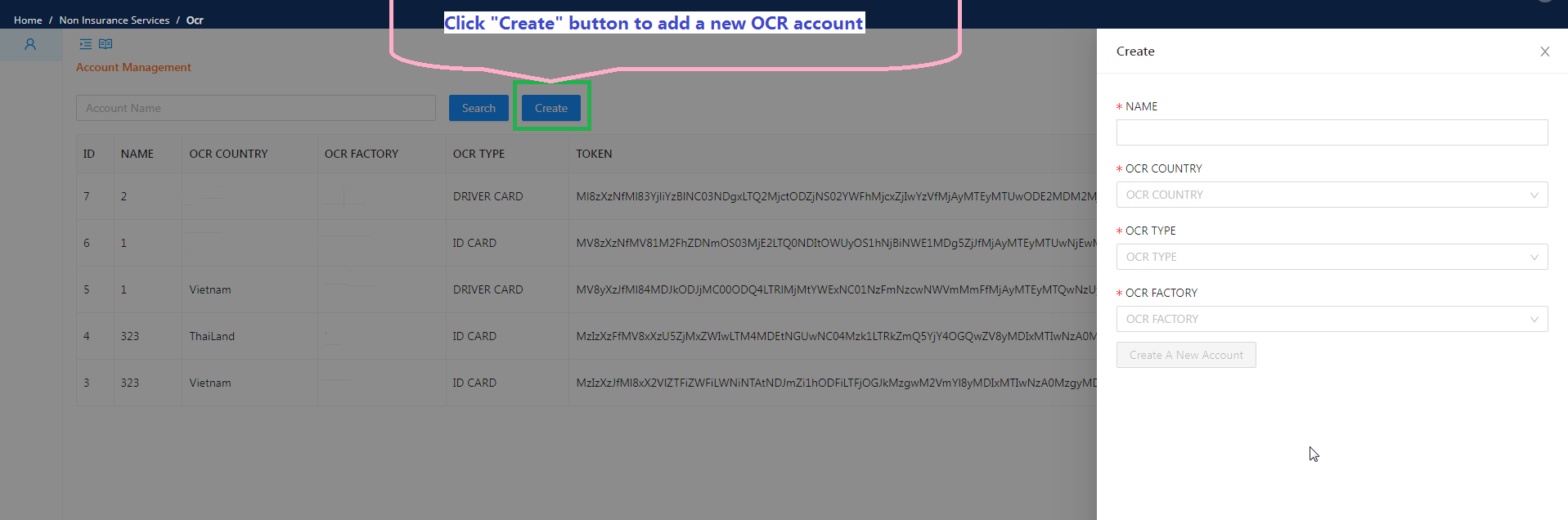
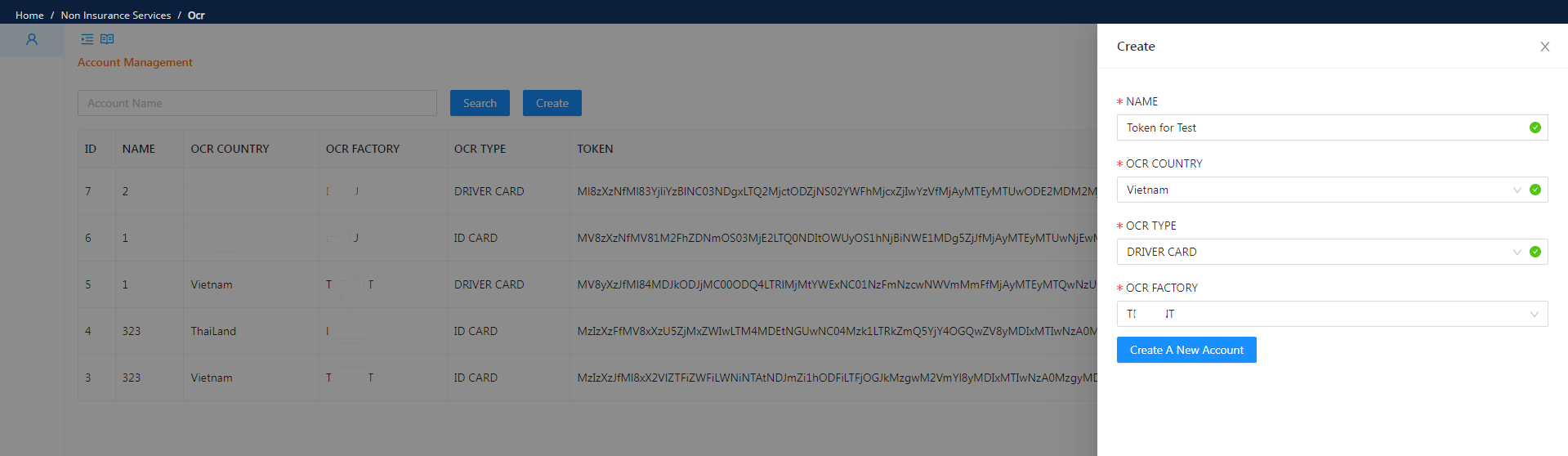
- Enter the account name, choose the OCR vendor, and select the document type that will use OCR.
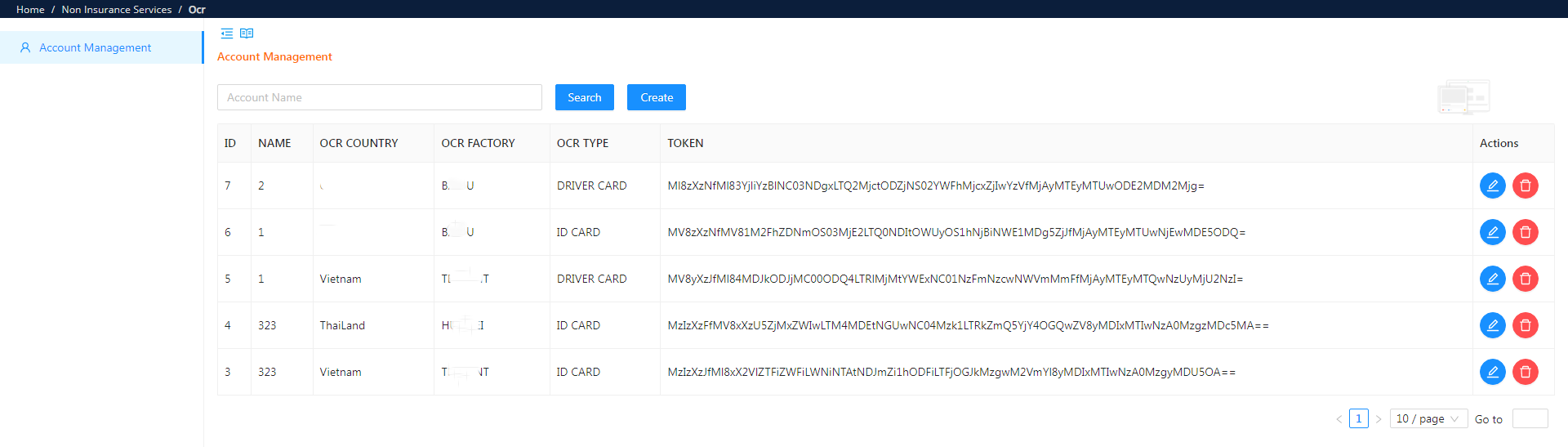
- View the created account and its token for API access.
OCR APIs
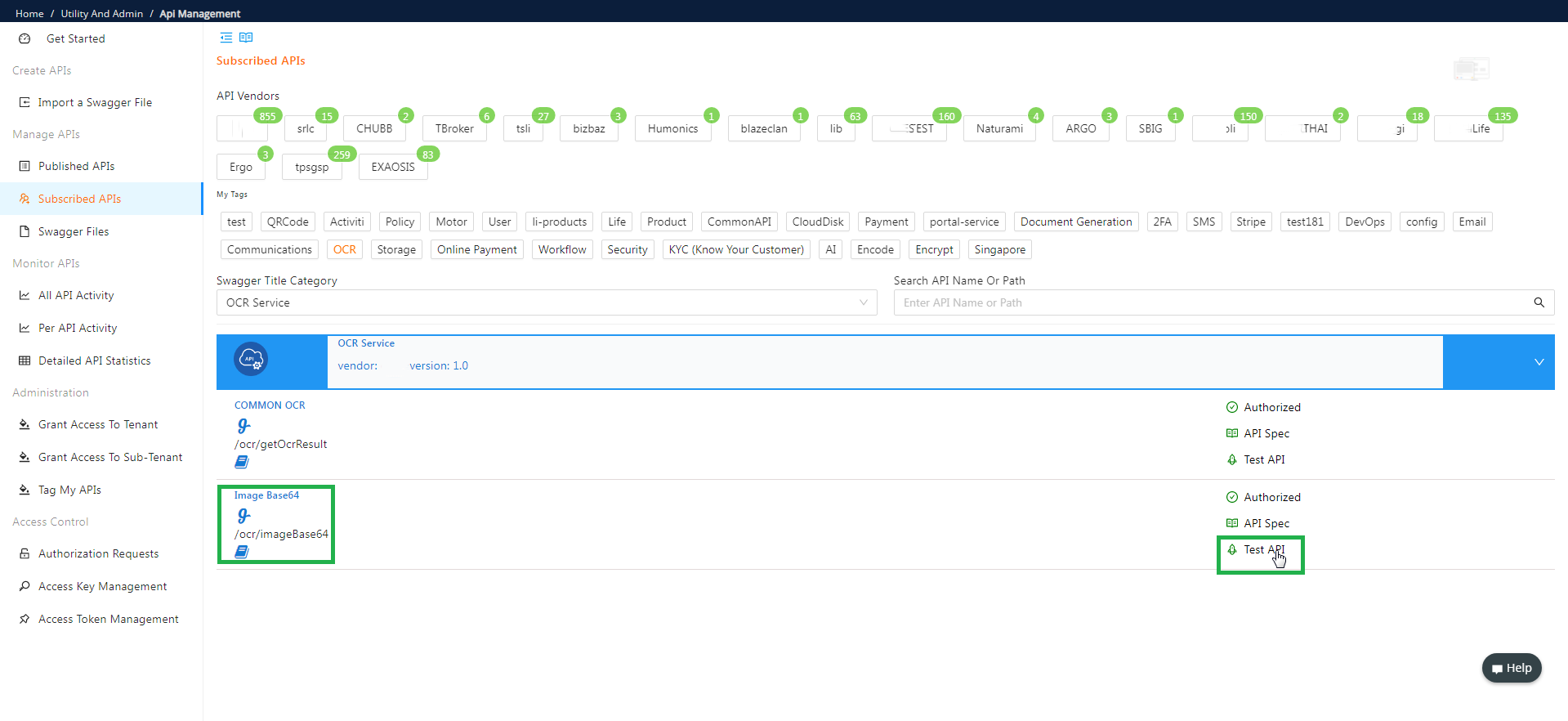
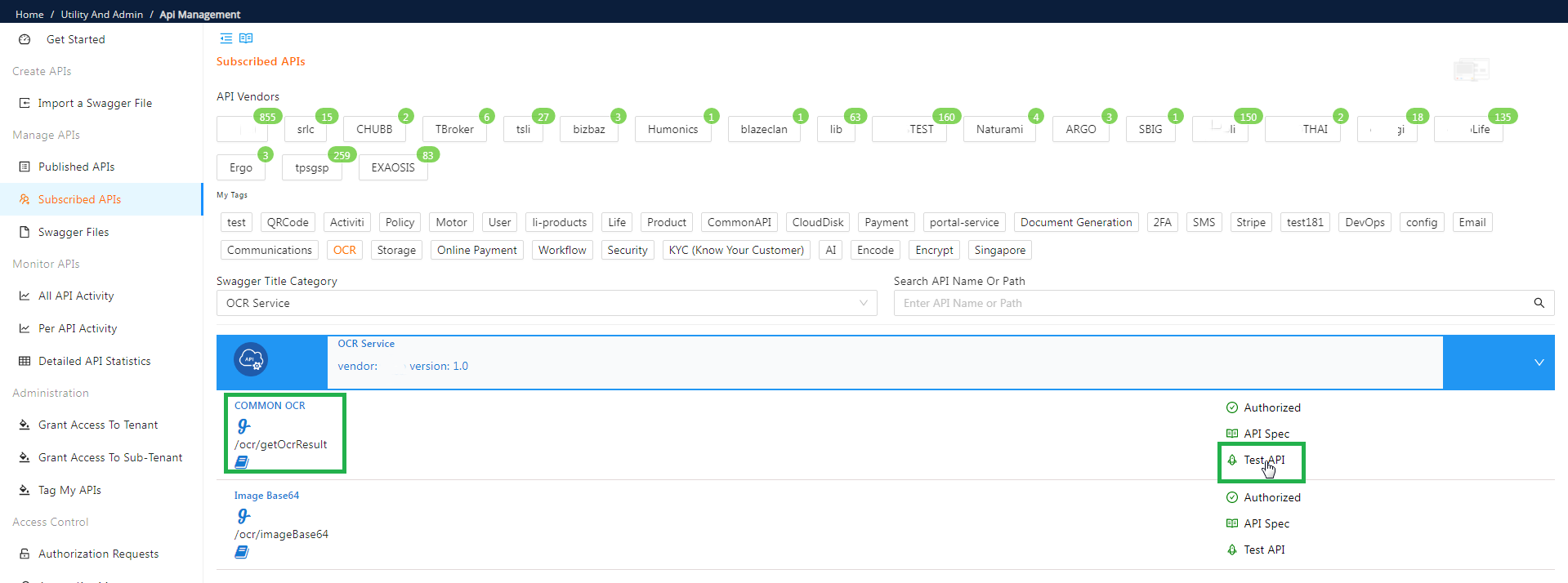
Go to “API Management”, under “Subscribed APIs”, search for OCR APIs, then you can use Online API test to test the APIs:
1.Image Base64 API
1.1 Type
- Post
1.2 Path
1.3 Request Body
-
Image file;
-
Support type: PNG、JPG、JPEG、BMP、PDF;
-
File size should be under 5 MB;
-
Resolution should be above 600 * 800 pixels.
1.4 Response Body

Result Object

Sample Response
{ “status”: “200”, “message”: “success”, “result”: { “imageBase64”: “wMLvXefIAAAAASUVORK5CYII=XXXXXX” }}
2. OCR API
2.1 Type
- Post
2.2 Path
2.3 Request Body

2.4 Response Body

Result Object

VnIDCardRes Object

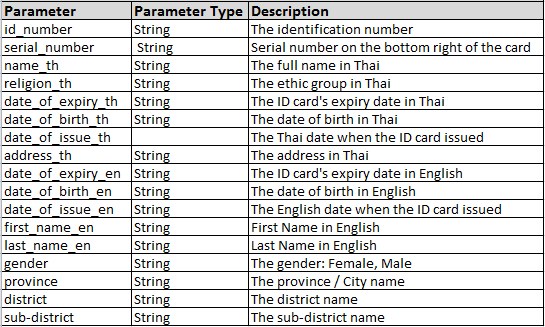
ThaiIDCardRes Object
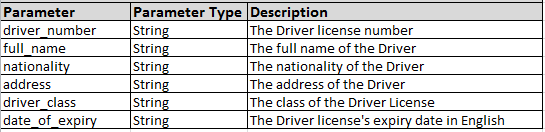
VnDriversLicenseRes Object
Sample Response
{ “status”: “200”, “message”: “success”, “result”: { “vnIdCardRes”: { “id_number”: “0010XX0008XX”, “full_name”: “NGÔ XXX MI”, “date_of_birth”: “14/08/1990”, “sex”: “Nam”, “nationality”: “Viêt Nam”, “place_of_origin”: “XXX, Chương Mỹ, Hà Nội”, “place_of_residence”: ” XXX, Nam Từ Liêm, Hà Nội”, “date_of_expiry”: “14/08/2023” } } }