What is Config Center
A configuration center is a centralized component used to manage environment-specific parameters for a microservice application. These parameters may include:
- Database connection strings
- Server addresses
- API keys
- Other settings that vary between environments
Benefits of Using a Configuration Center
Using a configuration center simplifies managing and maintaining multiple environments, like development, staging, and production. Instead of hardcoding environment-specific settings into the application code, these settings can be stored in the configuration center and accessed at runtime.
This approach has several advantages:
-
Simplify Updates: It allows for easy configuration changes without having to modify and redeploy application code.
-
Reduce Risk: It can help prevent errors caused by environment-specific settings being inadvertently included in code repositories or deployment packages.
-
Enhance Security: It can improve security by allowing sensitive parameters to be stored separately from application code and only accessed by authorized users.
How to Use Config Center
- Configuration rules
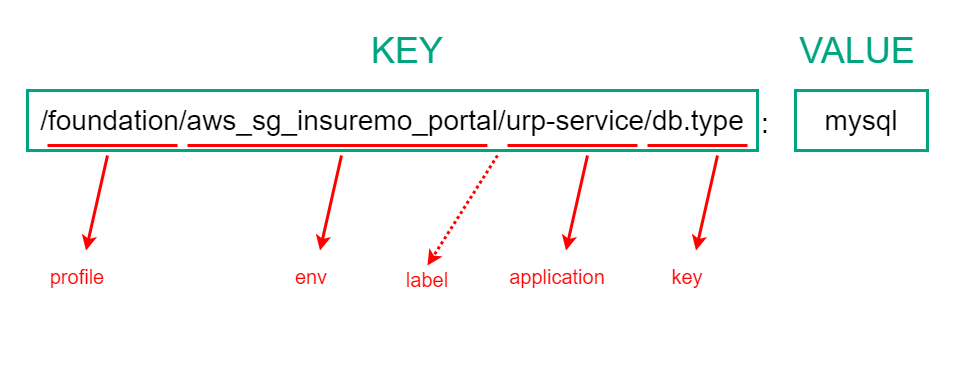
- The key of the configuration center data is separated by ’/’, where each level has different meanings. The value is the configuration data. If it is the current effective environment, the environment name is local.
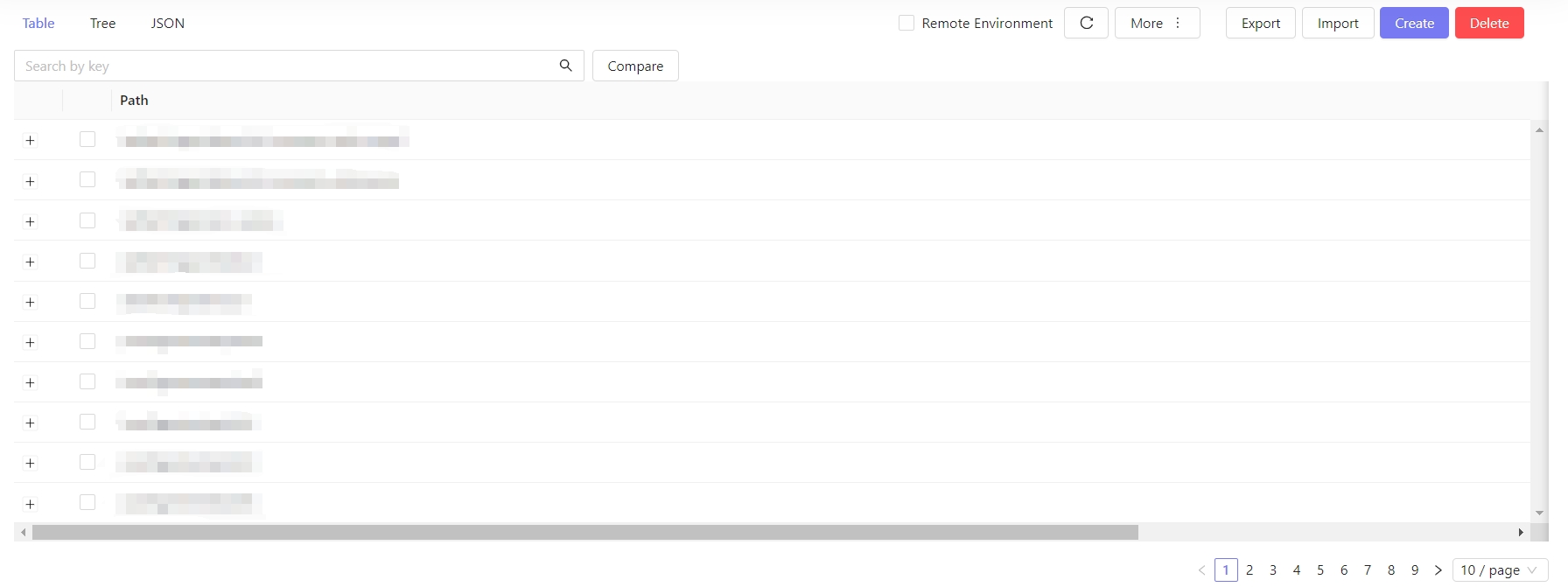
- View configuration
- Three modes: Table、Tree and JSON
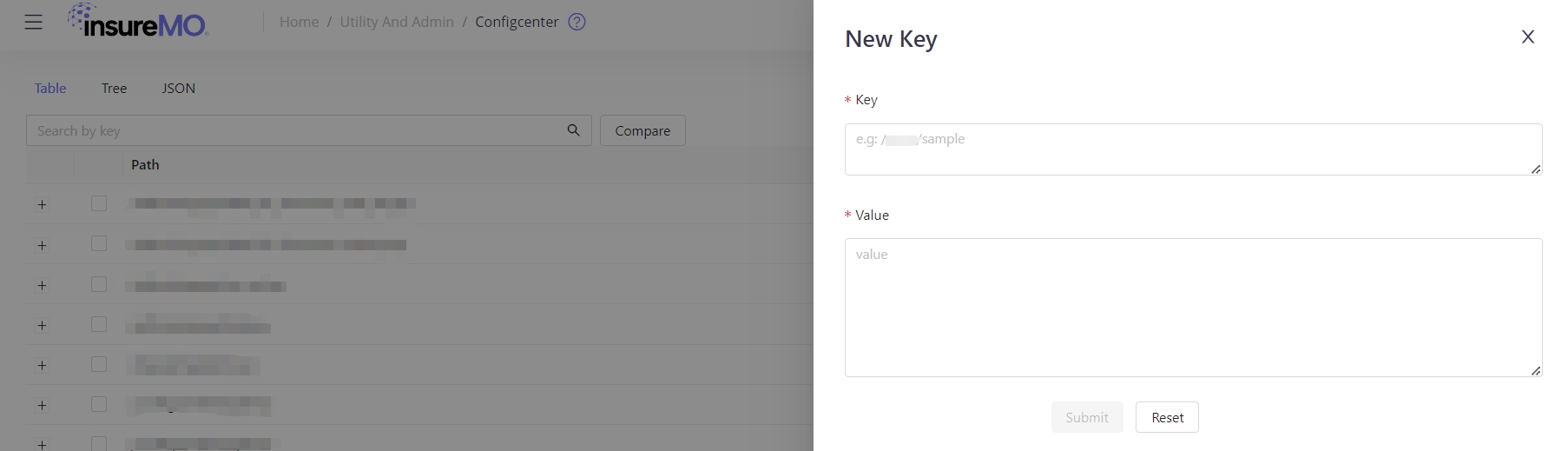
- Add configuration
- Add key:value
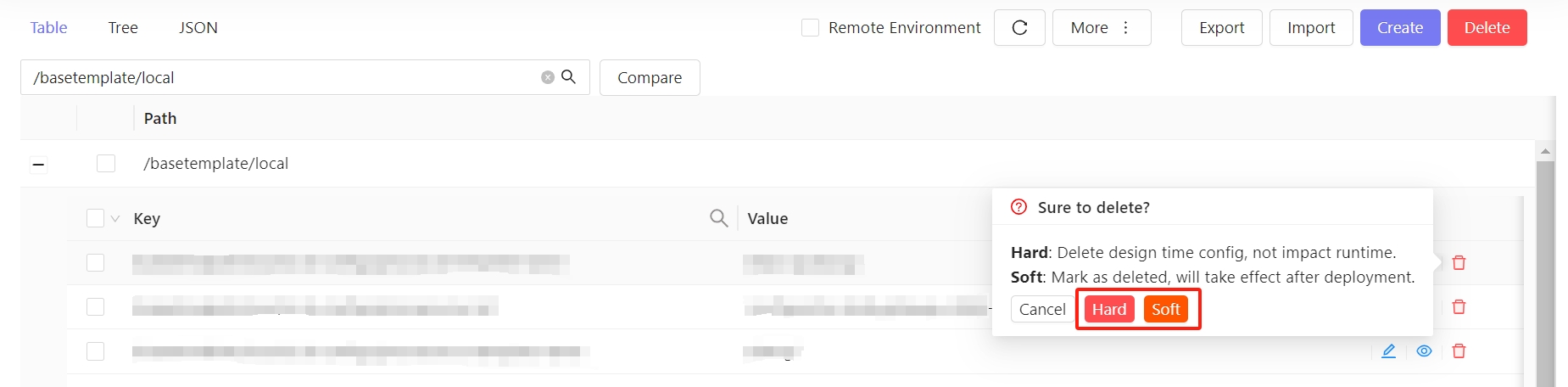
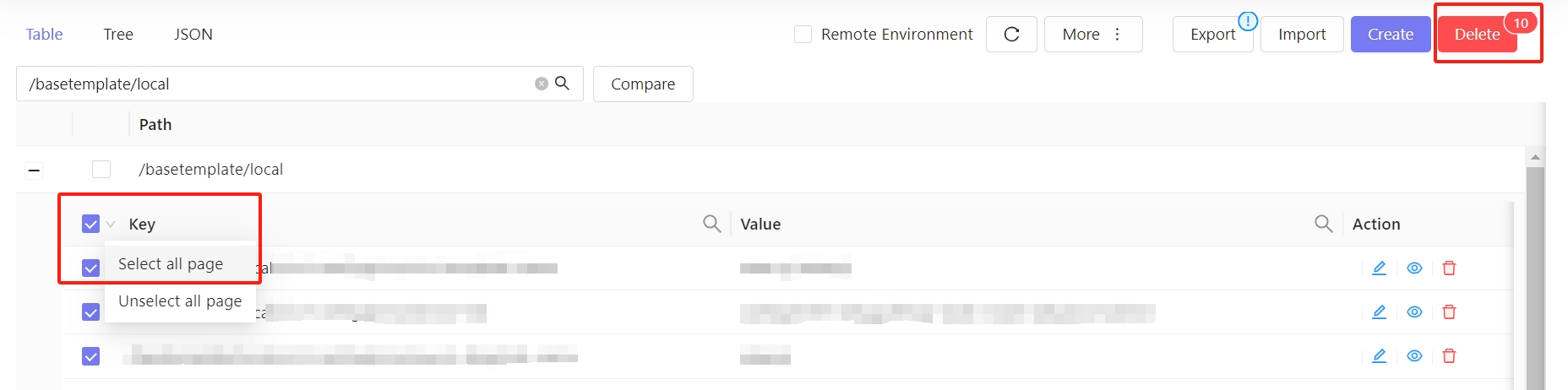
- Delete configuration
- Two modes of deletion
- Batch deletion
Service Integration
- Template integration
- The integration method is simple and easy to operate, convenient and fast.
- SDK integration
- You can add the SDK provided by insureMO with less dependence.
- API Integration
- You need to get the processing configuration yourself.
Data Storage
For private installation, it’s important to understand that config-center is powered by eted in the backend as separate middleware.
- About etcd
Etcd is a distributed key-value store that can be used to store and retrieve configuration data in a reliable, scalable, and highly available manner. In distributed systems, it is often used for:- Service discovery
- Configuration management
- Coordination in distributed systems
Using etcd for configuration management allows to store configuration data as key-value pairs, where each key represents a configuration parameter and each value represents its corresponding value.
By organizing configuration data in this way, users can easily manage different configurations for different environments by creating separate keys for each environment.
Usage Scenario
- Unified management of service configuration
- The service calls and reads configuration
Page
API
The latest API version is V2, with the base path
/config/v2. The V1 APIs (/config/export,/config/import,/config/configs) are deprecated.
V2 APIs require MO user authentication (via gateway Bearer token).
Gateway URL format:{{insuremo_gw_url}}/mo-fo/v1/config/v2/{endpoint}
Get Configuration (Service Invocation)
-
GET request:
{{insuremo_gw_url}}/mo-fo/v1/config/v2/configs -
Query Params:
Parameter Required Description profileYes Tenant code, e.g. foundationenvironmentNo Environment name, default is localapplicationNo Application name, e.g. urp-servicekeyNo Specific key name modeNo Set to mixto merge public application configs with the specified application configs -
Headers:
Authorization: Bearer xxxxxxxxxxxxxxxxxx -
Response: Returns decrypted plaintext values. Sensitive configs are automatically decrypted before returning.
-
Response Body:
{"code": "i_common_success","message": "request success","trace_id": "","env_name": "test_env","date": "2026-07-29T03:46:38.224Z","data": {"env": "local","profile": "tenant-a","application": "my-app","label": "","key": "","data": {"db.host": "localhost","db.port": "3306"}}}Field Type Description codestring Response code, e.g. i_common_successmessagestring Response message trace_idstring Trace ID for request tracking env_namestring Environment name datestring Response timestamp (ISO 8601) data.envstring Environment data.profilestring Tenant code data.applicationstring Application name data.labelstring Label data.keystring Key filter data.datamap[string]string Key-value pairs of configuration data (decrypted plaintext)
Export Configuration
-
GET request:
{{insuremo_gw_url}}/mo-fo/v1/config/v2/export -
Query Params:
Parameter Required Description profileYes Tenant code, e.g. foundationenvironmentNo Environment name, e.g. dev,tst. Default islocalapplicationNo Application name, e.g. urp-servicekeyNo Specific key name to export included_prefixNo Only export keys with this prefix excluded_prefixNo Exclude keys with this prefix ignore_meta_dataNo Ignore meta data in export -
Headers:
Authorization: Bearer xxxxxxxxxxxxxxxxxx -
Response: Returns encrypted/masked values. Sensitive configs are exported as
*mo_encrypted*ciphertext. -
Response Body:
{"code": "i_common_success","message": "request success","trace_id": "","env_name": "test_env","date": "2026-07-29T03:46:38.224Z","data": {"env": "local","profile": "tenant-a","application": "my-app","label": "","key": "","data": {"db.host": "ENC(xxxx)","db.port": "3306"}}}Field Type Description codestring Response code, e.g. i_common_successmessagestring Response message trace_idstring Trace ID for request tracking env_namestring Environment name datestring Response timestamp (ISO 8601) data.envstring Environment data.profilestring Tenant code data.applicationstring Application name data.labelstring Label data.keystring Key filter data.datamap[string]string Key-value pairs of configuration data (sensitive values encrypted as ENC(...))
Import Configuration
-
POST request:
{{insuremo_gw_url}}/mo-fo/v1/config/v2/import -
Query Params:
Parameter Required Description is_hardNo If true, data containingmo_deletedwill not be deleted -
Request Body:
{"env": "local","profile": "foundation","application": "urp-service","label": "","key": "","included_prefix": "","excluded_prefix": "","data": {"db.type": "mysql","db.host": "172.25.14.34"}}Field Type Description envstring Environment name profilestring Tenant code applicationstring Application name labelstring Label keystring Key name included_prefixstring Only import keys with this prefix excluded_prefixstring Exclude keys with this prefix datamap[string]string Key-value pairs of configuration data -
Headers:
Authorization: Bearer xxxxxxxxxxxxxxxxxx -
Note: Sensitive keys (matching
pwd/password/secret/token/credential/key) are automatically AES-encrypted on write. -
Response Body:
{"code": "i_common_success","message": "request success","trace_id": "","env_name": "test_env","date": "2026-07-29T03:46:38.224Z","data": {"revision": "12345","version": "v1.0.0","count": {"put": 2,"delete": 0,"get": 0},"operator": "admin","tenant_code": "tenant-a","query_params": "version=v1.0.0","modify_time": "2026-07-29T10:00:00Z","trace_id": "abc123"}}Field Type Description codestring Response code, e.g. i_common_successmessagestring Response message trace_idstring Trace ID for request tracking env_namestring Environment name datestring Response timestamp (ISO 8601) data.revisionstring Revision number of the import data.versionstring Version of the import data.count.putnumber Number of keys written data.count.deletenumber Number of keys deleted data.count.getnumber Number of keys read data.operatorstring Operator who performed the import data.tenant_codestring Tenant code data.query_paramsstring Query parameters used data.modify_timestring Last modification time (ISO 8601) data.trace_idstring Trace ID for this operation