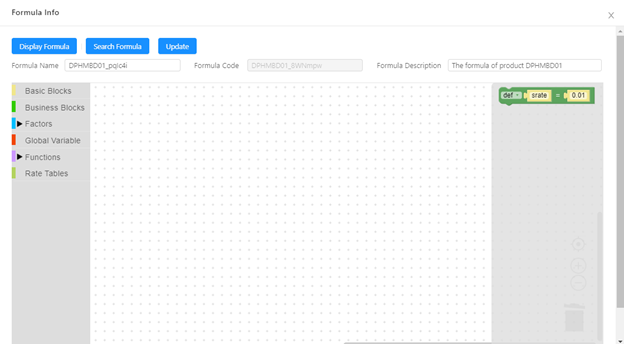
How to configure a formula you want will be introduced here. First you need to know the business logics and these logics need to be written in mathematical expressions using expression blocks. Then you can use blocks in the left toolbar to draw this formula in workspace so that system can generate DSL language accordingly for product engine to recognize and apply the same to run formula in runtime. Before starting with a real formula, you need to get acquaintance with the blocks in the toolbar first.
Basic Blocks
Click Basic Blocks in the left toolbar to see all basic blocks.
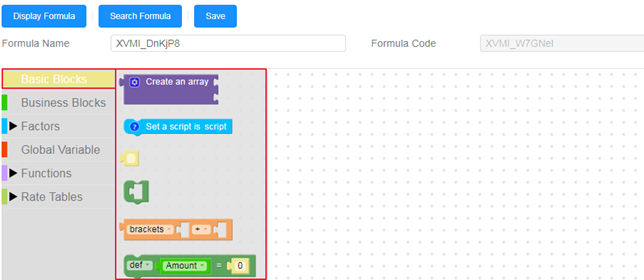
| Block Image | Function description |
|---|---|
 | Basic carrier Block. Used to carry other blocks such as free text block or condition block. |
 | Free text block can be used to define the free text value.  This will be wrapped into a basic carrier or other carrier blocks to use in the formula. This will be wrapped into a basic carrier or other carrier blocks to use in the formula.If you want to define a string (not a variable name), you need to input single inverted comma to the text.  |
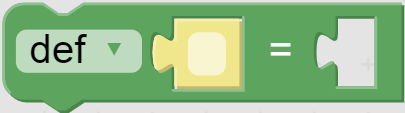 | Variable define block. Used to define a variable. If change def to null, it means assign some value to a variable. 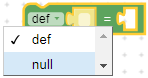 |
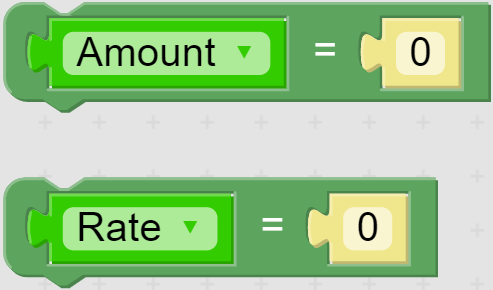 | Used to define Rate or Amount. Most used in formula of fees and taxes. The two options can be switched by clicking the green dropdown. 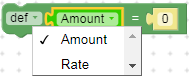 |
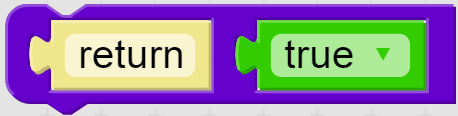 | Used to return a true or false value. It can also change the block to be any formula as form of A B. |
 | Operational formula block, including add, subtract, multiply and divide. Support to add or remove brackets freely. 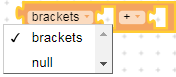 It should be wrapped into a basic carrier or other carrier blocks as below. It should be wrapped into a basic carrier or other carrier blocks as below.  |
 | Compare block. Used to compare 2 variables, resulting in true or false. Usually be used in conditional statement. Support comparison operators below: · Equal to. · Not equal to. · Less than. · Less than or equal to. · Greater than. · Greater than or equal to. 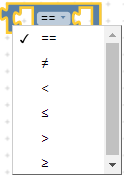 |
 | Condition block. Can be nested. Usually be used in conditional statement.  |
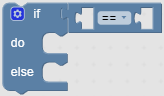 | Conditional statement block. The condition after If can be changed by removing it and dragging another block to attach after If.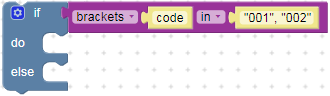 If users need to add or remove condition, such as removing else or adding an else if, they can click the icon on the top left corner. Then users can drag an item from the left to the right to add a condition; or drag the item from the right to the left to remove it. 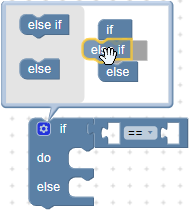 |
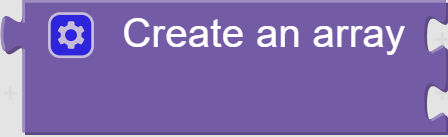 | Array define block. A block below means [1, 2]. 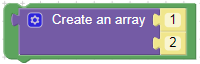 |
 | Used to define the precision mode of a number. Usually used in complex business block.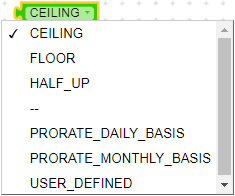 |
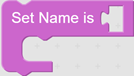 | Used to define a specific DSL block name. Usually used in complex business block. |
 | |
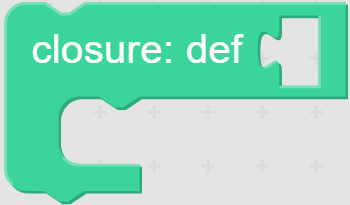 | Used to define a variable whose value is returned from a closure. Users can consider it as an immediate execution method. Usually used to define a global variable. |
 |
Factor Blocks
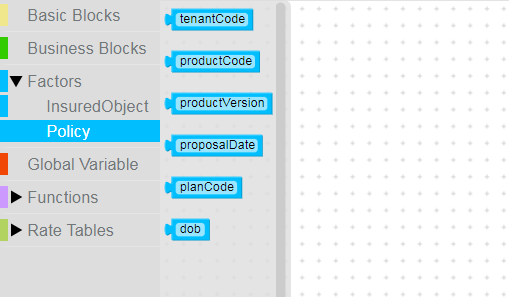
You can find all factors defined in product structure under Factors menu in formula configuration. These factors are grouped according to applies to level defined in the factor definition. Once you click any of the nodes under Factors in formula configuration, it will list out all factors on right side. The factors here are usually used as parameters to pass dynamic value into the formula.
Functions
Function is a block of code designed to perform a particular task. It is executed when something invokes it (calls it). Here something means if a user enters the required data for function, and then the expected result gets calculation basis on the code or algorithm written in the function.
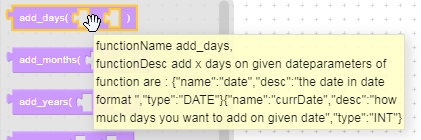
Please see the table below where some of the functions are explained in detail.
Basic Functions
| Block Image | Function description |
|---|---|
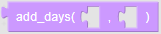 | Date processing function, adding specific days to a date, returns the new date. Parameter 1: original date, e.g. 10/22/2019. Parameter 2: days to add or subtract. Function name add_months, functionDesc adding X months on given date parameters of function are : {“name” : “date”, “desc” : “the date in the date format”, :type” : “date”} {“name” : “curdate”, “desc” : “how many months you want to add on given date”, “type” : “INT”}. |
 | Date processing function, adding specific months to date, returns count of months. Parameter 1: original date, e.g 10/22/2019. Parameter 2: months to add or subtract. Function name add_months, functionDesc adding X months on given date parameters of function are : {“name” : “date”, “desc” : “the date in the date format”, :type” : “date”} {“name” : “curdate”, “desc” : “how much months you want to add on given date”, “type” : “INT”}. |
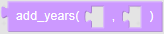 | Date processing function, adding specific months to date, returns count of years. Parameter 1: original date, e.g 10/22/2019. Parameter 2: years to add or subtract. Function name add_years, functionDesc adding x years on given date parameters of function are : {“name”:“date”,“desc”:“the date in date format”,“type”:“DATE”}{“name”:“curdate”,“desc”:“how many years you want to add on given date”,“type”:“INT”}. |
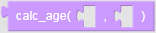 | Date processing function, adding current date and date of birth, returns the age in years. Parameter 1: current date, e.g 10/22/2019. Parameter 2: date of birth, e.g 10/23/1990. Function name calc_age, functionDesc calculating the age with given date of birth with current date parameters of function are : {“name”:“dob”, “desc”:“the age in date format”} |
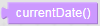 | Date processing function, returns current date. Function name currentDate, functionDesc get the current system date. |
 | Date processing function, returns days between two dates. Parameter 1: endorsement effective date, e.g 10/22/2019. Parameter 2: policy effective date, e.g 10/23/1990. Function name getDaysBetweenTwoDates, functionDesc get delta days between given two days parameters of function are : {“name”:“date1”,“desc”:“the one date”,“type”:“DATE”}{“name”:“date2”,“desc”:“the another date”,“type”:“DATE”}. |
 | Date processing function, returns days between policy effective date and expiry date. Parameter 1: policy effective date, e.g 10/22/2019. Parameter 2: policy expiry date, e.g 10/21/2020. Function name getDaysFromPOI, functionDesc getting days between POI parameters of function are : {“name”:“effDate”,“desc”:“policy effective date in date format”,“type”:“DATE”}{“name”:“expDate”,“desc”:“policy expiry date in date format”,“type”:“DATE”}. |
 | Function name hour, functionDesc getting hour of day from given date parameters of function are : {“name”:“date”,“desc”:“the given date in date format”,“type”:“DATE”}. |
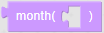 | Date processing function, returns month from the date parameter. Parameter :date, e.g 10/22/2019. Function name month, functionDesc getting month from given date parameters of function are : {“name”:“date”,“desc”:“the given date in date format”,“type”:“DATE”}. |
 | Function name proDailyRate, functionDesc calculating POI rate based on current year parameters of function are : {“name”:“effDate”,“desc”:“policy effective date in date”}. |
 | Function name thousandsNumber, functionDesc formatting the given number as thousands format (eg: 1,000,000) parameters of function are : {“name”:“number”,“desc”:“the given number need to thousands format”,“type”:“NUMBER”}. |
 | Function name totalDaysToXYears, functionDesc getting delta days between given date and X years later of given date parameters of function are : {“name”:“date”,“desc”:“the given date in date”}. |
 | Function name truncateTimeOfDate, functionDesc truncating the time of current date parameters of function are : {“name”:“date”,“desc”:“the given date in date format”,“type”:“DATE”}. |
 | Function name year, functionDesc getting year from given date parameters of function are : {“name”:“date”,“desc”:“the given date in date format”,“type”:“DATE”}. |
Math Functions
| Block Image | Function description |
|---|---|
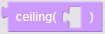 | Ceiling the given decimal value. Parameter: Value |
 | Floor the given decimal value. Parameter: Value |
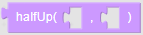 | Parameter 1: The value Parameter 2: Precision |
Business Functions
| Block Image | Function description |
|---|---|
 | Get deductible value on indicated coverage. Parameter 1: Coverage code. Parameter 2: Deductible type. |
 | Get limit value on indicated coverage. Parameter 1: Coverage code. Parameter 2: Limit type. |
 | Get deductible value on indicated sub coverage(interest). Parameter 1: Coverage code. Parameter 2: Sub coverage code. Parameter 3: Deductible type. |
| Get limit value on indicated sub coverage(interest). Parameter 1: Coverage code. Parameter 2: Sub coverage code. Parameter 3: Limit type. |
Parameter value of limit/deductible type:
• PER_ACCIDENT – If limit/deductible type is set as AOA.
• PER_POLICY – If limit/deductible type is set as AOP.
• MAX_PERSON – Not Supported yet.
• PER_POLICY – If limit/deductible type is set as LIFETIME.
Rate Tables
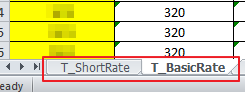
After uploading rate table in Tables page, we can find the rate table uploaded under Rate Tables in formula configuration toolbar. All tables in the uploaded rate table file will be listed here, using sheet name as table name.
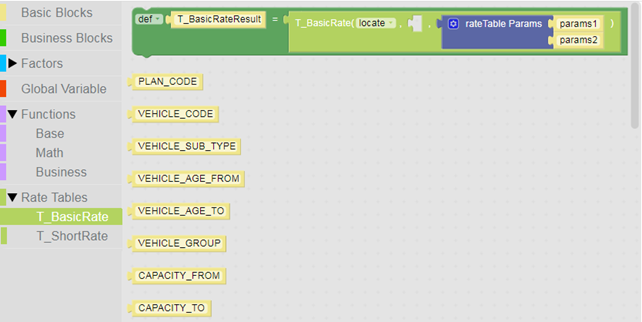

In Image expression block above, the block is used to fetch the specific value from the rate table. Here system will fetch the result from the rate table basis on the parameters given in rate table params block. You can see all columns in the rate table on left side.
Detail explanation of rate table block
In this block, there’re 3 parameters - function name, condition Clause and parameters.
Function Name
There are 3 types of function:
a. Locate – Used to find a certain row.
Note : System will return error, if no row can be found by the given condition.
b. Exists – Check if the row can be found by the given condition, returns true or false.
c. LocateIfExists – If system can find a certain row by given condition, returns this row, otherwise returns null.
Condition Clause
It’s the search condition like where clause in SQL. Let’s see the following example:
? between AGE_From and AGE_To and Plan_Code.
The question mark ? will map with the value of parameters (in this case they are age and planCode) in sequence. So the sentence above means we need to find a row that the value of age is between rate table columns AGE_From and AGE_To and the value of plan code should be equal to column Plan_Code.
Currently we can input the condition clause manually.
Parameters (Array format)
List all parameters that need to be used to locate a certain row in rate table. The order need to match the order of question marked ? in condition clause.
A Simple Example
Let’s understand these better with an example. Suppose a rate table is prepared as below according to business requirement:
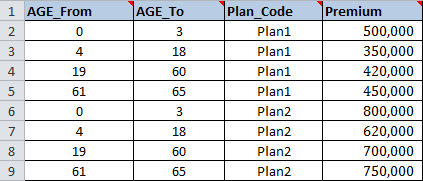
It can be seen that by age and plan code, we can locate a certain row and get the premium. For example, if parameter age is 20 and plan code is Plan2, then the premium should be 700,000.
So, we need to drag a free text block to be the parameter after locate, and key in the condition clause as below:
? between AGE_From and AGE_To and Plan_Code.
Then parameters age and planCode should be dragged from factors block. Now the formula will look like below.

If parameter age is 20 and plan code is Plan2, then system will locate row 8 according to given condition, and that’s the value of variable “Main_CoverageResult”. We can use “Main_CoverageResult.Premium” to get the corresponding premium 700,000.
Now we can finish this rating formula as below:

Business Blocks
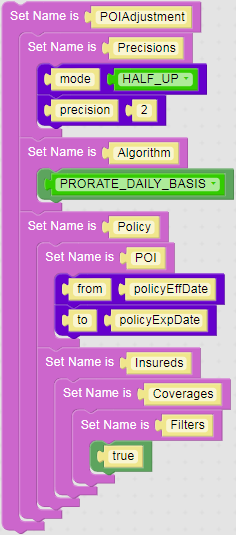
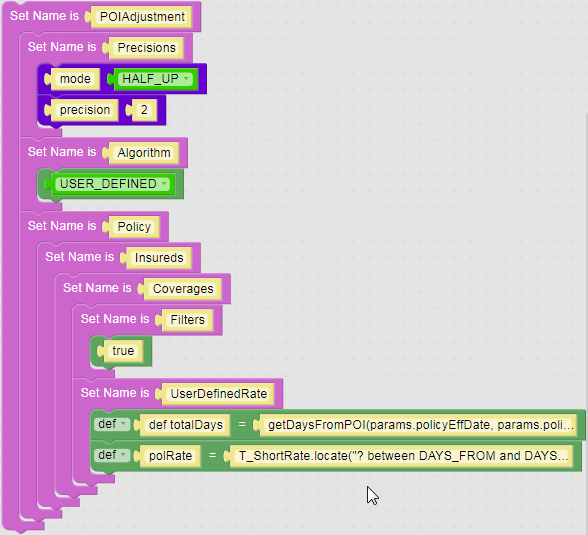
There are some commonly used but complex logics, like premium adjustment of different policy period (POI Adjustment block). System provides these logics as business blocks to use, and they can be dragged to the workspace; some options and blocks can be changed accordingly.
POI Adjustment
System provided 2 samples of POI adjustment block.
- Adjusted by basic prorate – daily or monthly.
- Adjusted by user defined rate table.
Underwriter Function
When defining a referral (underwriting) rule, the formula MUST return an underwriting result object, using function refer(…). The underwriting function block is used to give an example of formula of this kind. You just need to add logics to change value of variable uwResult in different conditions.
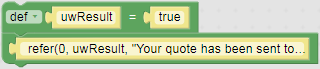
Parameters of function refer():
• Parameter 1: Underwriting level, if not defined just input 0.
• Parameter 2: Underwriting result, true means pass while false means block.
• Parameter 3: Underwriting message.
Global Variable
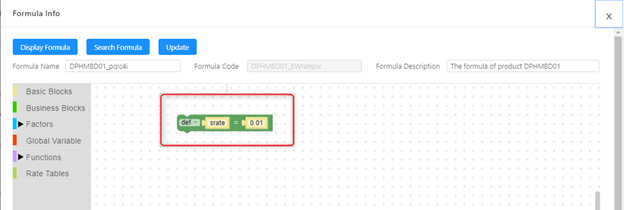
You can define the variables which can be used across the algorithms. These variables are called as Global Variables as shown in Image 1 below. In New Algorithm you need to define Algorithm Code as COMMON so that the algorithm steps defined under it can be used as Global Variable. Please refer below Image 2 and 3.
Image 1:
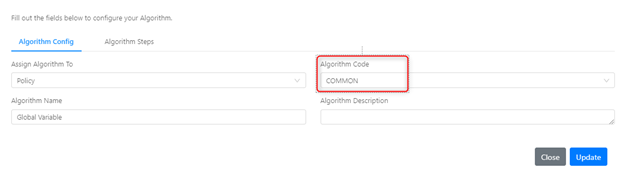
Image 2:
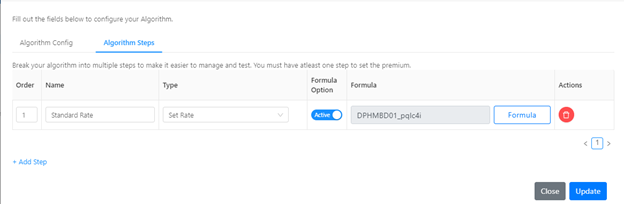
Image 3:
Retrieve Deleted Blocks
If you want to retrieve some deleted blocks, you can find them by clicking Recycle Bin as shown in Image 1 below. Once clicking recycle bin, you will find all deleted blocks on right hand side panel as shown in Image 2 below.
Image 1:
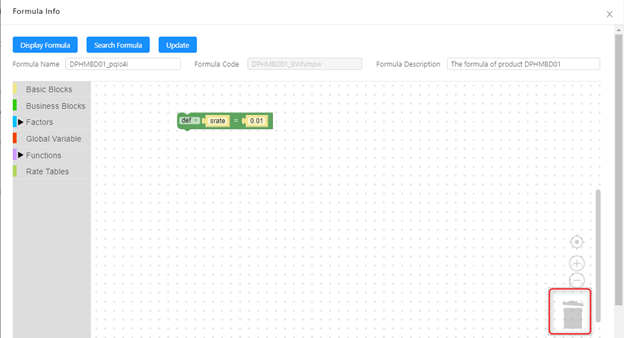
Image 2: