Introduction
One-Time Password (OTP), also known as a dynamic password, is a password that is generated dynamically based on an algorithm. It is used for users’ single login operation or their interaction with servers through computers and other digital devices.
OTP serves as a method to verify the user’s identity and is commonly employed in sensitive operations such as login, logout, and funds transfer. It can be used as both primary and secondary authentication, making OTP a popular choice for two-factor authentication.
OTP tokens can be distributed to users through special software, SMS, and special hardware in mobile phones. These one-time tokens provide complexity and enhanced security. Additionally, they offer the convenience of password generation without the need for memorization.
At present, OTP dynamic password technology used in the field of strong security authentication originates from RSA secured product first developed by RSA company in 1986. Dynamic password is not one-time password technology, but dynamic one-time password technology.
In Non Insurance service, you will find the RSA card with an option to view its details.
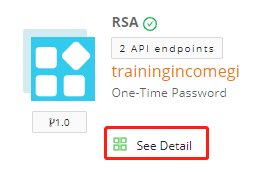
See Detail gives you direct access to the APIs listed in RSA.
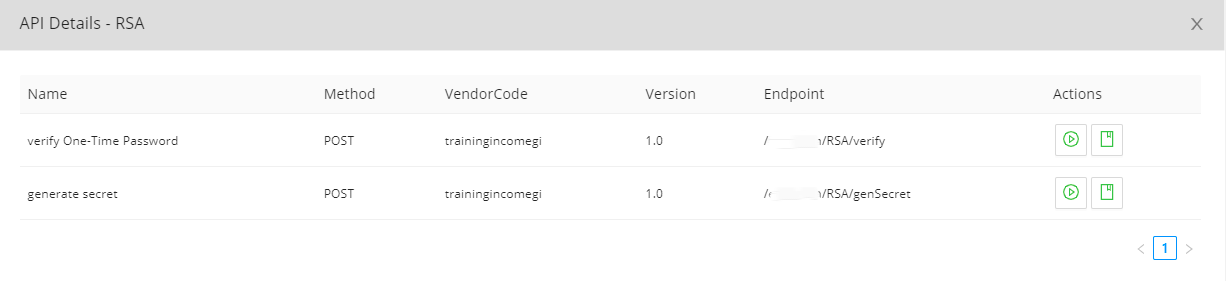
Workflow: How to Use RSA Service?
To utilize RSA service, users need to download an OTP verification software on their mobile phones.
For iPhones, the software can be directly downloaded from the app store:
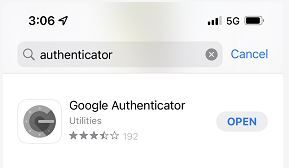

For Android phones, the download link is https://jms-pkg.oss-cn-beijing.aliyuncs.com/Google%20Authenticator_v5.10_apkpure.com.apk.
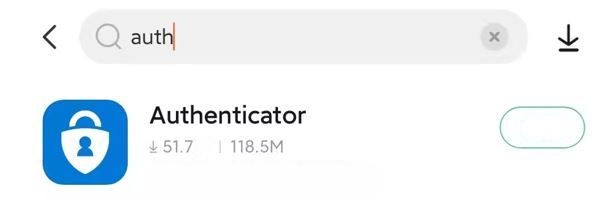
If you cannot find Google Authenticator for Android phones, you can search Authenticator in your app store.
Systems should get secrets or QR codes by calling the generate secret API. Therefore, this information needs to be provided to users.
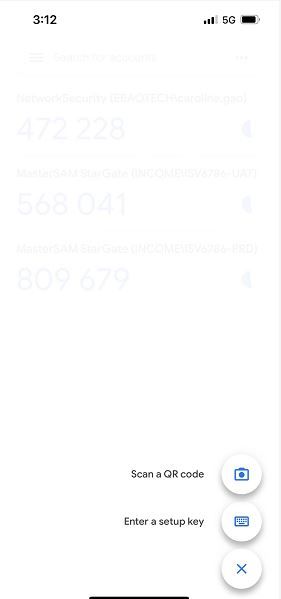
On mobile phone clients, users can complete registration by either scanning QR codes or manually entering keys.
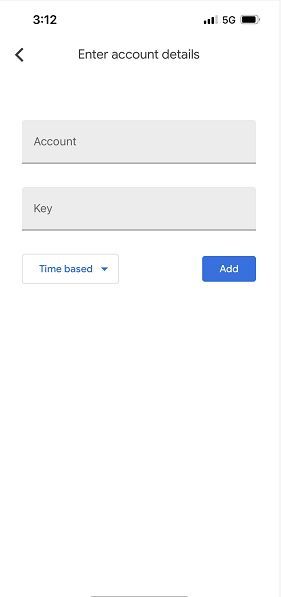
Users should provide user accounts and secrets when manually entering the key.
For example, you can use the following request to generate secrets:
{
  "user": "HCT",
  "host": "insuremo.com"
}
The response will be:
{
  "qrcode": "https://www.google.com/chart?chs=200x200&chld=M%7C0&cht=qr&chl=otpauth://totp/HCT@insuremo.com%3Fsecret%3DMRRV7C7AEXXBCU3D",
  "secret": "MRRV7C7AEXXBCU3D"
}
Users should enter HCT@insuremo.com as the account and MRRV7C7AEXXBCU3D as the key.
Subsequently, a six-digit random number will be displayed on the software.
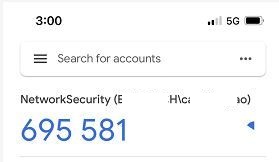
Users should manually enter this six-digit random number. Then the system will call One-Time Password Verification API to verify its validity.
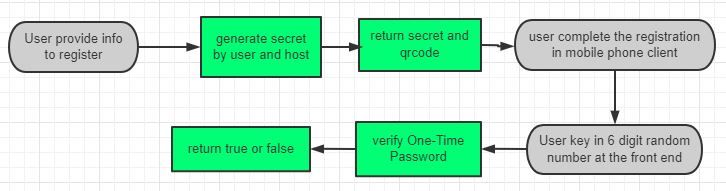
The flowchart below shows how to use RSA service:
FAQs
Q: What is insureMO OTP Service?
A: insureMO OTP Service utilizes the RSA algorithm, which is a public key cryptography algorithm. insureMO implements OTP verification by using this algorithm, providing an option to apply this service to your insureMO environment.
Q: How does insureMO OTP Service work?
A: insureMO OTP Service generates secrets or QR Codes for users. Users can then obtain six-digit random numbers.
Q: How do users get six-digit random numbers?
A: Users can obtain six-digit random numbers through an OTP verification software. This software, such as Google Authenticator or Duo Mobile, can be downloaded from app store.
REST API: Generate Secret
API Information
| API URL | Method |
|---|---|
| https://[HOST]/eBao/1.0/ebaotech/RSA/genSecret | POST |
API Parameters
Data format: application/JSON
| Name | Required | Type | Description | Example |
|---|---|---|---|---|
| user | Y | String | User account | HCT |
| host | N | String | Host domain name | insuremo.com |
Request
{
  "user": "HCT",
  "host": "insuremo.com"
}
Successful Response
{
    "qrcode": "https://www.google.com/chart?chs=200x200&chld=M%7C0&cht=qr&chl=otpauth://totp/HCT@insuremo.com%3Fsecret%3D7NSL7PAQMC5KP5H5",
    "secret": "7NSL7PAQMC5KP5H5"
}
REST API: Verify One-Time Password
API Information
| API URL | Method |
|---|---|
| https://[HOST]/eBao/1.0/ebaotech/RSA/verify | POST |
API Parameters
Data format: application/JSON
| Name | Required | Type | Description | Example |
|---|---|---|---|---|
| secret | Y | String | Secret generated from another API | 5SOSHFYFLWEPZS34 |
| code | Y | Long | Six digit random number | 123212 |
Request
{
  "secret": "5SOSHFYFLWEPZS34",
  "code": 123212
}
Successful Response
true
Failed Response
false