Introduction
Short Message Service (SMS) refers to the process of sending short messages to mobile phone users by making API calls. It connects various SMS vendors like AWS SNS, Alicloud SMS, BulkSMS, and Nexmo with unified and simplified APIs.
Usage
SMS service is mainly used by enterprises to send authentication codes, system notifications, member services, and other information to users.
-
The signature and template of the SMS need to be reviewed before it can be used, if you need to review it, please contact SiteOps for review.
-
Due to different country and region SMS policies and laws, some countries need to meet additional specific requirements or comply with certain restrictions in order to be approved. In these cases, insureMO may ask you to provide additional information based on the requirements of your region.
Basic UI Operation
Entrance
• Click Sign in to log in to the insureMO portal.
If you do not have a personal insureMO account, click Sign up to register one.
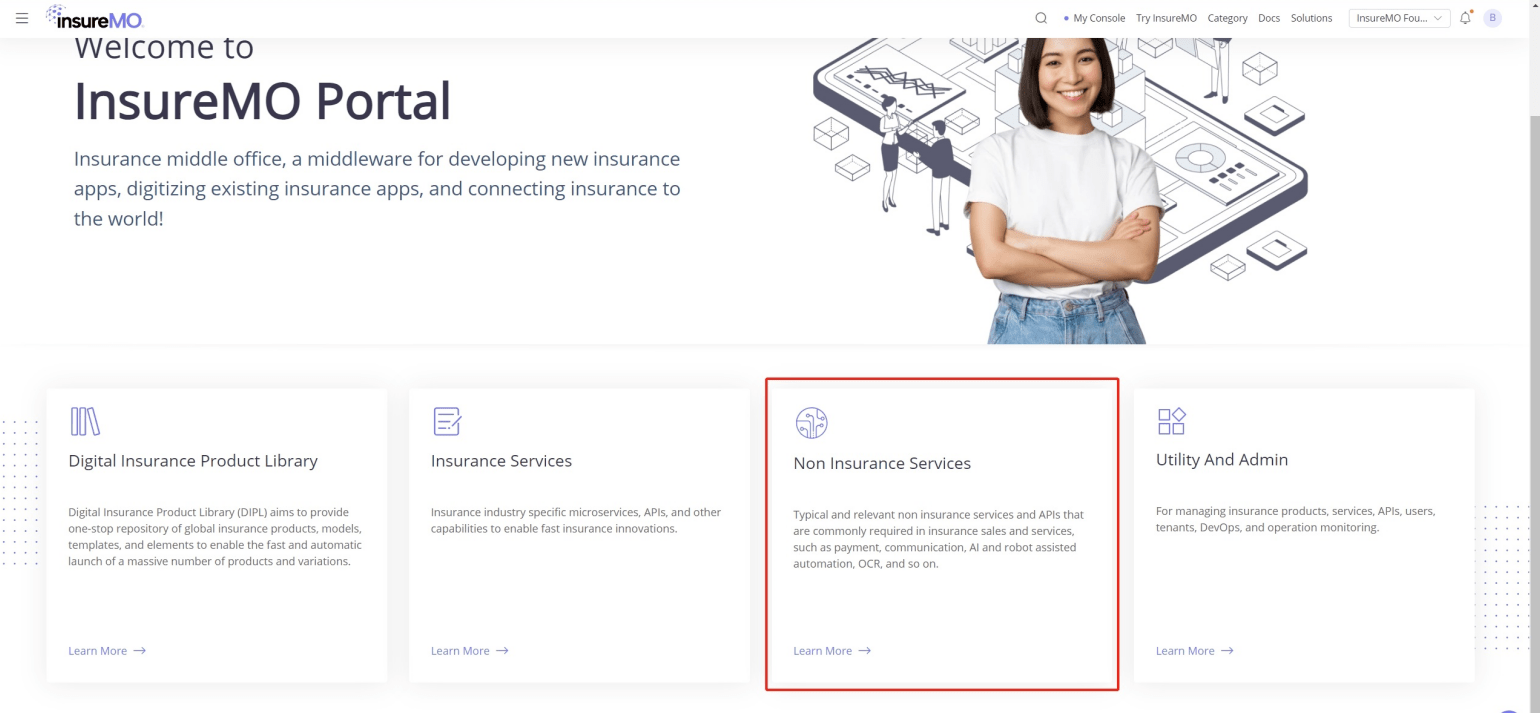
• Click Non Insurance services.
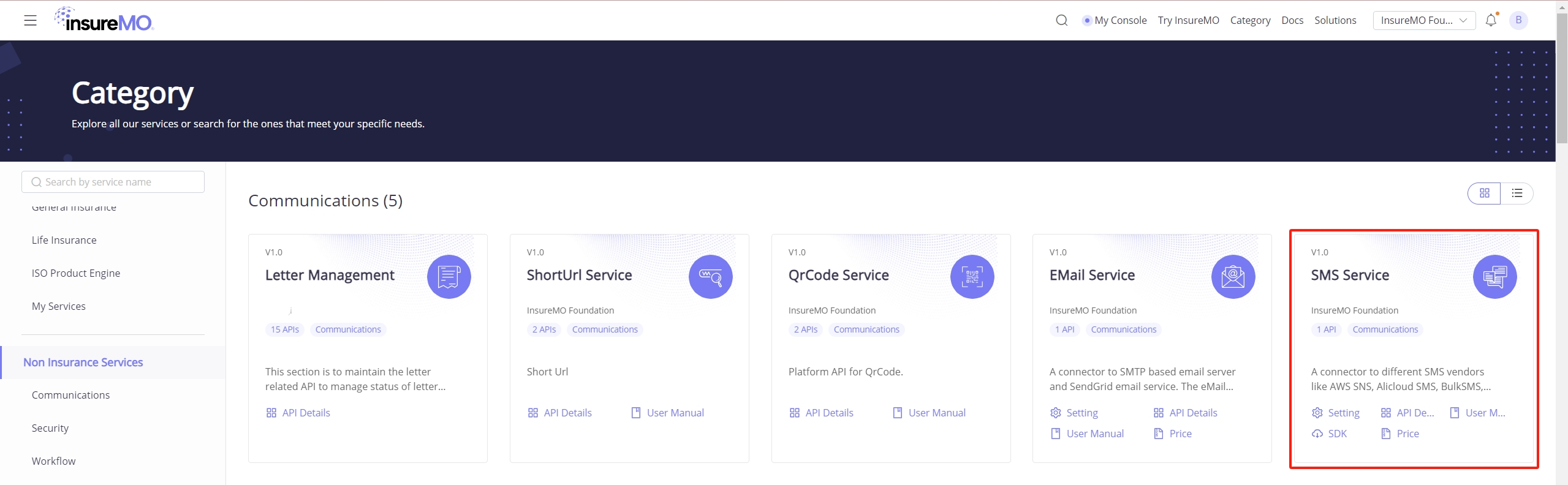
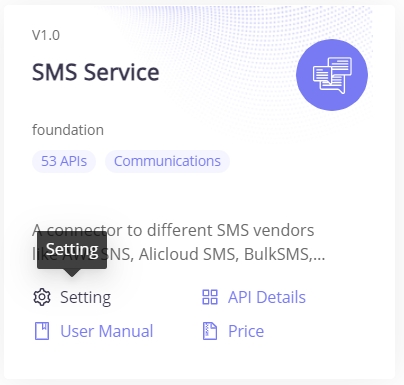
• Select Communications in the left navigation pane and you will locate SMS Service.
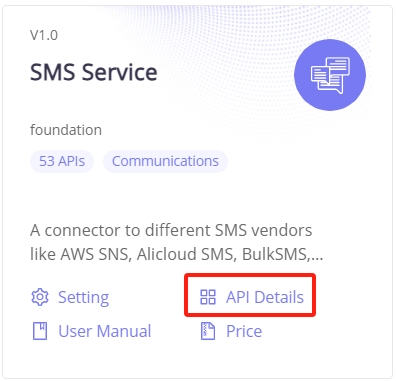
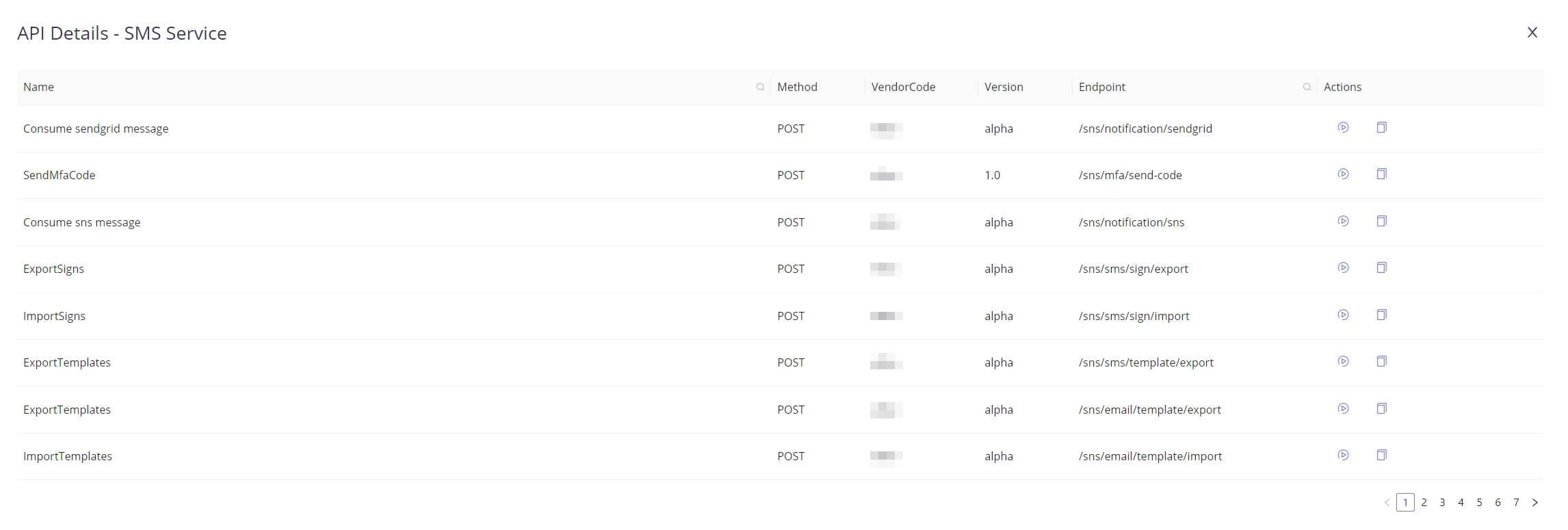
• Click API Details, and you will have access to the listed APIs.
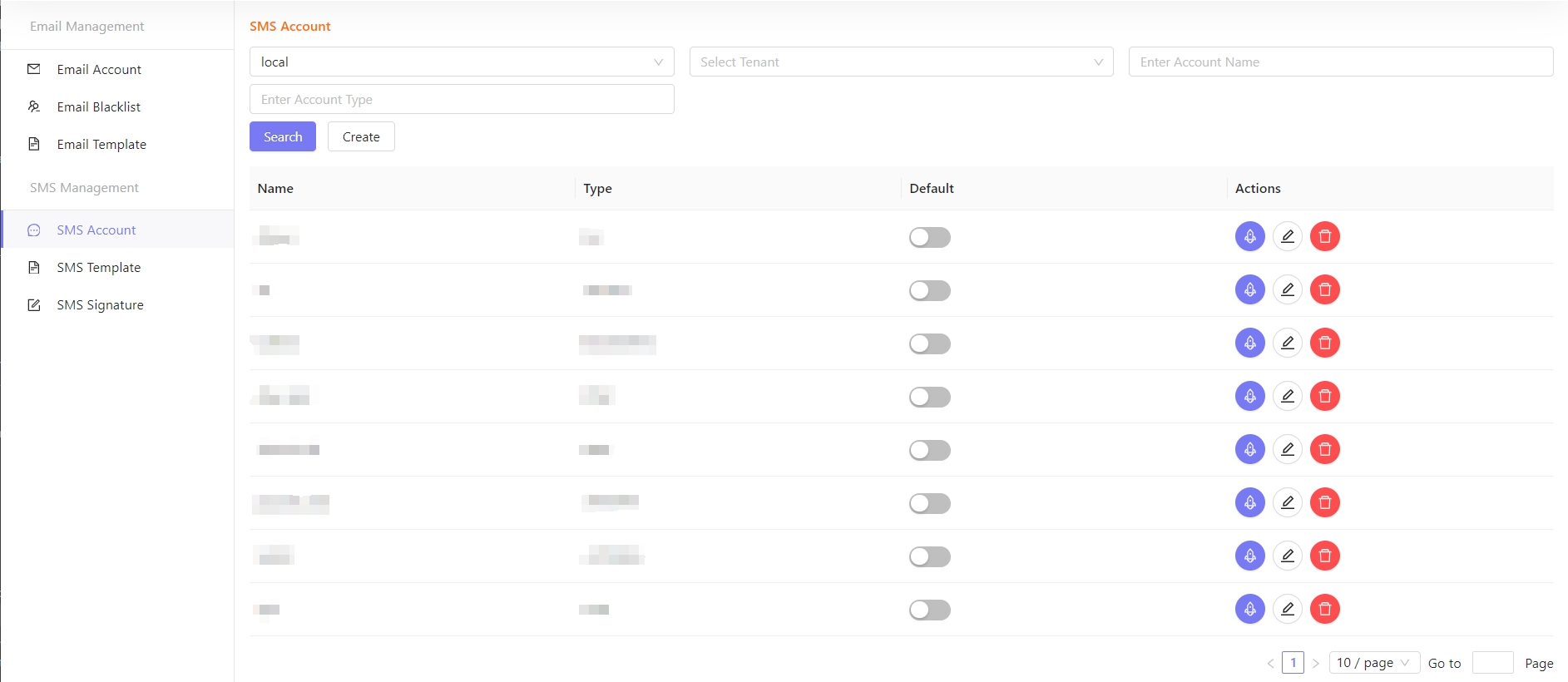
• Click Setting, and it will turn to the SMS Setting page.
Manage Account
Create
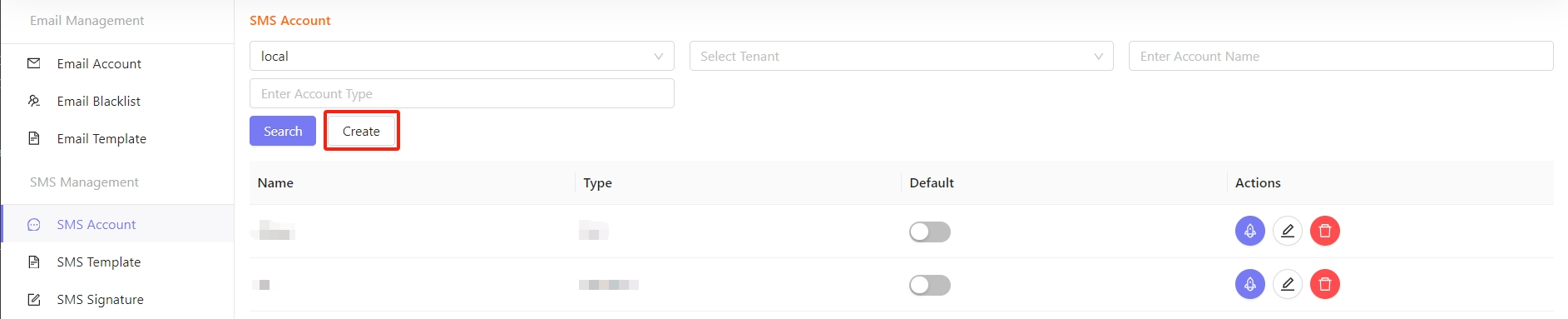
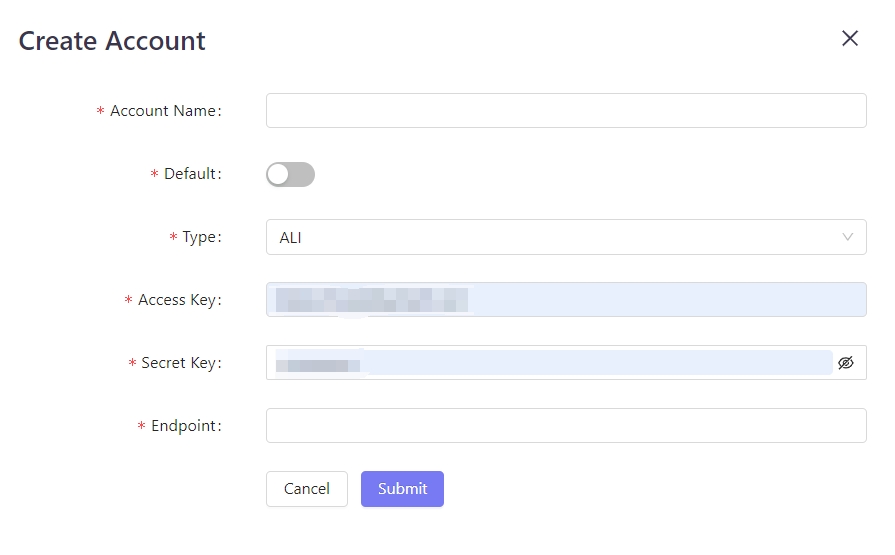
• Click Create under the SMS Account to customize SMS operator configuration.
• If users want to create a custom account, they can select the desired option from the drop-down list in Type.
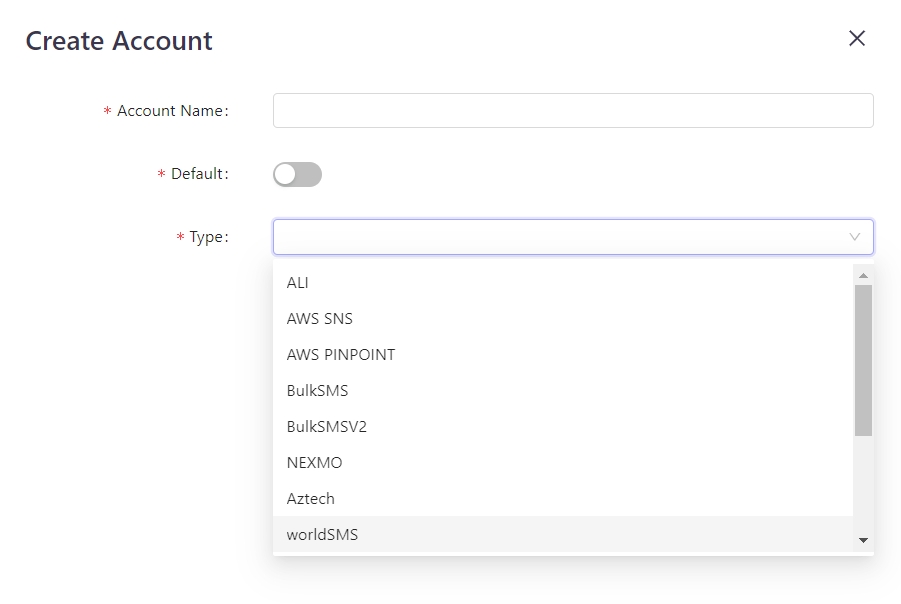
• Fill in the account details and Click Submit.
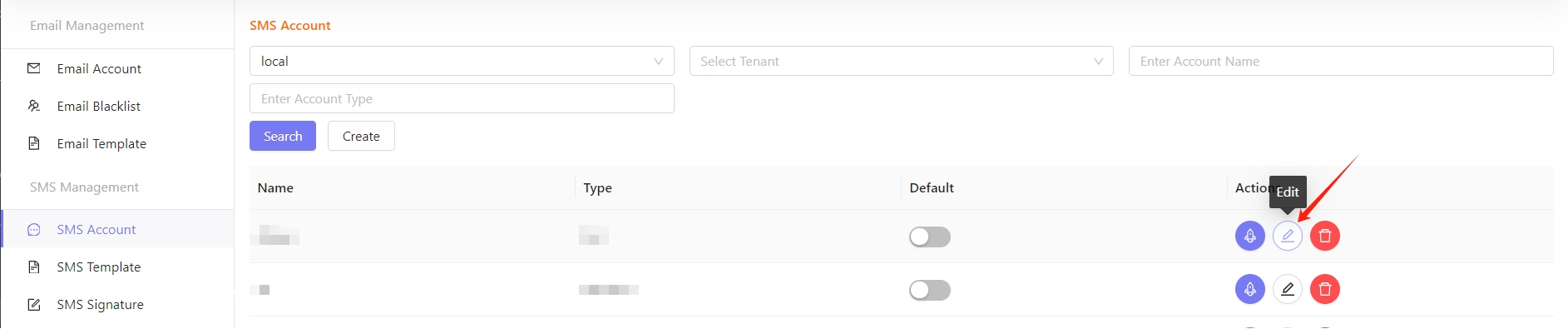
Edit
- Click Edit on the sms service console.
Delete
- Click Delete against a particular record to delete the account.
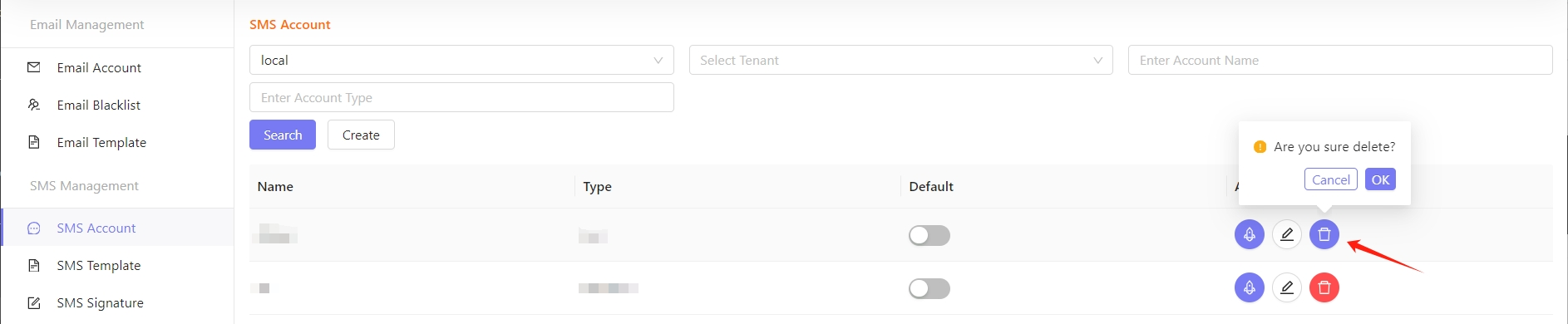
After confirming deletion, the account will not continue to be used. Before deleting the account, make sure that the account is no longer used by the application.
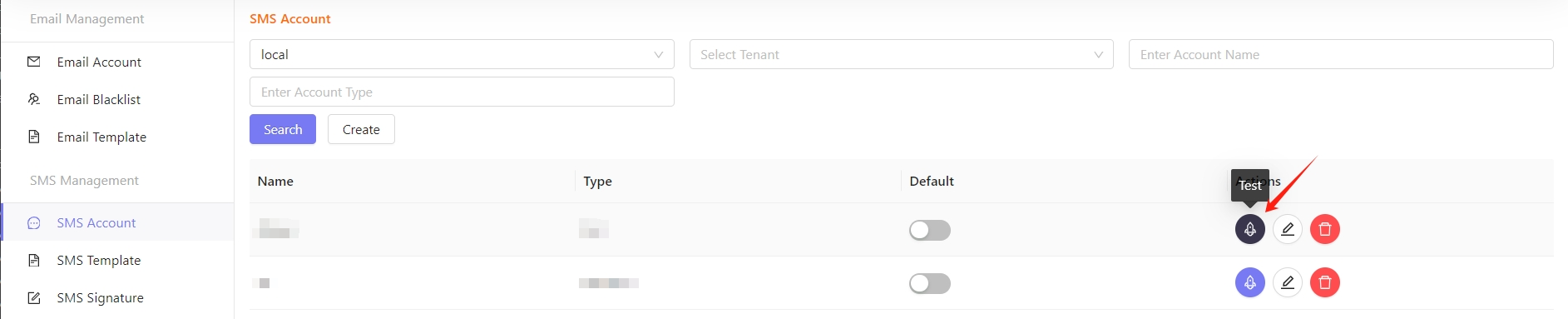
Test
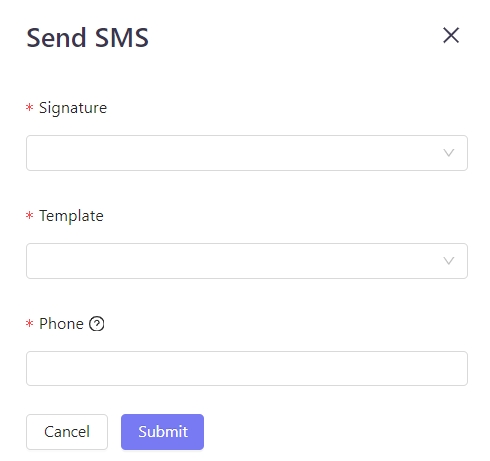
- After the account is created successfully, you can verify whether the current account is available through a test sms. If available, the receiver will receive the following test sms.
Manage Template
Create
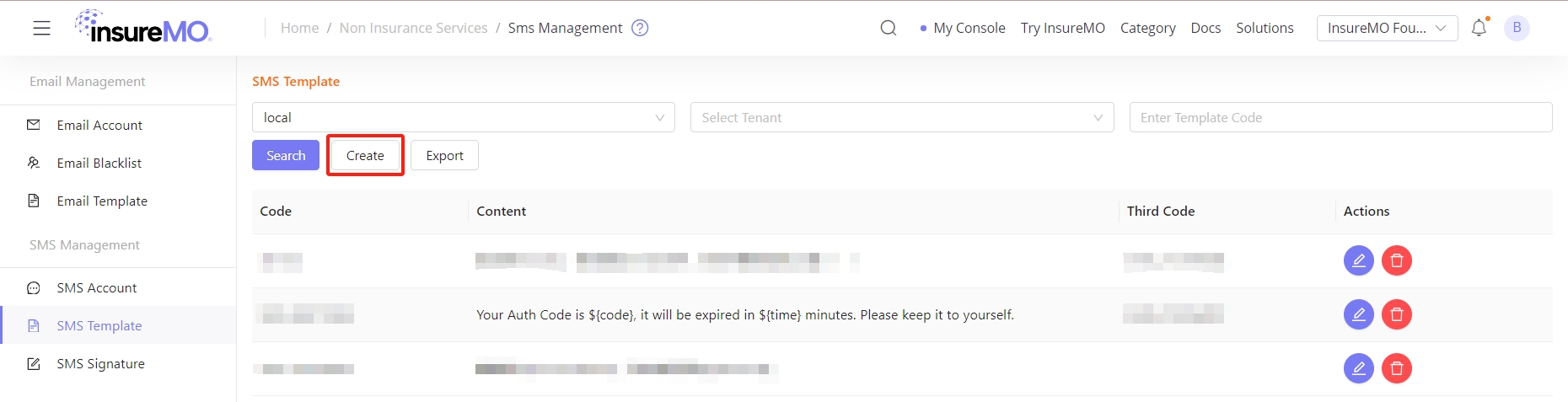
• Click Create under the SMS Template to create a template.
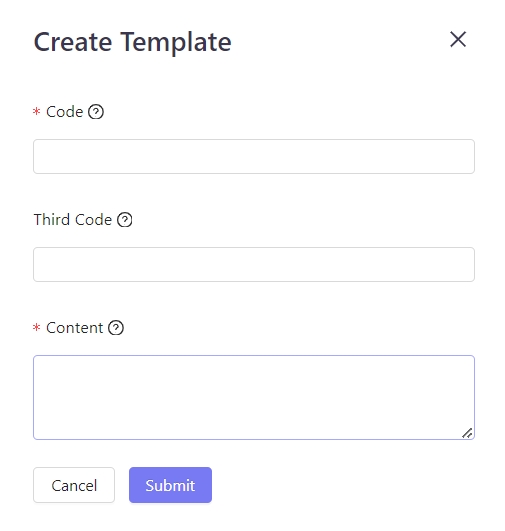
• Enter the content of the template and click Submit.
Value(s) in variable(s) ${} is a must-have for a successful API call.
Template Content Restriction Description
• A variable name can only be composed of English letters, or a combination of English letters and numbers, and it cannot start with a number. It cannot be an email, phone number, ID, nickname, or site address.
• When sending the SMS, the variable content cannot be empty, nor contain any symbols. The content length should be less than 16 characters.
• The SMS template cannot start or end with [ ].
• If there is a URL in the template, it must be an ICP-filing URL.
• Content cannot include information about marketing, loans, jackpots, lottery, parties and government, and religious promotion.
• Finance, financial management, real estate, and other content notification SMS and promotional SMS are not supported.
• SMS content cannot contain politically sensitive words and vulgar words.
• The template cannot only contain ${}. Please specify the structure of the message content.
• SMS templates do not support special symbols.
Delete
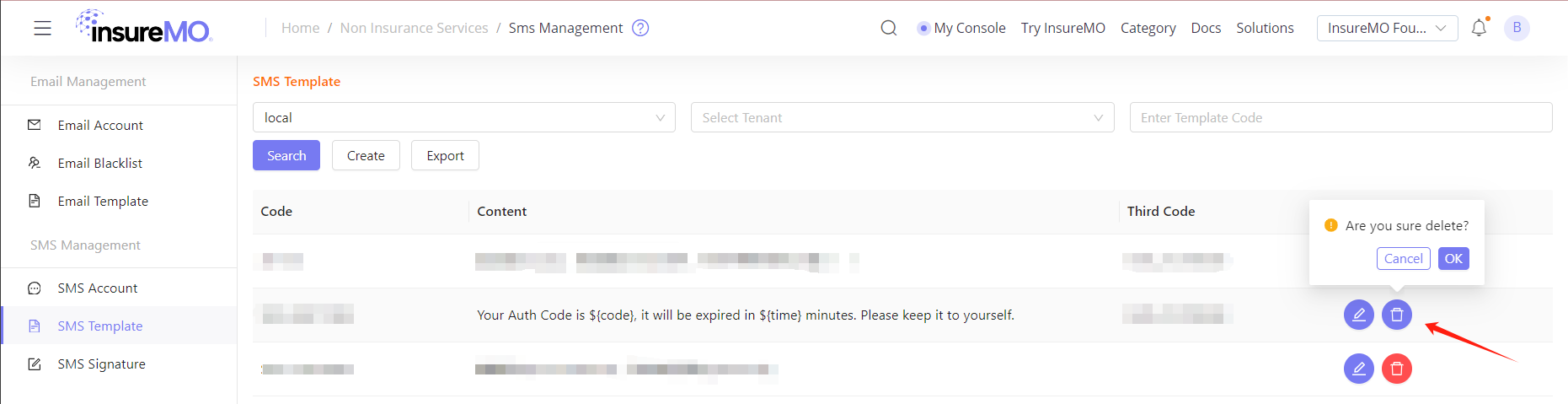
• Click delete to delete the content.
Edit
• Click edit to edit the content.
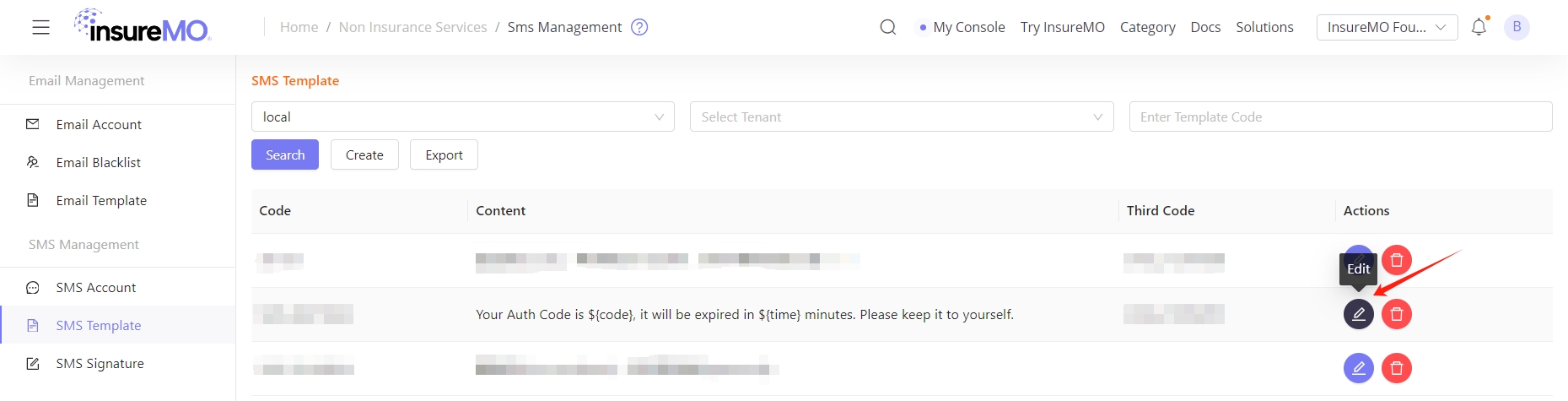
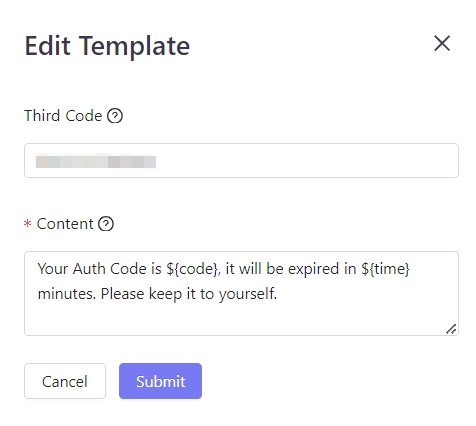
Once the template has been edited, its status will change to Review as it now requires a review. Despite being approved, the template needs to be reviewed if its content is modified. Therefore, make sure that the template is no longer in use by the application.
Manage Signature
Create
• After creating the template, the user can proceed to create a signature that will be used in the SMS. Click SMS Signature, and then Create.
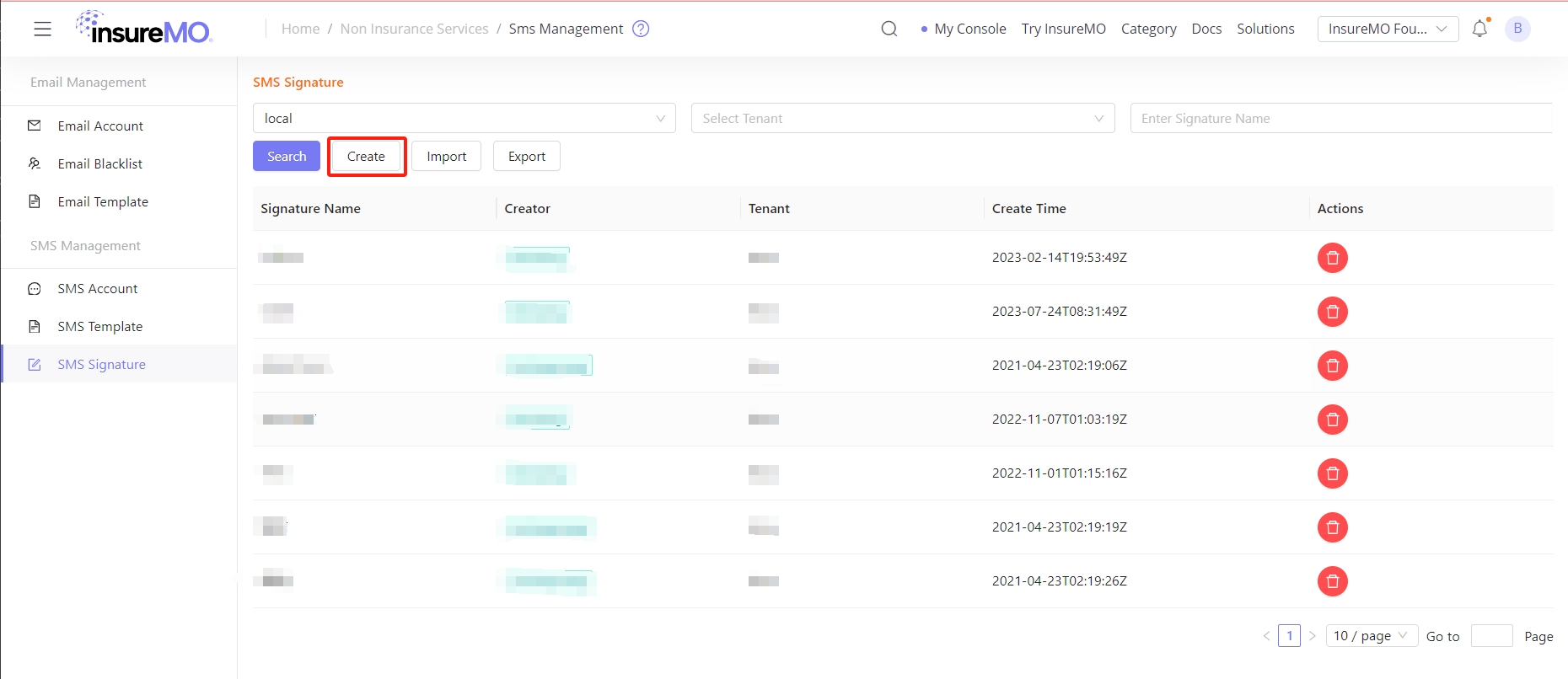
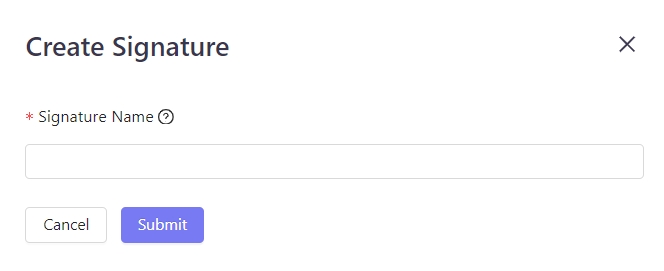
• Enter a signature name that will appear at the beginning of the text message sent to the recipient.
For example: [InsureMo] Dear customer, your policy ending with XXXX has been issued.
Signature Content Restriction Description
• The signature length should be between 2 and 8 characters.
• The signature cannot only consist of numbers, or pure English, or a combination of numbers and English letters.
• [ ], ( ) and other symbols should not be included in the signature.
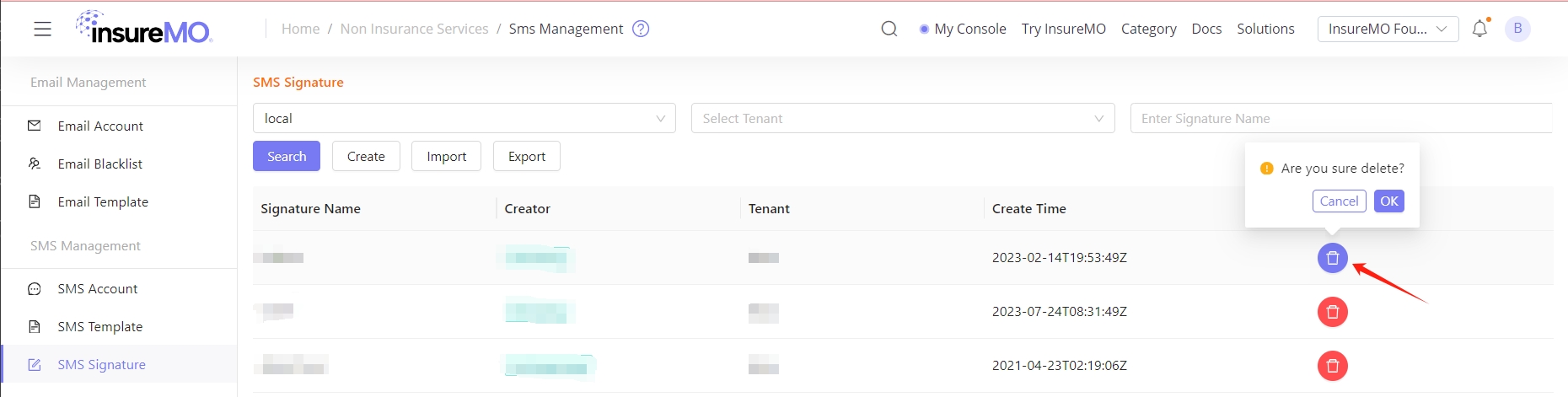
Delete
• Click delete to delete the signature.
While accounts, templates, and signatures can be created independently, all three components must be created before sending SMS messages.
Log
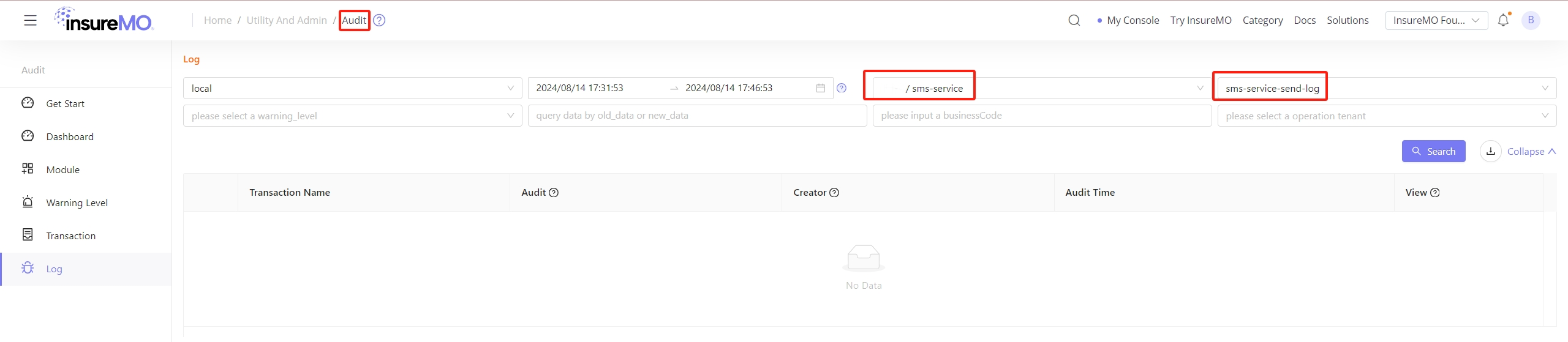
• You can view the log files in the Audit Service, they are available for a particular day and can be downloaded as well. This is required for audit purpose and to check if there is any issue in the service.
Developing with SMS Service
Calling REST APIs
For all API list, please refer to insureMO API Reference - sms
Example - Send SMS
• Once the SMS template code and signature name have been configured, the API consumer can call the SMS API to send short messages.
Restriction Description
• We strictly monitor the SMS templates and signatures created by users to prevent the message content of SMS from violating any national laws or regulations.
• If the message content violates the rules, the corresponding user account will be frozen. Once an account is frozen, the user will no longer have access to the SMS service.
Authentication
- HTTP Authentication, scheme: bearer
POST SendSms
| API URL | Method |
|---|---|
| https://[HOST]/foundation/1.0/sns/sms/send | POST |
Header
| Parameter | Value |
|---|---|
| Authorization | Bearer XXXXXXXXXXXXXXXXXXXXXXXXXXXXX |
Body Parameters
{
    "to": "+xxxxxxxxxxx,+xxxxxxxxxxx",
    "template_code": "SMS-xxxxxxxx",
    "sign_name": "XXXXX",
    "template_params": {
        "accountName": "insureMO",
        "password": "12345678"
    },
    "account_name": "xxxxx",
    "sender_params": {
      "property1": "string",
      "property2": "string"
    },
    "auto_add_sign": true,
    "use_zh_bracket": true
}| Name | Type | Required | Description |
|---|---|---|---|
| to | string | Yes | Recipient phone number, must be specified in E.164 format or local phone number. |
| template_code | string | Yes | Please manually configure in the console. |
| sign_name | string | Yes | Used at the beginning of a message to indicate its source |
| account_name | string | Yes | Specify the sms account name, please manually configure in the console |
| template_params | object | No | parameter in content and template |
| sender_params | object | No | parameter for senders |
| auto_add_sign | string | No | automatic add sign name at start of content |
| use_zh_bracket | string | No | use zh format bracket ’【】’ instead of ’[]’ |
Response Examples
If the code is “i_common_success”, it indicates successful sending. Otherwise, the sending fails.
{
    "code": "i_common_success",
    "message": "request success",
    "trace_id": "xxxxxxxxxxxxxxxxxxxxxxxxxxxxxxxx",
    "data": {
        "to": "+xxxxxxxxxxx",
        "message_id": "xxxxxxxxxxxxxxxxxxxxxxxxxxxxxxxxxxxx",
        "data": {
            "MessageId": "xxxxxxxxxxxxxxxxxxxxxxxxxxxxxxxxxxxx",
            "SequenceNumber": null,
            "ResultMetadata": {}
        }
    }
}
Using insureMO SMS SDK For Java
Please refer to this document: Welcome to insureMO SDK for Java