Introduction
• QR is the abbreviation for Quick Response, and QR codes are machine-readable images that can be quickly scanned by a cell phone or optical device. They are used to capture information from transitory media and transfer it to a device.
• A QR code consists of a square grid of black squares on a white background, which can be read by an imaging device such as a camera. QR contains information about the item to which it is attached. When the code is scanned by a device, it translates the information into something that can be easily understood by humans.
• QR codes are a popular type of two-dimensional barcode. They are also known as hard links or physical world hyperlinks. QR Codes can store up to 4,296 alphanumeric characters of arbitrary text.
• The information stored in a QR Code is usually URLs, but can be anything else from contact data to calendar data, email addresses, phone numbers, SMS opening, plain text and geolocation.
• On insureMO Portal, you can see its uses in different demo apps under solutions.
API Details
APIs Required for QR Code Service
1: Access Token
2: QR Code PNG
3: QR Code with encoded base64
Access Token
To access these two above-mentioned APIs, users will need to have an “Access token”.
• Request Sample
curl -X POST
{{gateway}}/cas/ebao/v1/json/tickets
-H 'Content-Type: application/json'
-H 'cache-control: no-cache'
-d '{
"username":${YOUR_USERNAME},
"password":${YOUR_PASSWORD}
}’
• Response Sample
{
"access_token": "MlDvNcFyS6WxHWM87SacNA",
"expire_in": 7200
}
QR Code PNG
To run this API, users will need the Access token. Let’s see the Access token request and response.
API Description
This API will return a QR code picture.
Request
• URL: /qrcode/png
• Request Type: GET
Parameters
| Name | Located in | Description | Required | Schema |
|---|---|---|---|---|
| Content | Query | Content | Yes | String |
Request Sample
 curl -X GET \
     '{{gateway}}/QRCode-service/QRCode/png?content=helloworld' \
     -H 'Authorization: Bearer ${ACCESS_TOKEN}' \
     -H 'cache-control: no-cache'
Response Sample
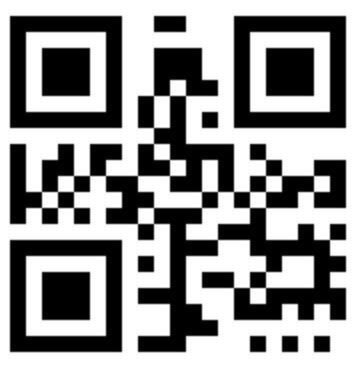
Responses
| Code | Description |
|---|---|
| 200 | OK |
| 400 | Bad Request |
| 401 | Unauthorized |
| 403 | Forbidden |
| 404 | Not Found |
QR Code with Encoded Base64
API Description
This API will return a string that you can use on your page like data:image/png;base64,RESPONSE_BODY.
Request
• URL: /qrcode/base64
• Request Type: GET
Parameters
| Name | Located in | Description | Required | Schema |
|---|---|---|---|---|
| Content | Query | Content | Yes | String |
Request Sample
curl -X GET
'{{gateway}}/QRCode-service/QRCode/base64?content=helloworld'
-H 'Authorization: Bearer ${ACCESS_TOKEN}'
-H 'cache-control: no-cache'
Response Sample

Usage on Web

Responses
| Code | Description |
|---|---|
| 200 | OK |
| 400 | Bad Request |
| 401 | Unauthorized |
| 403 | Forbidden |
| 404 | Not Found |
FAQs
Q: How could I get the information from a QR Code image?
A: You could use any QR Code scanning tool to get the information, such as those provided by WeChat and Alipay.
Q: Could you encrypt the QR Code data?
A: While encryption is a potential feature, it is not offered as part of the QR Code Service.
Q: What type of QR Code scanner should I use?
A: This depends on your specific application and requirements (e.g., where you want to store and view QR code information).