The public setting is comprised of several small modules to conduct and view the relevant configurations.
User Scenario
For anybody who wants to use our platform to develop or configure.
Configuration Audit Log
In environments where multiple users work on the same configuration, users might find some details updated or missing without prior notification. To address this, our platform incorporates an audit trail log to trace all configurations.
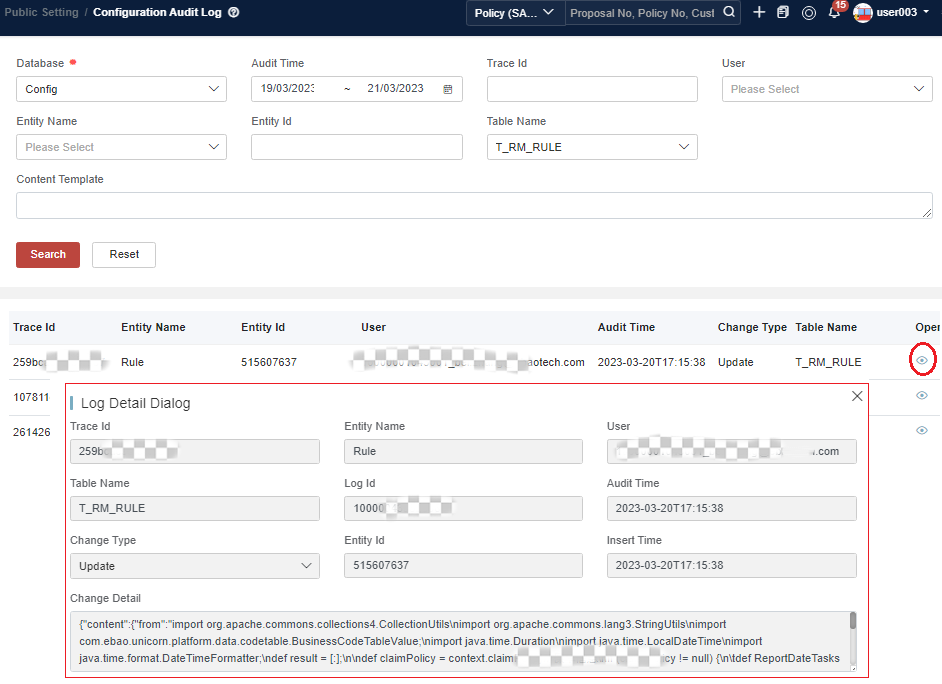
On our platform, when users add/update/remove configured data (e.g. product, rating, rule, indeed, and public settings) in the backend system, the changes they make will be automatically recorded. In the event of data discrepancies, users can navigate to Public Setting > Audit Log to view the change details of the relevant data.
Basically, there can be two scenarios causing the change:
-
Change via configuration UI
If the user identified in the record is an actual username, the record is changed via UI or API. -
Change via configuration data deployment
If the user identified in the record labeled as Virtual, the data is changed via configuration deployment.
Click View of the record, and users can check the details of the record.
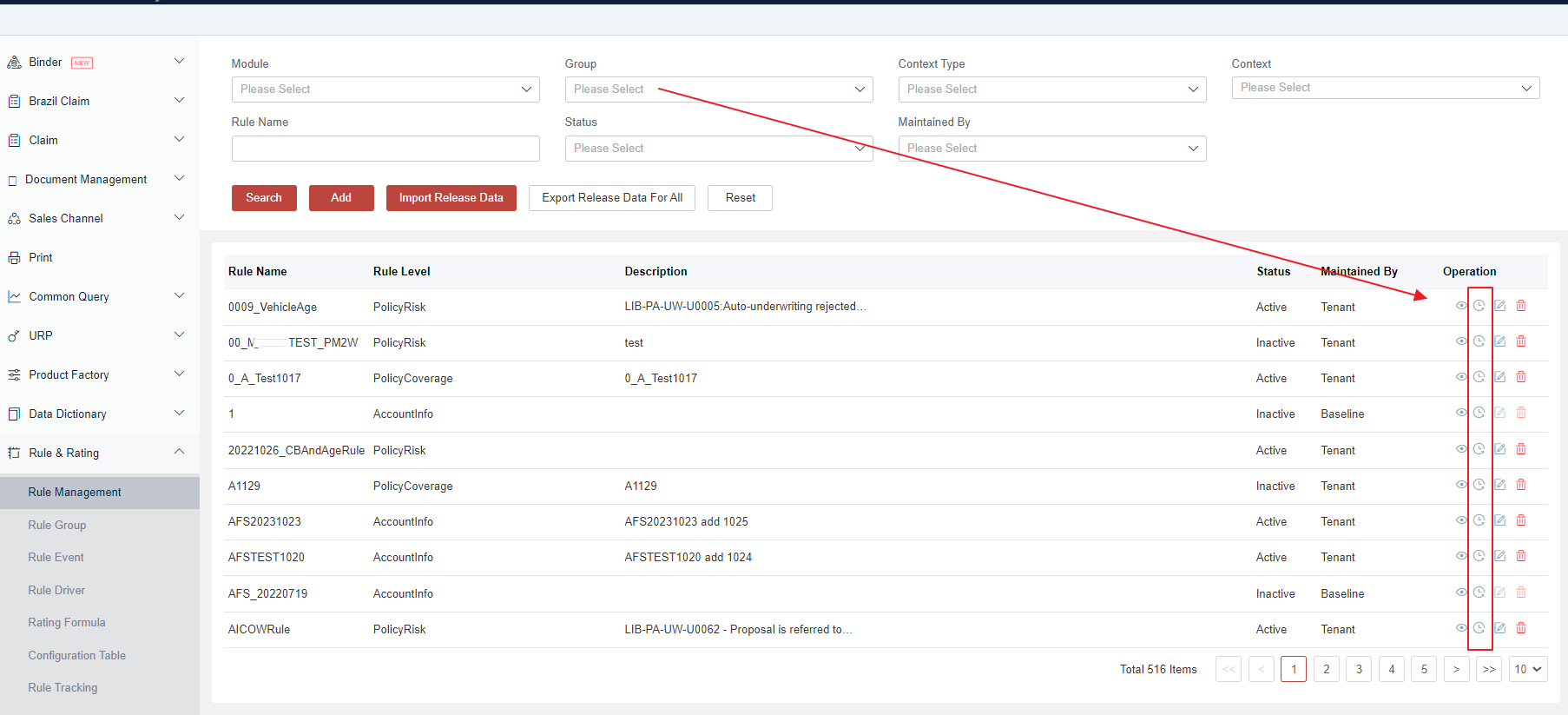
Also, accessing the detailed configuration screen facilitates a direct transition to the configuration audit UI, where users can view the change history.
Finally, please pay attention that:
-
This feature is only available to track the change history for configuration-related data. Data like sales channels or customer information, which are considered instance data, will not be captured here.
-
This feature is only for platform internal usage. If the tenant team wants to capture audit information, it is necessary to call the container audit service to capture and retrieve it.
Calendar
For some business scenarios, it’s important to calculate working days for business validation or batch processing.
Our platform provides a calendar menu under the path Global Configuration > Calendar, which helps to set the workdays and holidays. After that, we have our APIs and DSL to fetch the definition and calculate the date difference.
Users can click the target date and then update its status to either a workday or a non-workday.
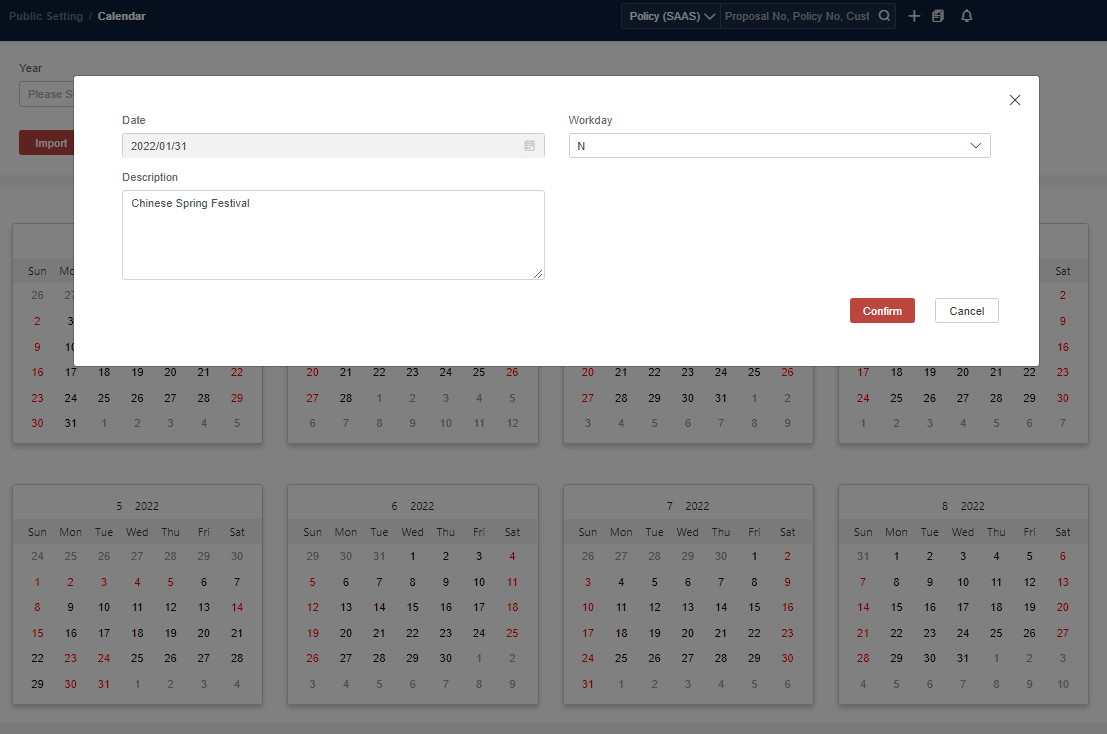
For cross-environment deployment, users also can Export the calendar, and Import it. Then it will be updated.
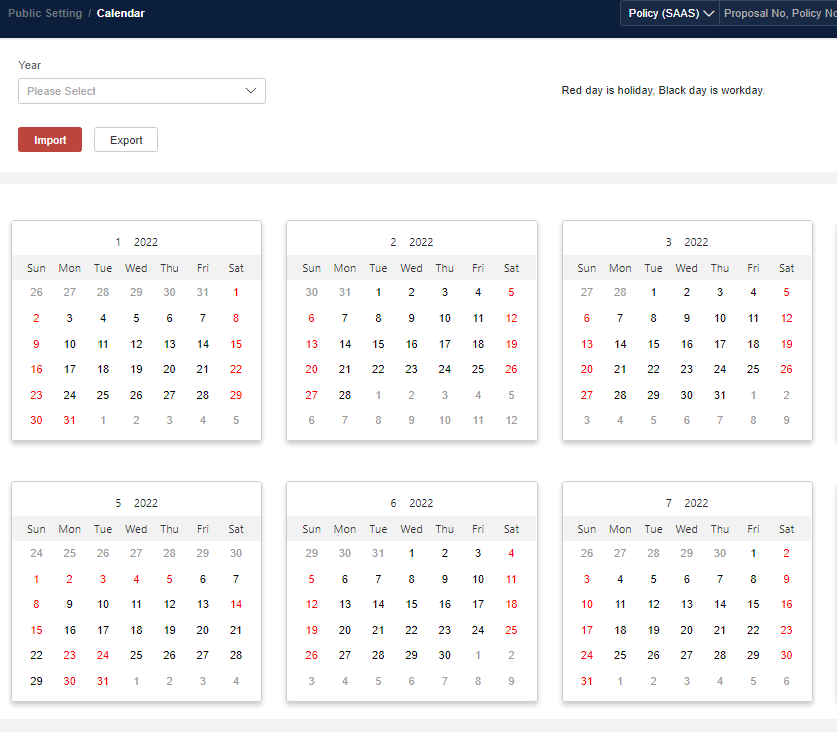
Currently, there is no support for uploading workday data via Excel, and users need to manually choose a tick for the workday or holiday if not matching.
For cases where the initial dataset is extensive, alternatively, users can call the following API to prepare the data:
-
POST /platform-busi-config/public/workday/v1/importWorkdays
-
POST /platform-busi-config/public/workday/v1/updateWorkdays
Exchange Rate
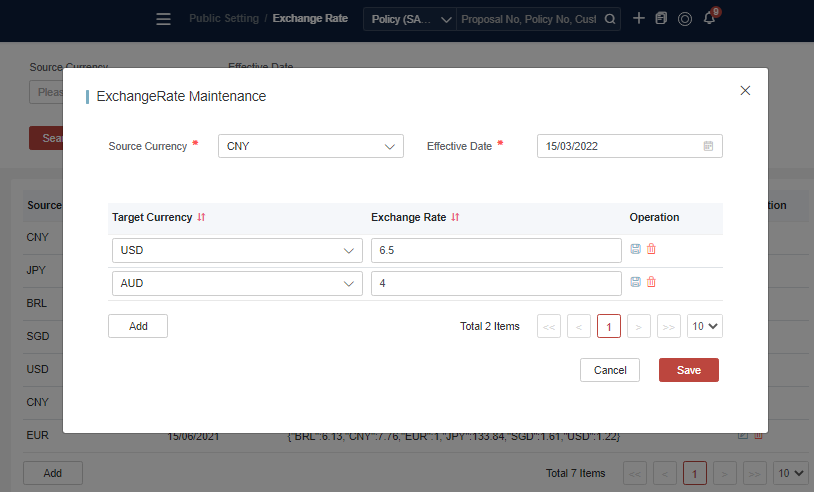
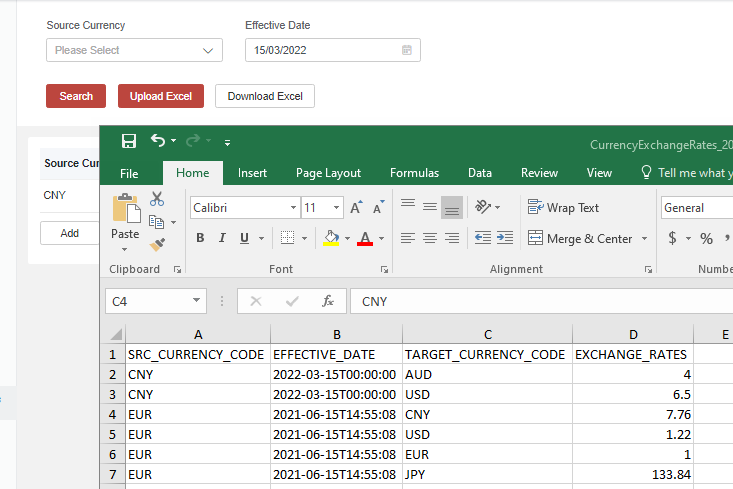
The exchange rate is designed to be configured for the daily exchange rate. Users can manage exchange rate data either via the dedicated menu path Global Configuration > Exchange Rate or through uploading and downloading from Excel.
Content (Deprecate)
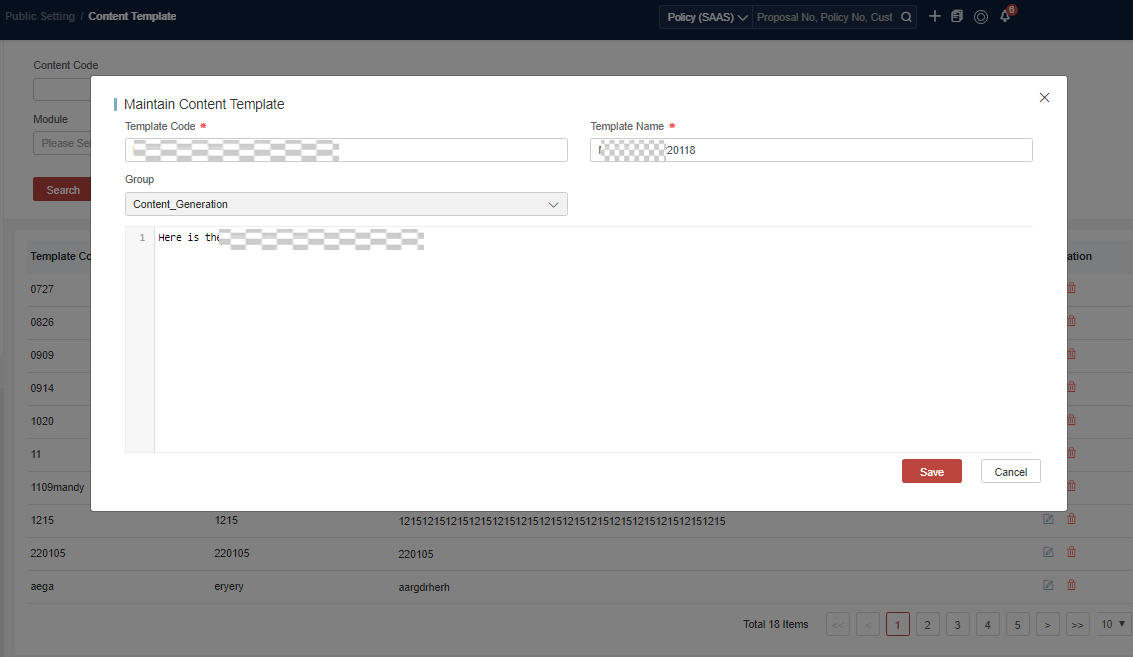
Sometimes users might need to define certain content templates, such as those used for generating endorsement change content. The Content is maintained under the menu Global Configuration > Content Template.
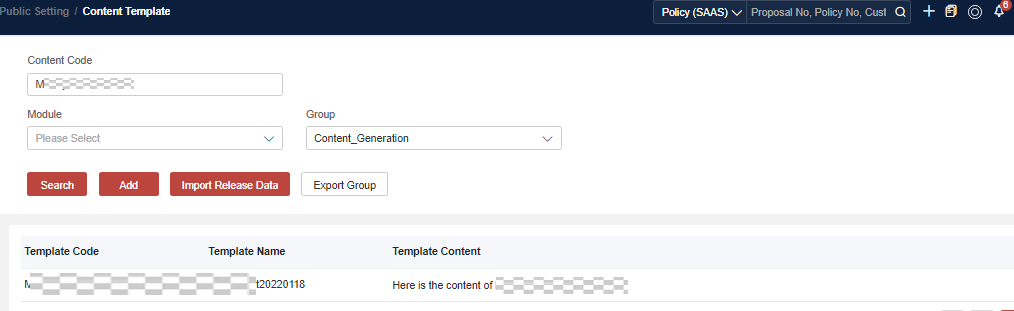
To add a content, users can choose a group first, and then click Add to add a new one.