Basic Concept
This section contains some system support tools that help improve the overall system operation experience.
User Scenario
It is for anybody who uses our platform’s support tools for application operation and development.
Decode Tool
Some of our back-end data is encoded, and it might be time-consuming to use Java code for decoding.
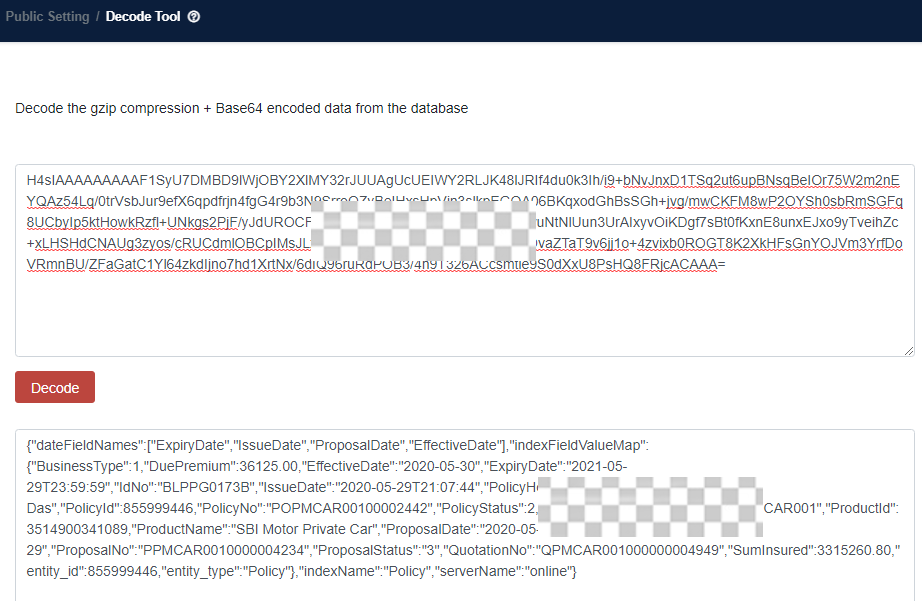
We provide users with a small tool to decode the gzip compression + Base64 encoded data from the database. Fill in the data in the tool and click Decode. Then the decoded one will be displayed.
Log Encryption and Decryption
If API errors appear, the system will capture the request and response bodies of the API. This exposes a security threat as the API bodies might contain sensitive information like customer IDs or mobile numbers.
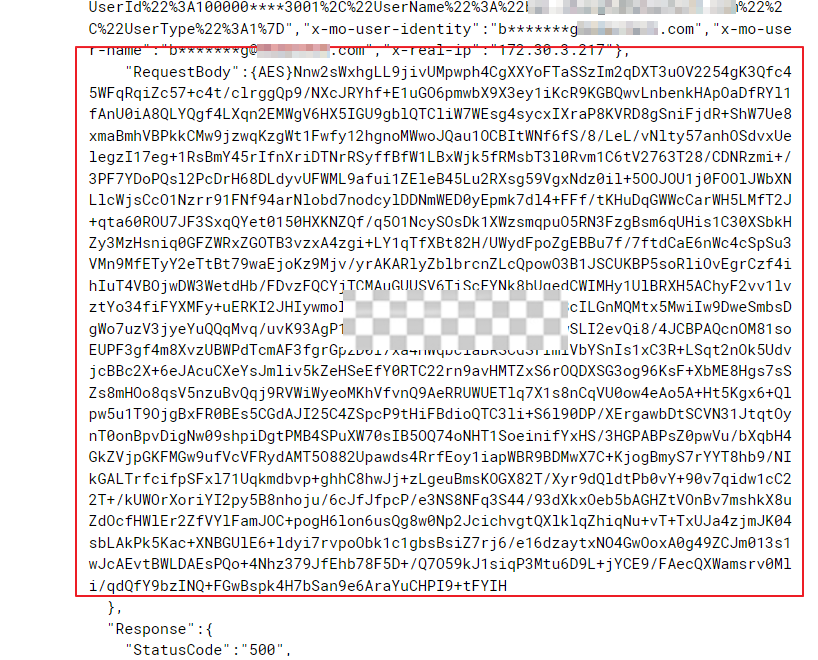
Thus, it’s controlled at the platform layer for different environments:
- For development-related environments, the system will still display full API bodies.
- For UAT-related and production-related environments, the system will display full but encrypted API bodies.
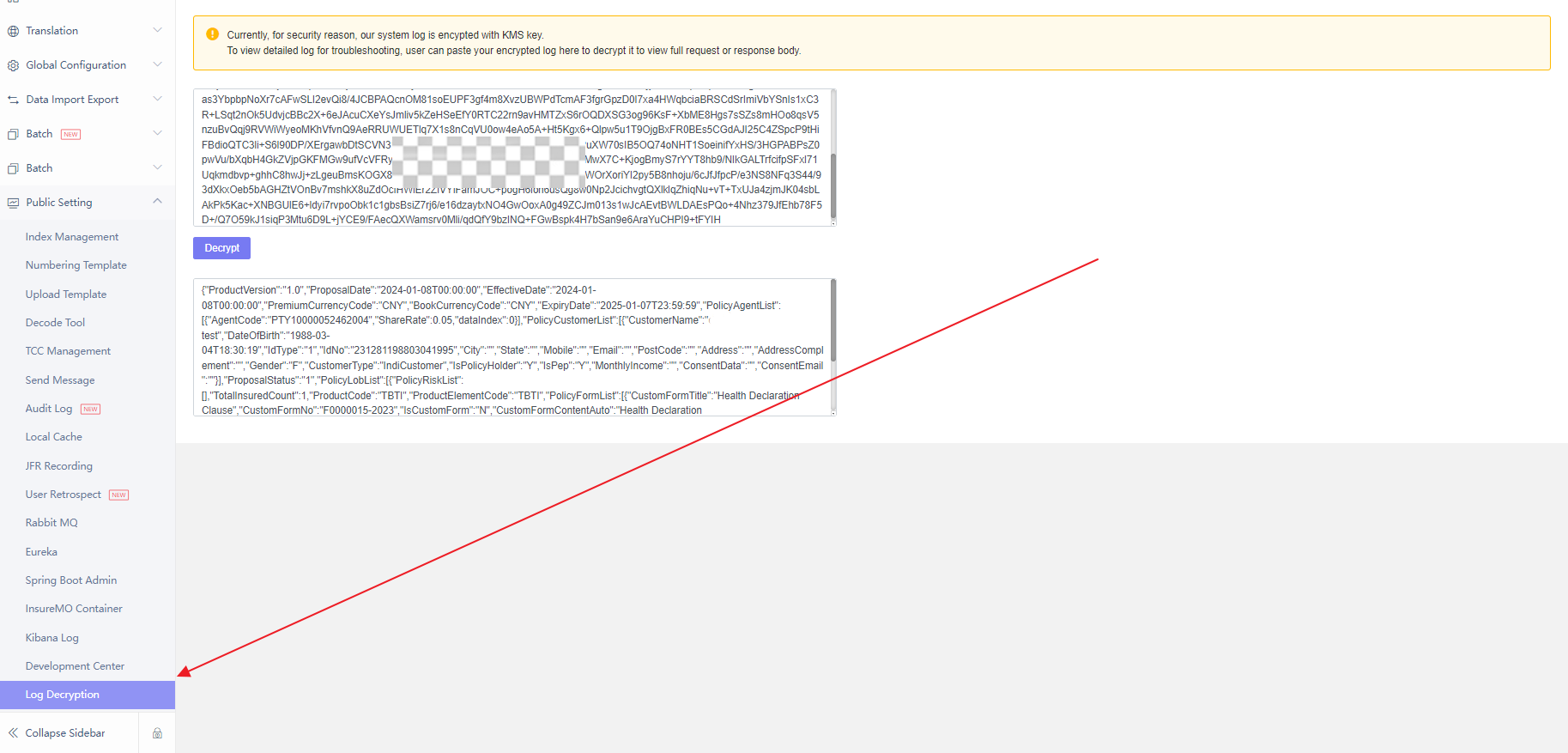
If users want to see full API bodies, they can copy bodies from the log monitor and paste them into the log encryption section as follows:
User Retrospect
We must consistently operate the system. Occasionally, for purposes of auditing or troubleshooting, we may need to review the system behaviors of certain users at specific points in time.
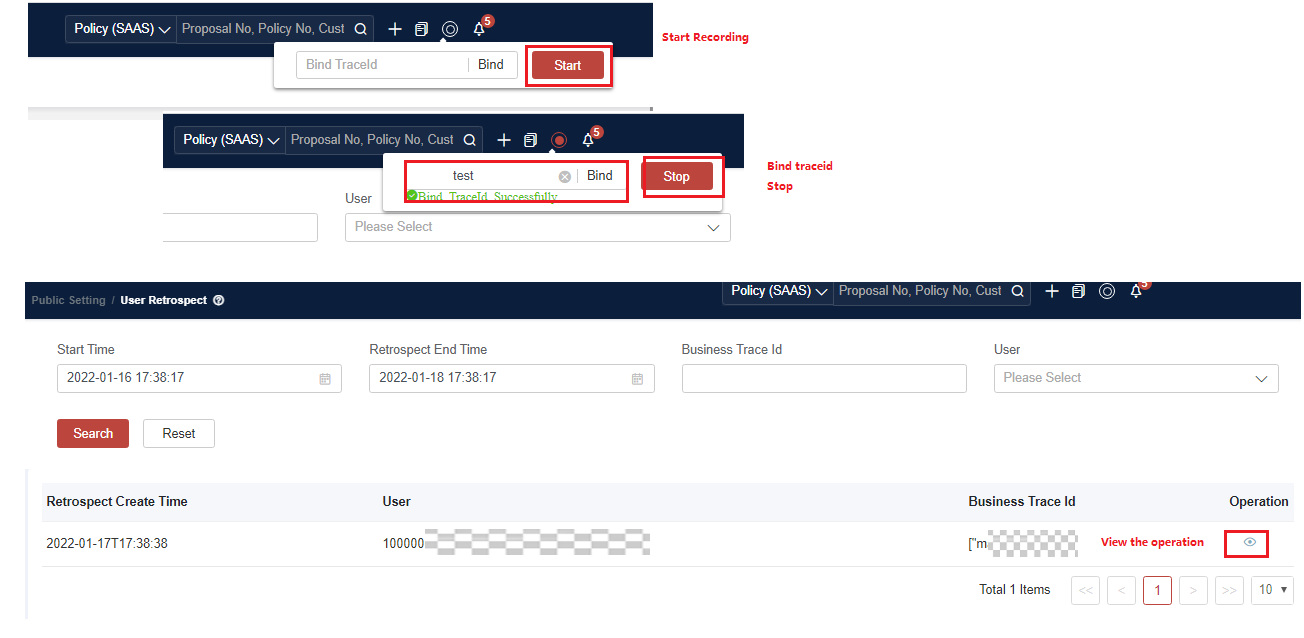
We provide a user retrospect tool for recording users’ operations on the UI. After recording, click View to see records and review past operations.
Detailed steps to record and review retrospect are as follows:
- Click Start in the top right corner of the UI to start recording.
- If needed, you can input a trace ID (an unique ID for you to remark). Then click Bind.
- The operations you can perform on the UI include configuring product, DD, rating, and ruling.
- After the expected operations are done, click Stop in the top right corner of the UI to stop the recording.
- Find the record in Public Setting > User Retrospect.
- View the record, and you can see the operations done on the UI again.
This new feature is only available for certain tenants. If you are interested in, please contact the platform team for details.