Basic Concept
Although InsureMO mostly features a headless PaaS platform with a primary focus on API to perform business transaction, it’s an important factor to allow everyone to be able to view the general business transaction status and perform basic query and search.
From the platform prospective, a set of frequently-used statistics dashboards and technical queries are provided to facilitate system administrator to have a view on the overall business status by use of our platform.
User Scenario
For anybody who wants to know the overall business transaction status and perform basic technical search.
Special Constraint
This section is only applicable for those proposal, policy and endorsement which has been persisted in InsureMO. It’s not applicable for quotation and micro-insurance scenarios. For group policy, it will not display risk or schedule level information.
Policy Statistics
In this section, user will be able to choose the search criteria such as the product and date range to view the overall transaction summary of the following types:
- Number of transaction amount: to get an overall understanding of how many cases have been created or issued in the past.
- Number of premium amount: to get an overall understanding of the amount of premiums that have been generated or issued in the past.
- Average issuance efficiency from creation to insurance: to get an overall understanding of how fast the policy is to be issued from creation.
- Statistics Report: to get Statistics Report according to the required conditions.
If you want to have more specific tailored dashboard, you can click on the link at the bottom of the page, go to query page to search, and export data in excel format. The following business transaction category filters are also provided for our user with a personalized statistics view:
- Whether it’s a new business or endorsement
- Whether it’s renewal
- Whether it’s pending cases or issued cases
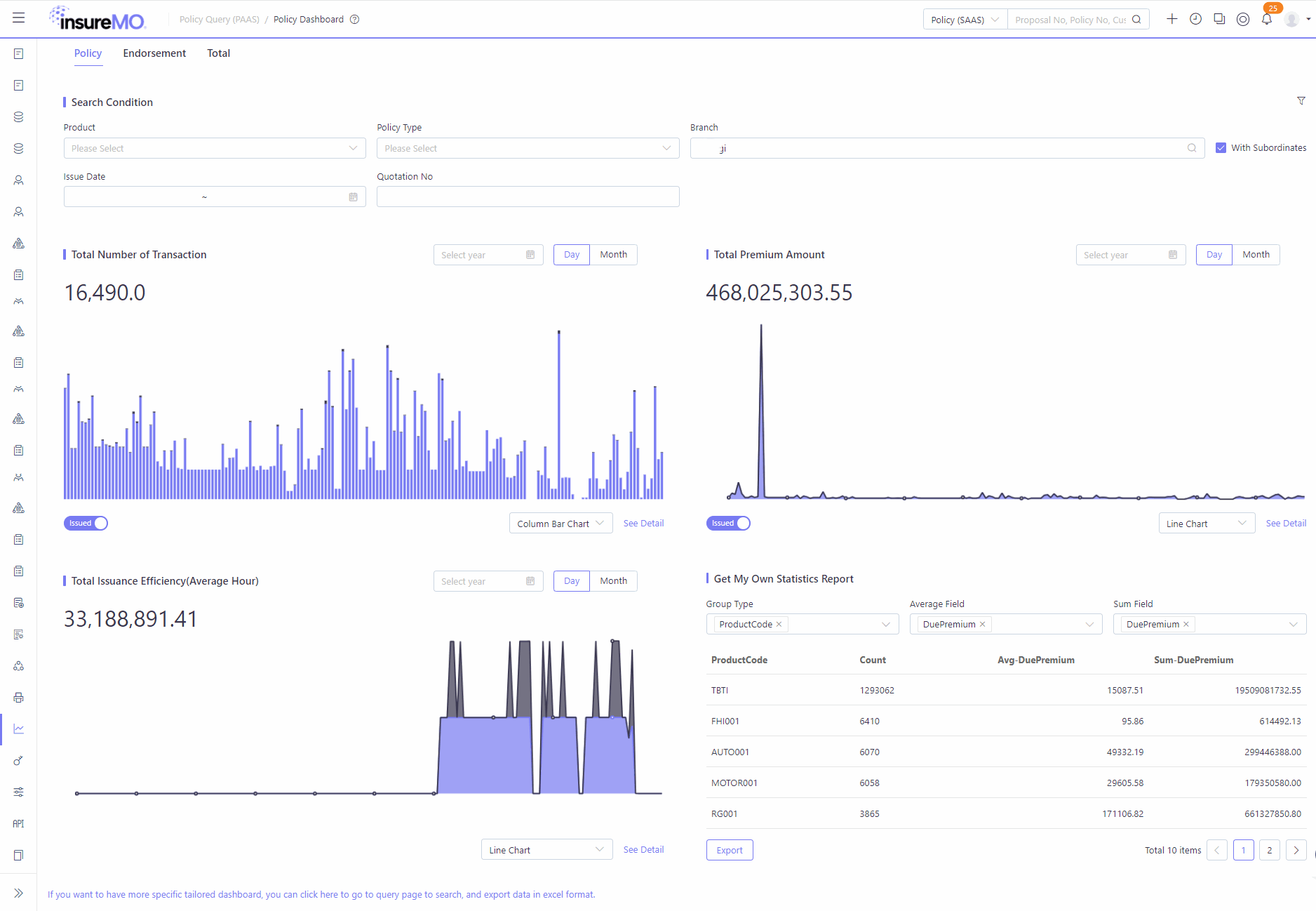
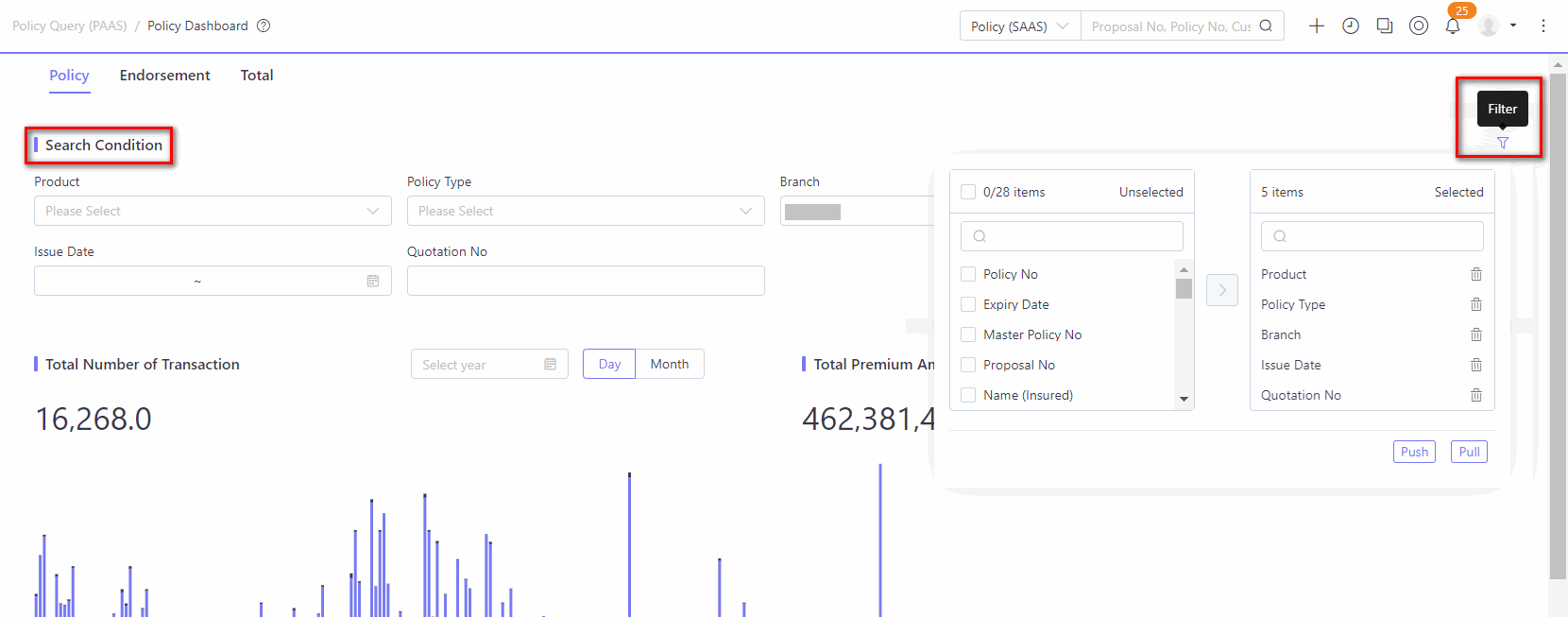
Search Condition
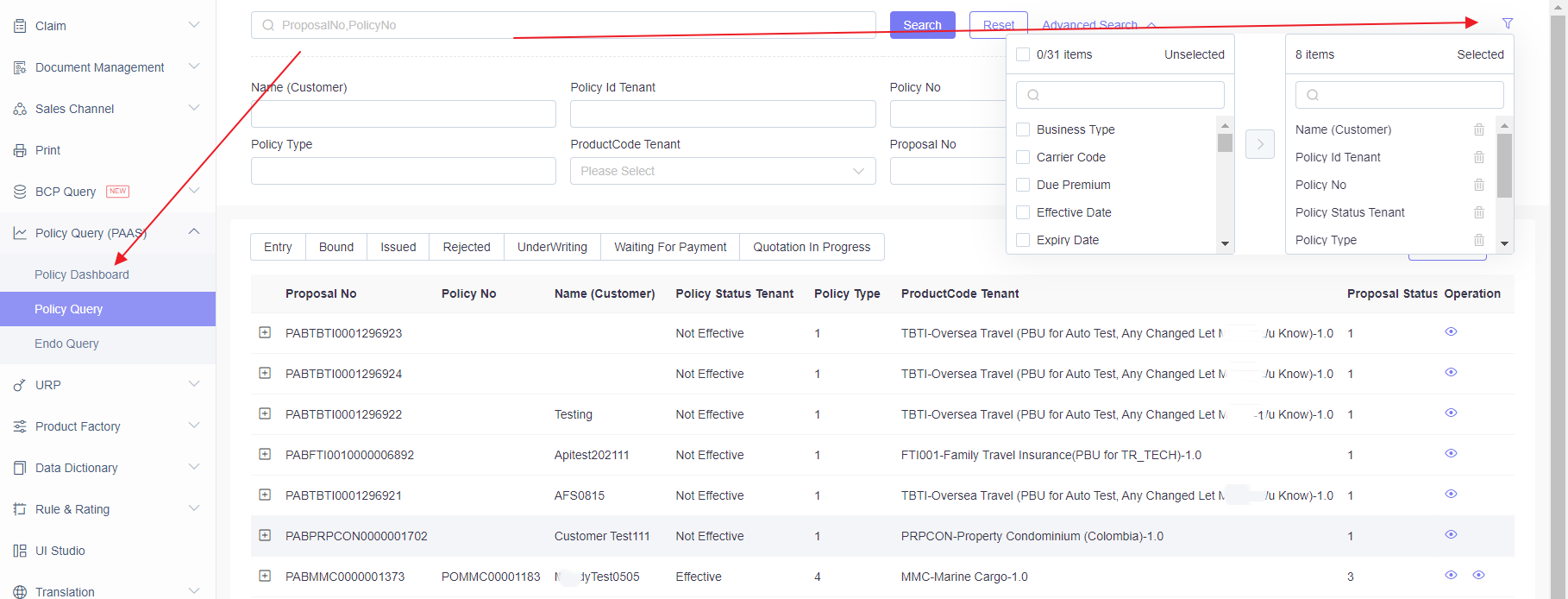
- By default, platform will provide some available search criteria. User can click on the filter icon which in the upper right corner of the Search Condition Card, to add or remove search conditions on the page.
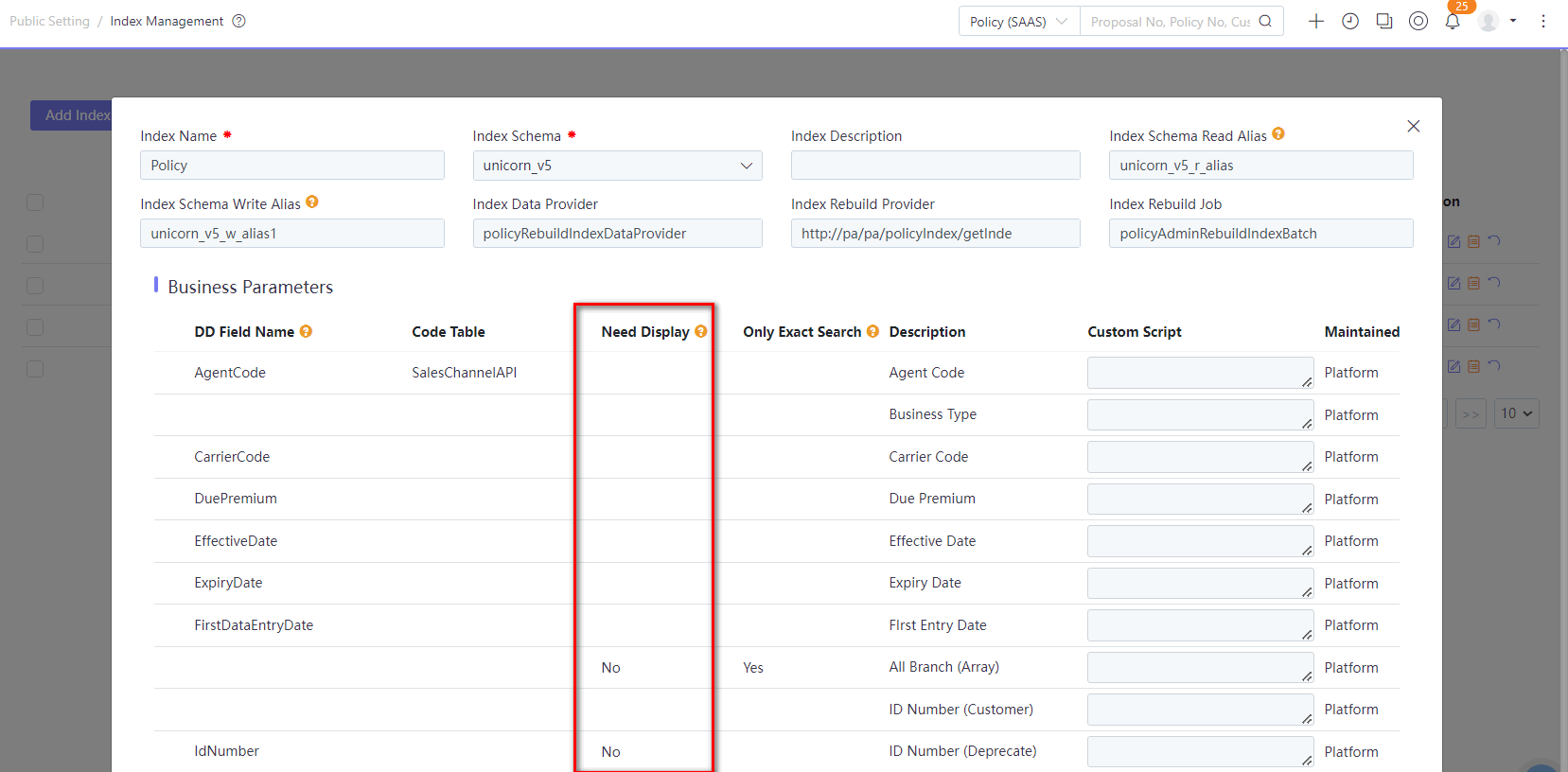
- If user wants to add or hide some criteria in the filter, user can contact development team to configure them in policy & endorsement index via Index Management module.
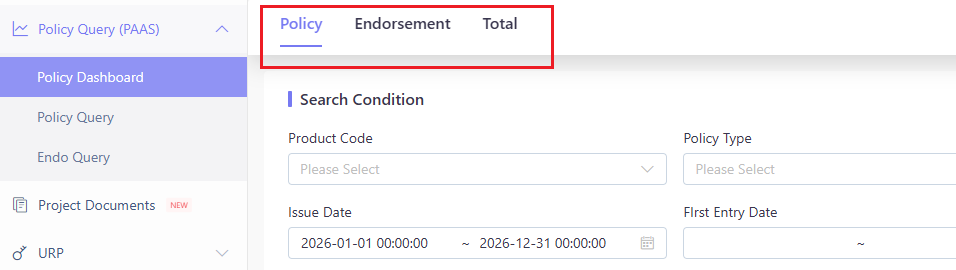
- User can also click on the policy tab, endorsement tab and total tab in the upper left corner to obtain the data.
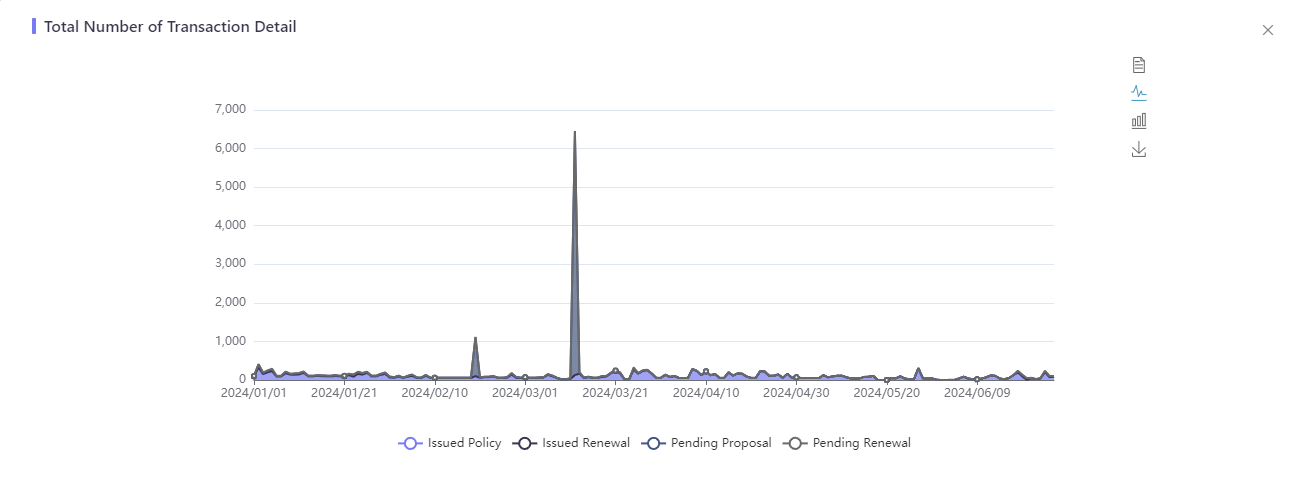
Total Number of Transaction
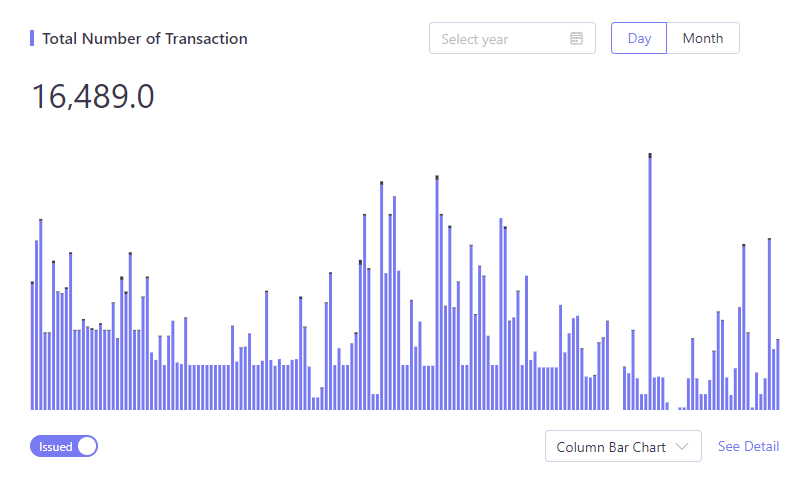
- User can view the transaction quantity by year, month or day.
- User can choose Issued or Pending to view the transaction quantity that have been issued or non-issued.
- Both column bar and line charts are provided in case different users might have different favorites.
- User can see the details, and the page displayed the date and quantity range, with different colors indicating different policy status. In the upper right corner, users can also switch between Data View, Column Bar Chart and Line Chart, or Save it as image.
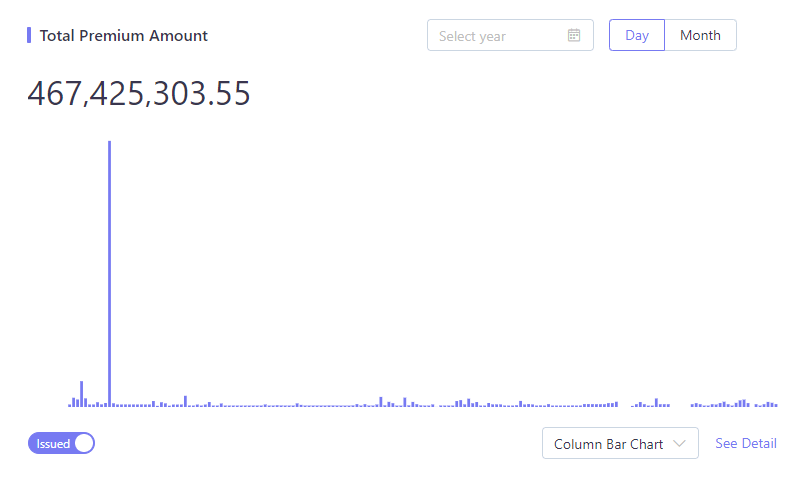
Total Premium Amount
- User can view the total premium by year, month or day.
- User can choose Issued or Pending to view the total premium that have been issued or non-issued.
- Both column bar and line charts are provided in case different users might have different favorites.
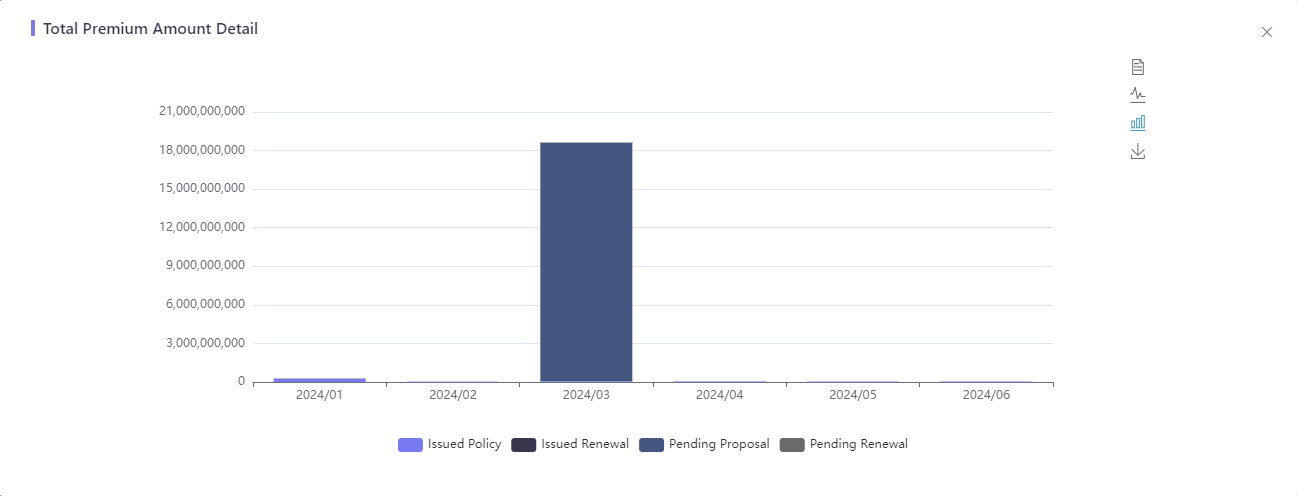
- User can see the details, and the page displayed the date and premium range, with different colors indicating different policy status. In the upper right corner, users can also switch between Data View, Column Bar Chart and Line Chart, or Save it as image.
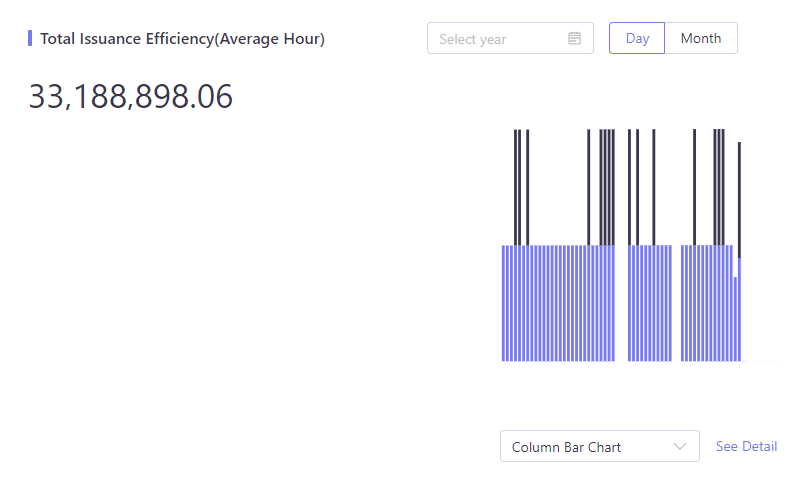
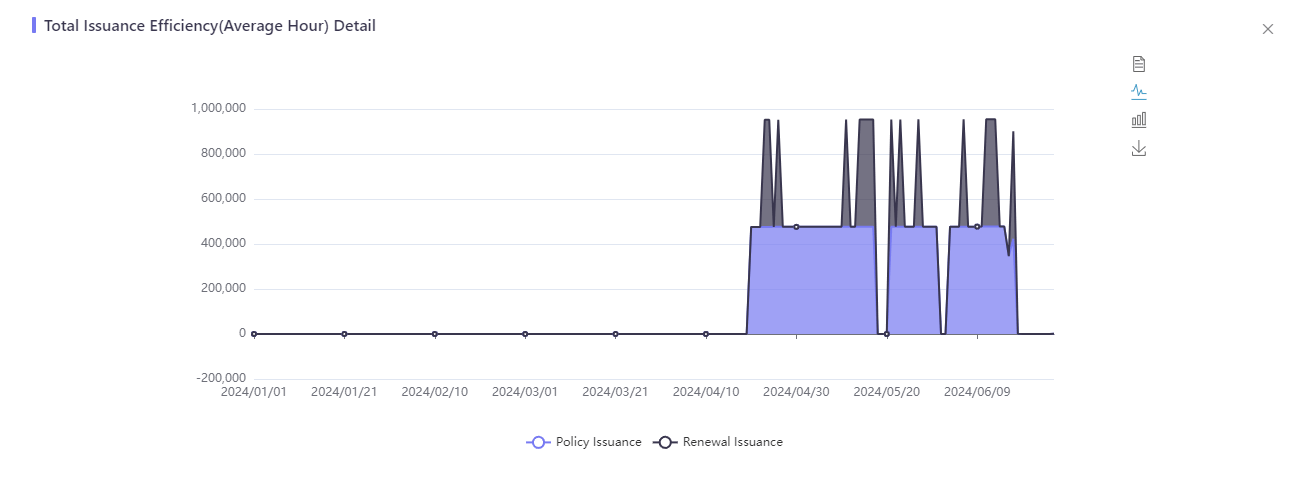
Total Issuance Efficiency(Average Hour)
- User can view the issuance efficiency by year, month or day.
- Both column bar and line charts are provided in case different users might have different favorites.
- User can see the details, and the page displayed the date and issuance efficiency range, with different colors indicating different policy status. In the upper right corner, users can also switch between Data View, Column Bar Chart and Line Chart, or Save it as image.
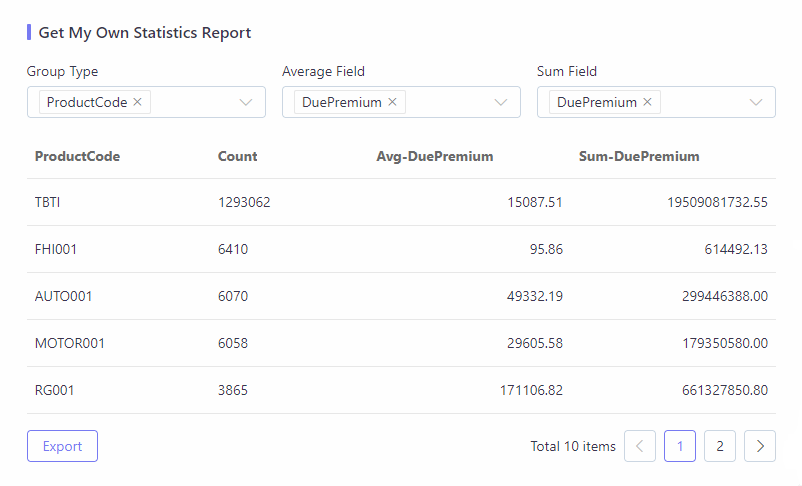
Get My Own Statistics Report
- User can choose the criteria for Group Type, Average Field and Sum Field.
- Group Type is a condition, Average Field and Sum Field is the statistical result calculated based on the condition, which also support export.
- The fields in Group Type, Average Field and Sum Field are configured in Index. If user wants to add or hide some data, user can contact development team to configure them in policy & endorsement index via Index Management module. If the added field type is string, it displays in Group Type, if field type is double or long, it displays in Average Field and Sum Field.
PaaS Query
For our SaaS or application deals, a business query screen is provided for business user to search out the business record. If it’s a PaaS deal, there’s a query API to fetch the past data for query purpose.
Sometimes, it’s not so user-friendly to call API for simple query purpose. For such scenario, you can try to use some of the most common search criteria to search out the proposal/policy from the platform in a technical way.
Now the PaaS query is all configuration driven. User can customize his/her own search conditions and results in a configurable way.
Although it is the most efficient way to query policies, because all the product UI must follow the InsureMO format and no customization is allowed, the user experience might be acceptable but not as good as that on a customized UI. For example, there will be some redundant technical fields displayed, and UI section will be arranged according to the data model structure. If this is something not good, the platform can provide you with the source code to customize this page or directly adopt Easy PA to achieve.
In addition, to properly generate the target query UI, it’s still necessary that configuration side must get clear requirements and configure more related matters. For example, the things such as code table must be tagged with the field and all code values must be fetched. For each dynamic field, business field label must be properly attached.
PaaS Policy Query
Search Policy
Before checking the policy details, user needs to perform the policy search first. Now system lists out all the available search fields based on index configuration and user preference component.
For more details about user preference, see User Preference Guide.
Export Policy
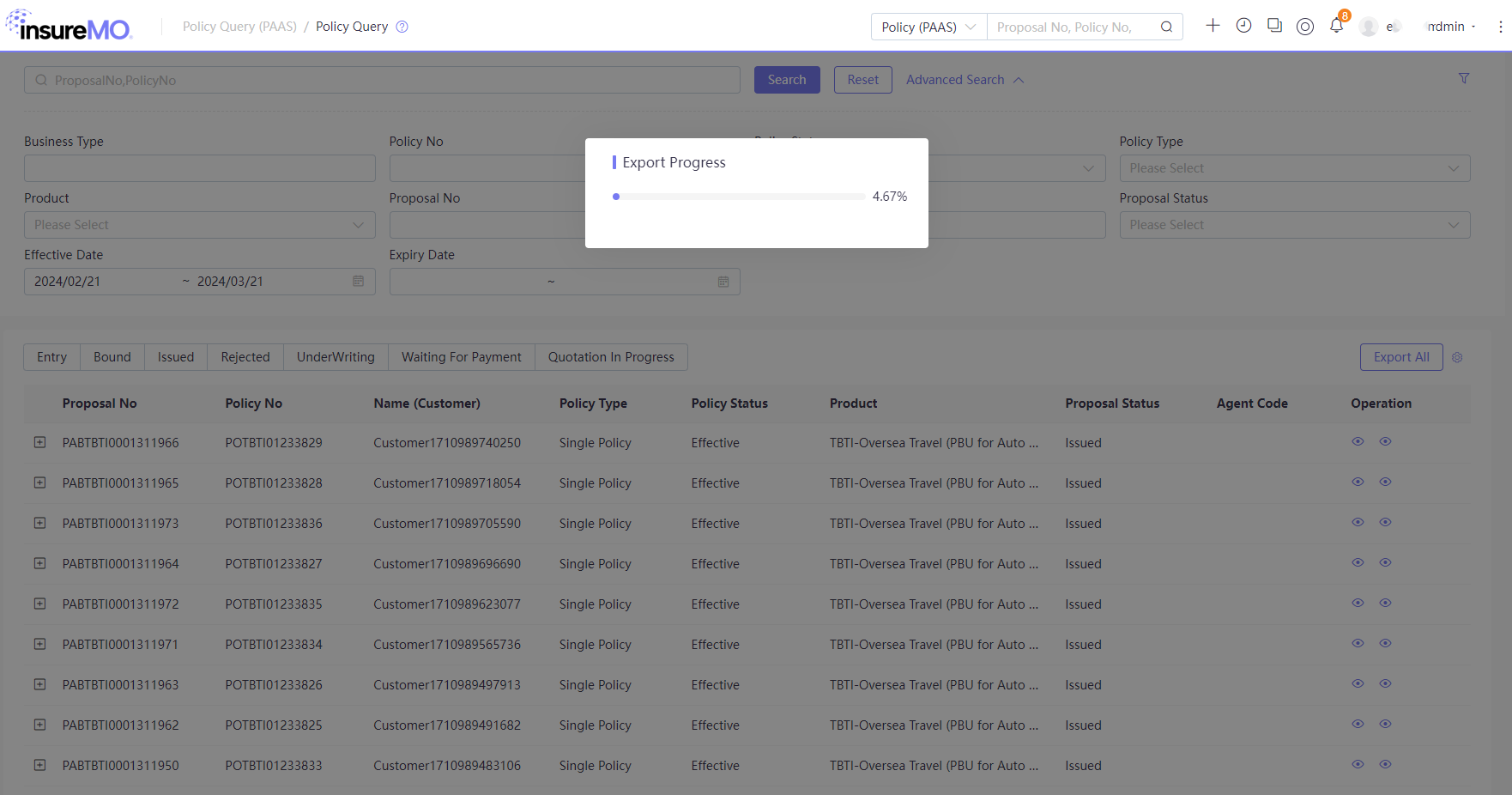
To facilitate user’s operation, system also allows user to export the query results via Excel by clicking Export All:
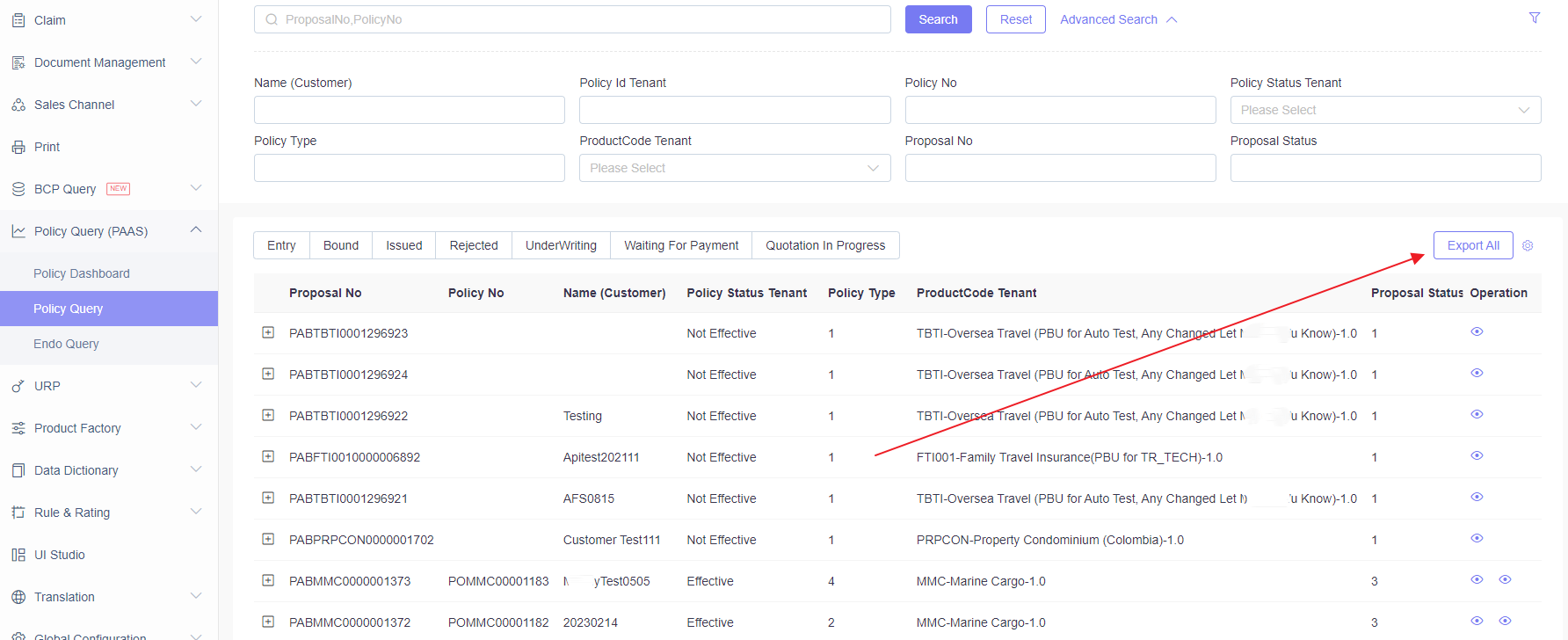
Due to potential large data to export, it will be running in asynchronous mode and UI will be locked. Please don’t close the window and wait for Excel to be generated.
The exported file will contain all the selected fields as columns.
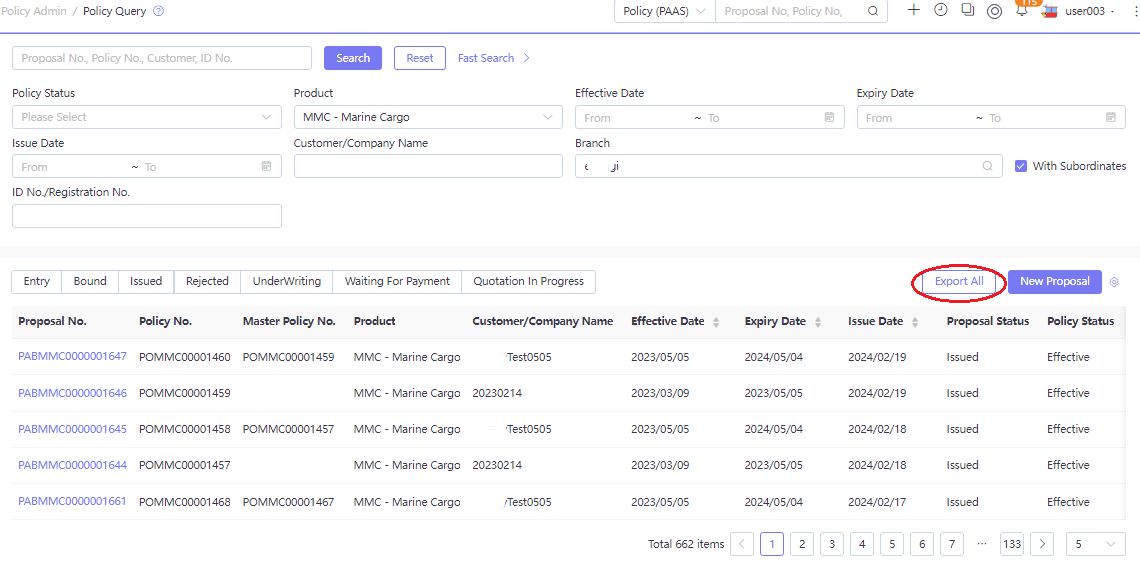
Custom column names for exported files are supported—refer to the Export API Sample for details.
Configuration for Policy Search & Export
By default, platform will provide some available search criteria. If user wants to add more criteria or hide some of them, user can contact development team to configure them in policy & endorsement index via Index Management module.
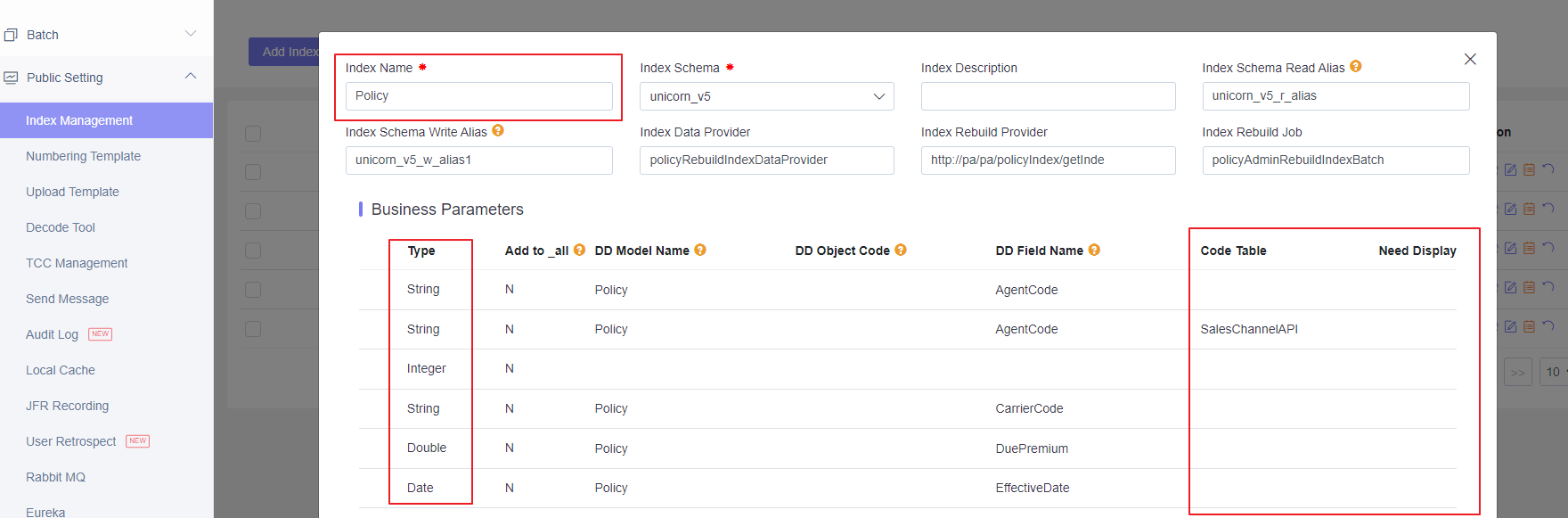
So if user want the field to display in query results of the column field, please set the index field property ”Need Display” to ”Yes”. For more details on how to configure index fields, see Search Index Guide.
Load Policy
Once any of the policy record is located, user will be able to enter and view the detailed policy information in the generic policy detail page.
In the policy query page, there are two choices:
-
Load Latest Version: System will load the latest policy version. If there are multiple endorsements finished, it will load the version after the latest endorsement.
-
Load 1st Issuance Version: System will load the first policy version upon the policy issuance. If there are multiple endorsements finished, it will stick to the same version and user need go to endorsement query to see policy version at time of endorsement.
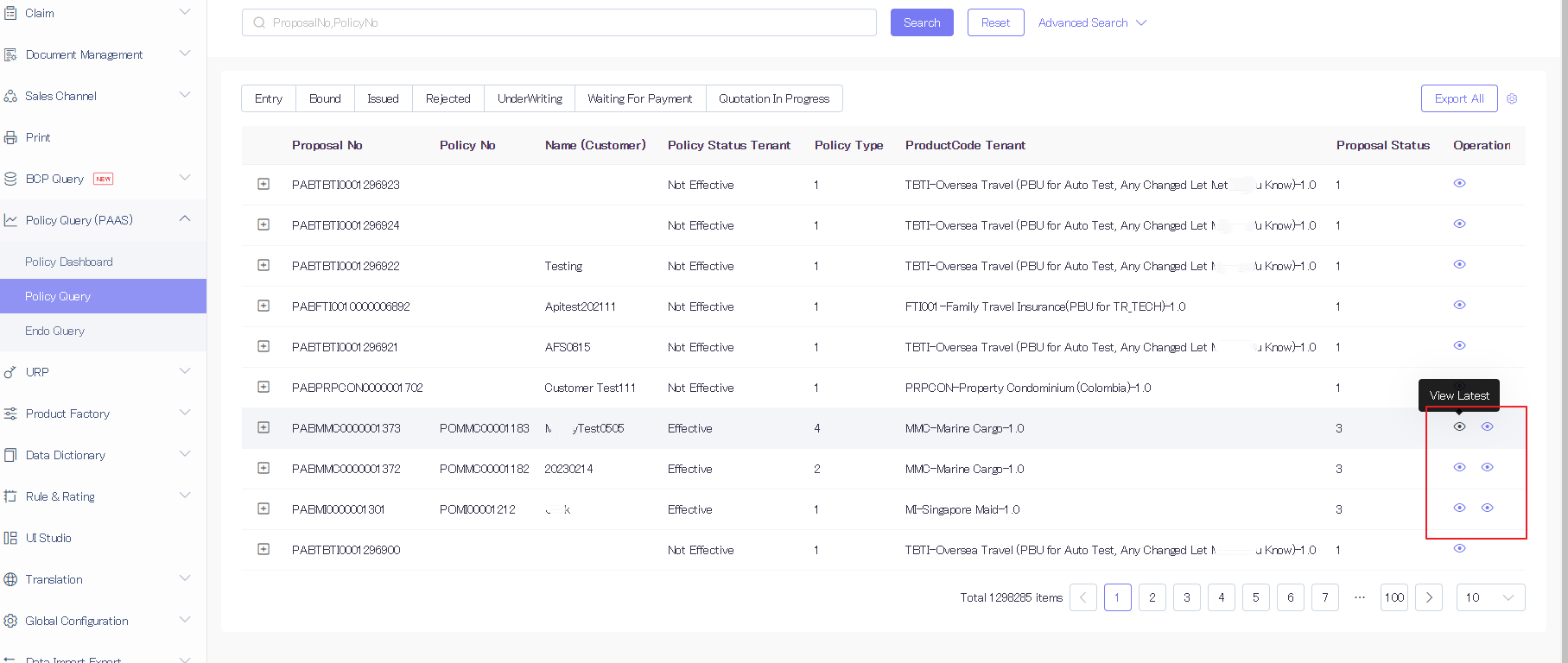
Once entering the version, system will display all policy object information based on policy API:
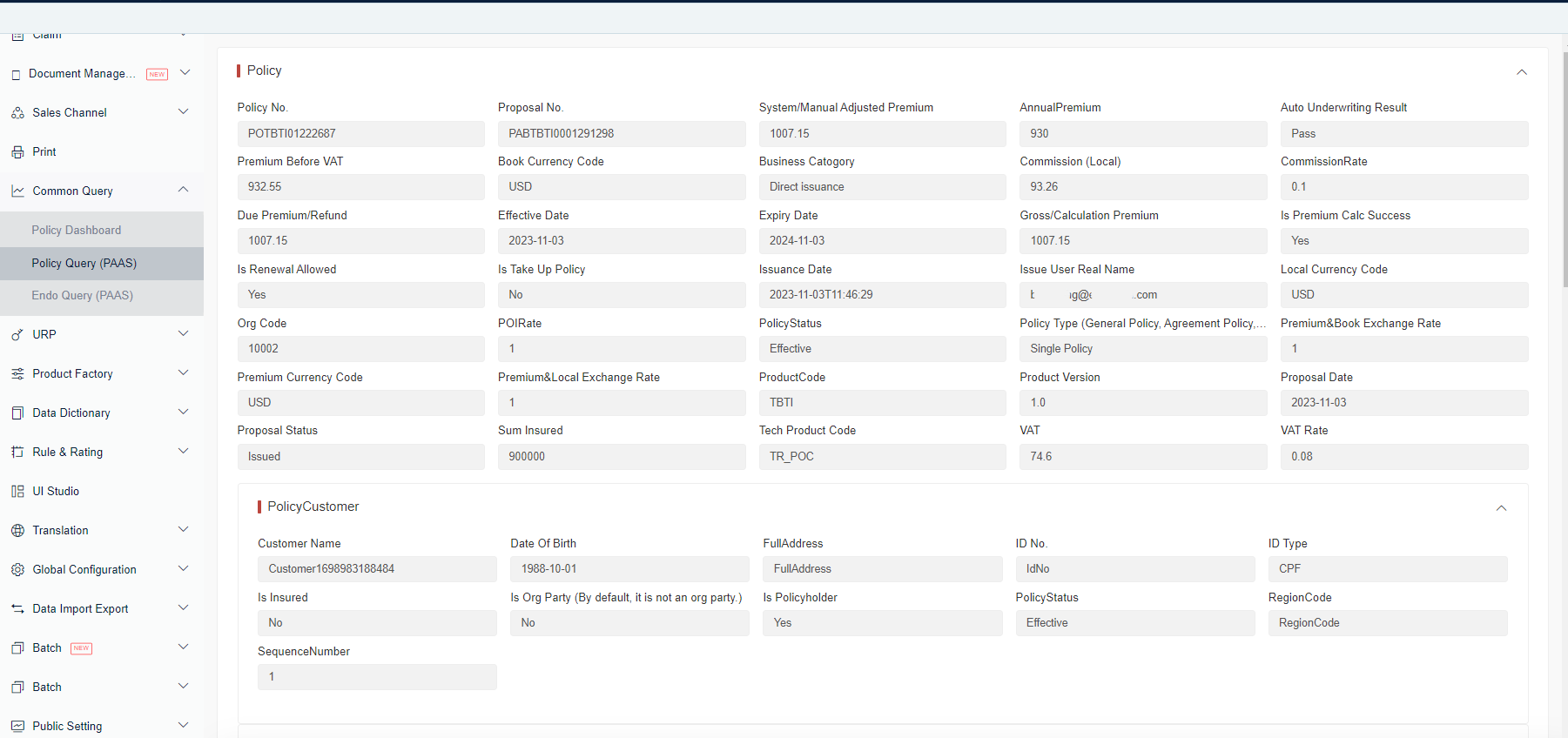
Below are some of the detailed tips on using this page:
- The policy layout is the typical table layout which is by default expanded. This layout is the standard platform setting that cannot be changed by tenant.
- The policy table and field strictly follow the policy object structure definition. Some of the special policy objects which are not part of standard policy object will not display quotation, group policy, micro-insurance, underwriting history, etc.
- All fields are in read-only status. There are special treatments to display UI labels and value formats like String, Number, Date and Code Value according to data dictionary configuration.
- User will be able to change the table display column and its sequence by product. System will save all these into user/tenant preference and keep such preference setting.
- If any user has the menu authority, he/she can view all the policies without more authority control.
Configuration for Policy Load
On the policy detail screen, platform will display all the fields that have been persisted in the policy JSON object via UI. User can check the following aspects of configuration if necessary:
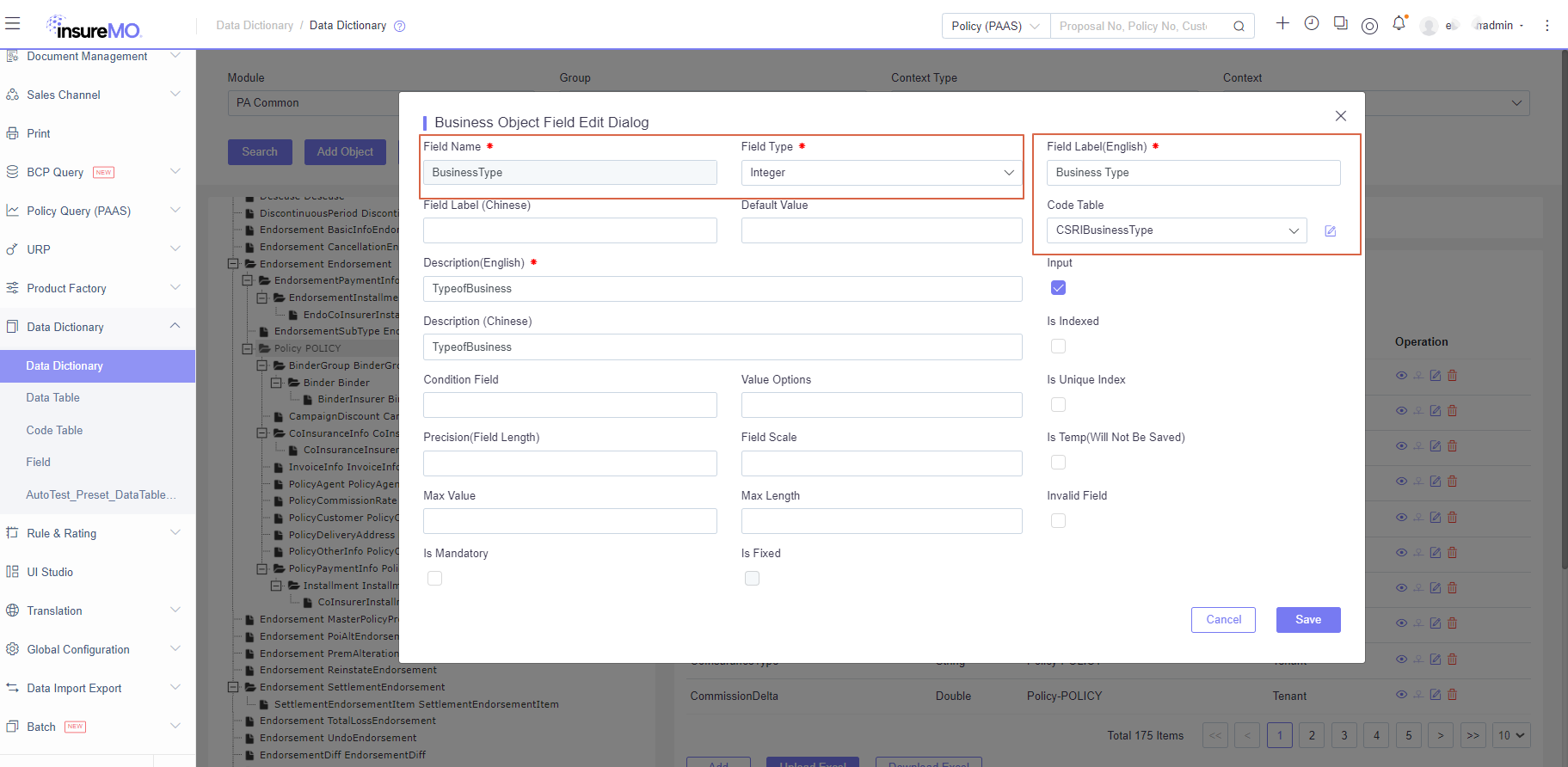
- Data Dictionary model and object configuration -> section/table display
- Data Dictionary field binding configuration -> field display
2.1 Code Table -> display dropdown
2.2 Field Label -> display UI label
2.3 Field Type -> display string, number or date
PaaS Endorsement Query
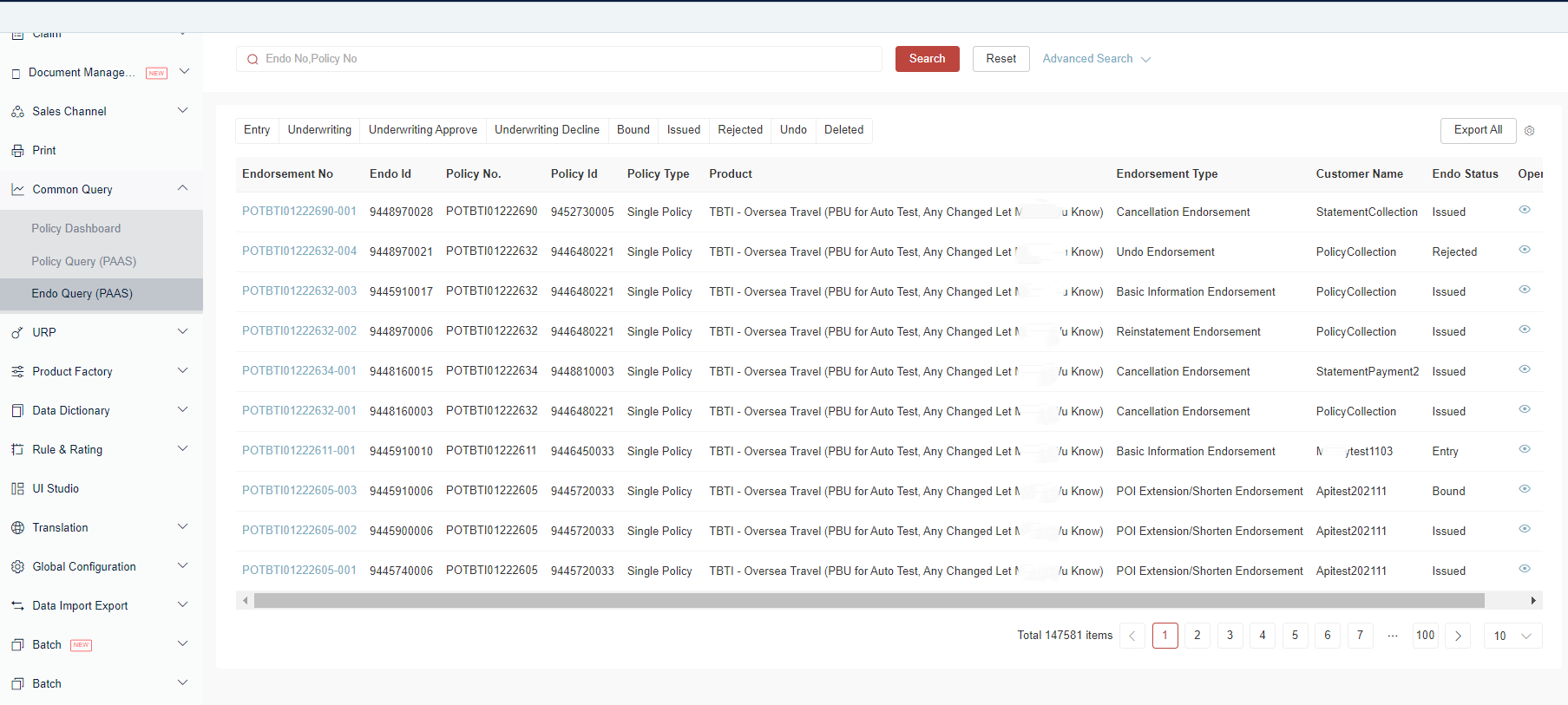
If there’s endorsement performed on the policy, user will be able to view endorsement details as well.
Internationalization
Policy Query (PAAS) UI internationalization data is maintained in Global Configuration → UI Label Translation → Group Statistics.
Label Translation
- If a key is missing there, the system falls back to Menu and then Monitor.
- If the same key exist in Menu, Monitor and Statistics, Statistics takes precedence.
- To customize, override the translation record with the same key . For the same key, the system prioritizes tenant-level data.
Sample keys:
| UI Element | Key | Example Value |
|---|---|---|
| Policy tab | Policy | Policy |
| Endorsement tab | Endorsement | Endorsement |
| Total tab | Total | Total |
| Policy search placeholder | PolicyQueryKeywordPlaceHolder | Proposal No, Policy No |
| Endorsement search placeholder | EndoQueryKeywordPlaceHolder | Policy No, Endo No |


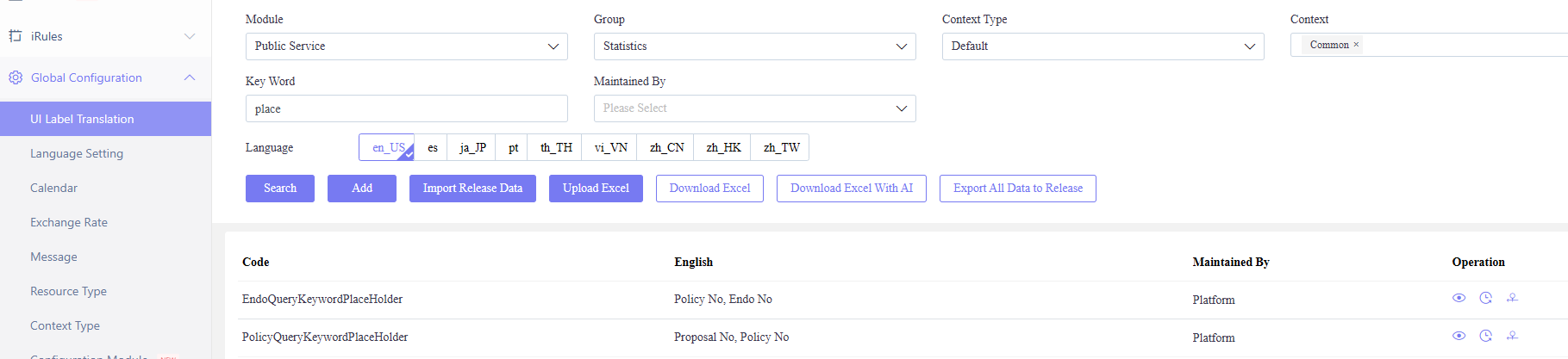
DD-driven UI Translation
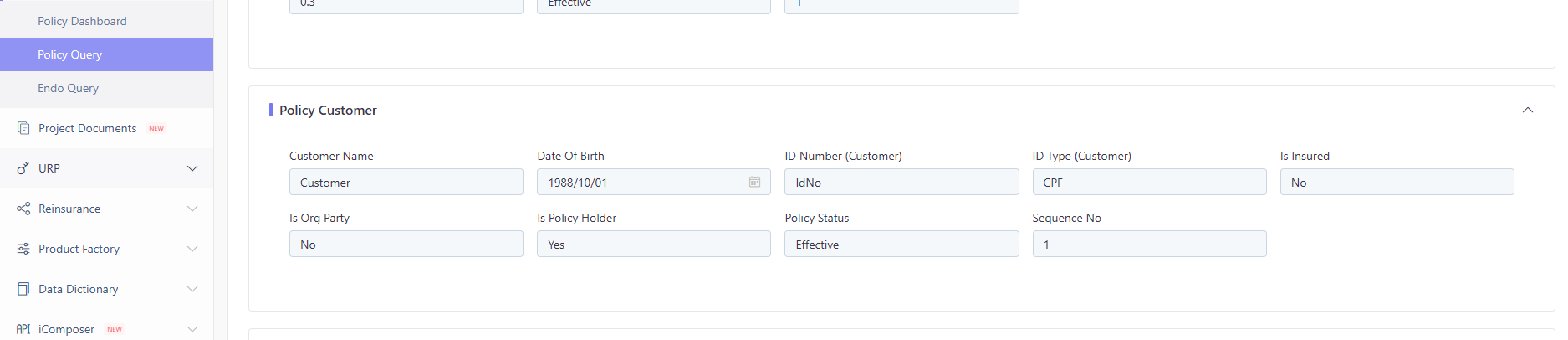
The details pages for policy and endorsement query are automatically generated via DD configuration. The platform already provides internationalization translations for some common fields; for product-specific fields, tenants need to supplement the translation data themselves. The following are the DD-driven UI Translation Matching Rules.
-
Section Titles
- Prioritize using
objectCodeas the key to retrieve i18n translations. - If no match is found, use
objectNameas the key to continue searching. - If still no result, display the node default value (e.g.,
PolicyCustomerList).
- Prioritize using
-
Fields Under Sections
- Prioritize using
fieldNamefrom the DD configuration as the key to retrieve i18n translations. - If no match is found, use
fieldLabelas the key to continue searching. - If still no result, directly display
fieldName.
- Prioritize using
PA Query via Skills
The insuremo-gi-pa-query skill provides programmatic API access to query PA policy and endorsement data. It covers the following business domains:
- Policy — load policy data, query by proposal/policy number, and retrieve fee calculation for new business
- Endorsement — load endorsement data, query endorsement history, and look up policy by version
- Policy Fee Info — fee calculation for new business and endorsement scenarios
- Underwriting — load policy underwriting information