Objective
-
Understand key API to finish new business transaction.
-
Understand how to run these APIs via postman collection.
-
Understand what’s underlying Json body and how to view underlying configuration.
Introduction to Key Policy API List
Before looking at each detailed API, see policy API overview section to have a deep understanding about our policy related API design & concept.
The following key APIs are essential for running through an entire issuance process.
| API | Description | API More details |
|---|---|---|
| /cas/ebao/v2/json/tickets | This API is to get the token by user name and password. The token is necessary to be appended to call any APIs via InsureMO API gateway. | |
| /proposal/core/proposal/v1/createEx | Based on the structure of product configuration, assemble the specified proposal details to create a new proposal. | Create API |
| /proposal/core/proposal/v1/updateEx | Save the created proposal data. The first call to save will generate the proposal number, and each subsequent call to save will save each modification. | Save API |
| /proposal/core/proposal/v1/validate | Perform entire policy object validation as well as run validation rule configuration in order to avoid mistakes. It can verify multiple scenarios. | Validation API |
| /proposal/core/proposal/v1/calculateEx | Perform full calculation logic for a proposal including premium, SI(Sum Insured), tax and fees. The API defaults to calling rating “New Business Trans Rating”, configure the common formula, product formula, and call order relationship on this rating. | Calculate API |
| /proposal/core/proposal/v1/autoUnderWriting | According to the requirements, the product will be configured with some underwriting rules. When the policy information triggers the underwriting rules, it will check and provide result message. | Underwriting API |
| /proposal/core/proposal/v1/issuePolicyEx | Policy gets issued with versioning for a corresponding proposal through this API. Proposal status and policy status will change. | |
| /proposal/core/proposal/v1/load | Load the policy/proposal details from proposal number/quotation number /policy number/policy id. |
Product setup is always a pre-requisite to run all these APIs. A typical product setup can involve steps like:
- There is no problem with the product structure.
- The calculated results for the main test points under different conditions are accurate.
- Proper validation check is in place.
This document will take a sample Take TBTI - Oversea Travel product for explanation while the trial process is suitable for any kind of product.
Test API via Postman Collection
InsureMO Access Account
For any API call, you must make sure that you have signed up InsureMO platform and have got your key access information:
- Environment URL
- User
- Password
Prepare Collection File
After signing up for InsureMO trial, you can contract InsureMO learning team to get a well-prepared postman collection specifically about product in your interested market for trial.
Normally, there will be two parts of collection:
You can download reference file from attachment and import it into your local postman for API trial.
Local Postman Running
To help you better understand, the following key figures will teach you how to use these two files.
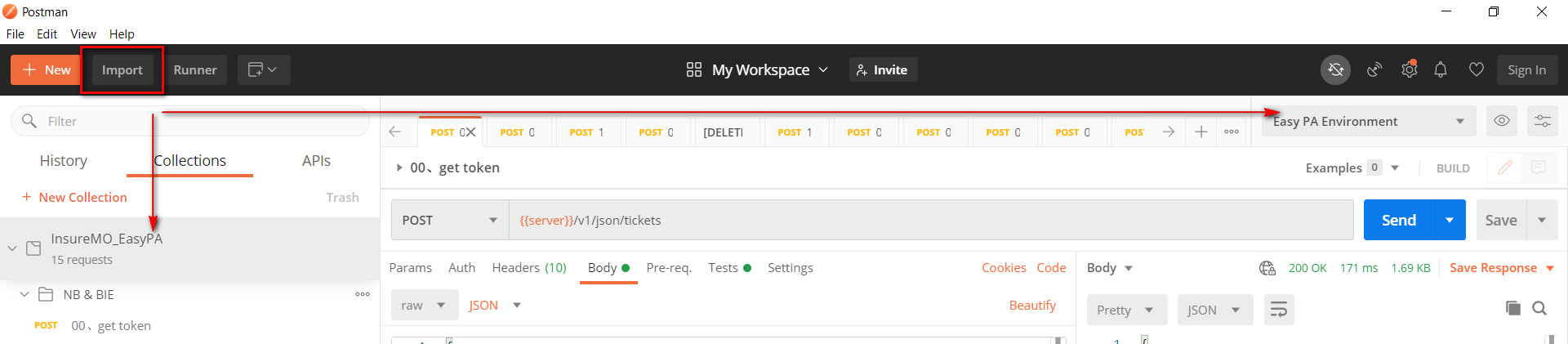
Import Collection File
Import API collection and environment files to Postman, the two files will appear at the locations shown in the figure.
Fill in Your Own Environment & User Information
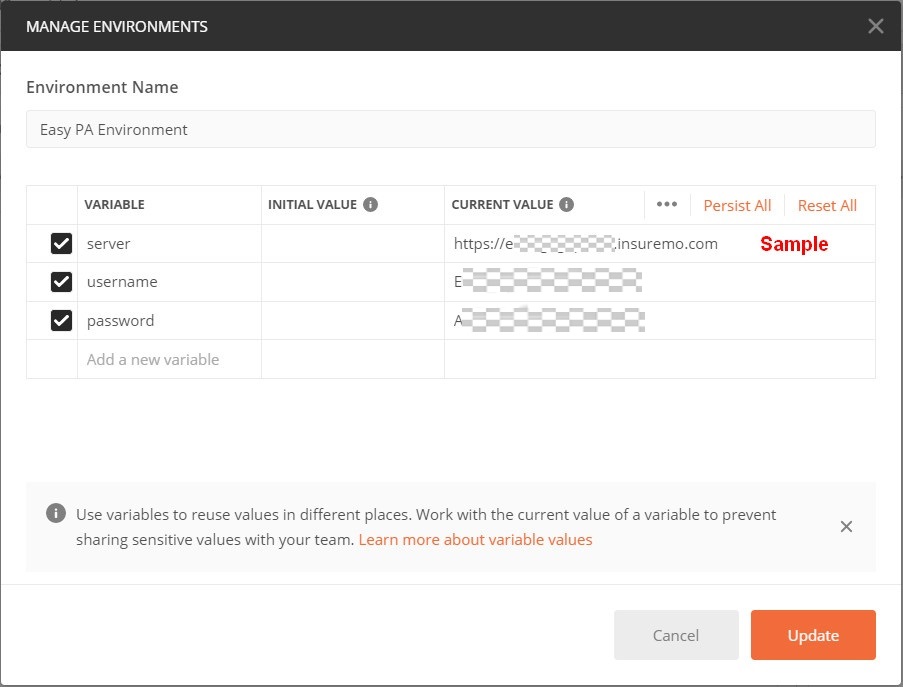
After importing, you can view the environment information and there are some values that need to be filled out:

The following is an explanation of these variables.
| VARIABLE | Value |
|---|---|
| server | Target environment address. |
| username | Account for the target environment. |
| password | The password corresponding to the target environment account. |
After filling in, as shown in the figure, update these information.
Run API
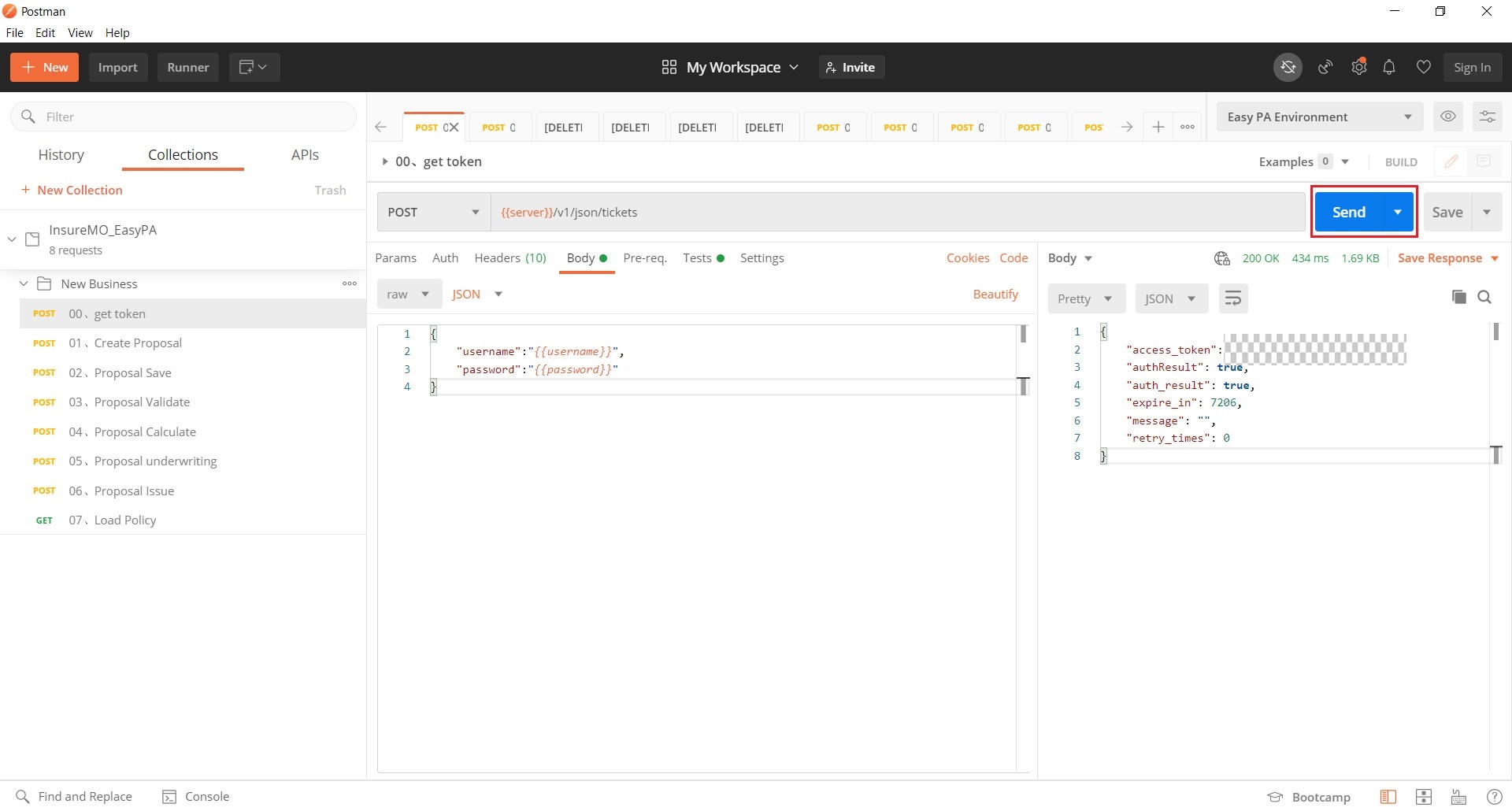
- Run Individual API.
For individual API, click Send, check the response code and body.
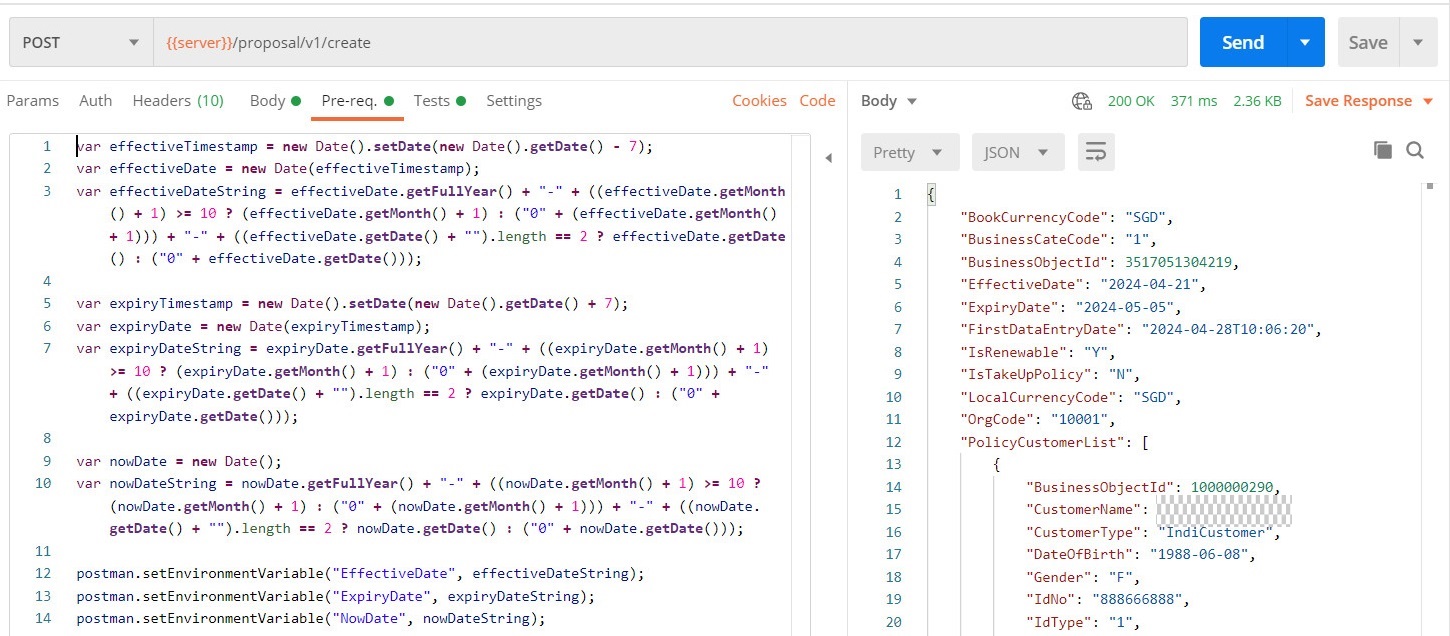
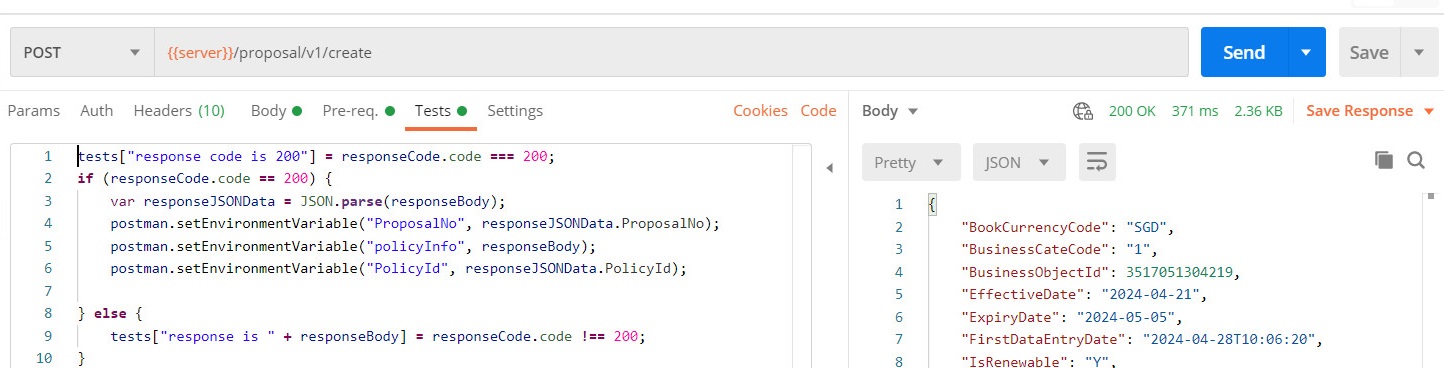
The API collection has processed the assignment, storage, and context transfer of variables in “Pre-request Script” and “Tests”. If you are interested in research, you can make modifications according to your own needs.
Pre-request Script
Tests
- Run Overall process.
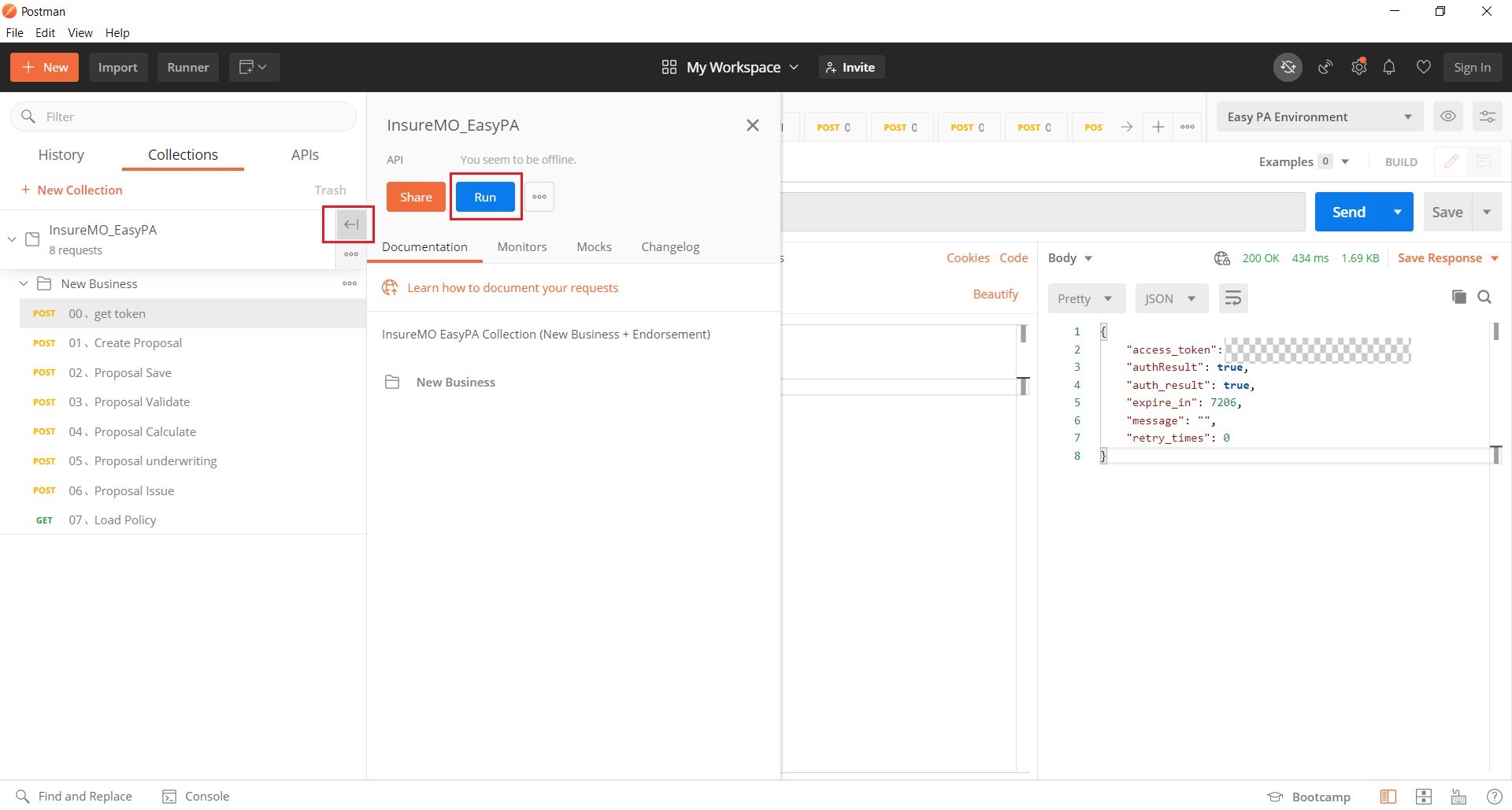
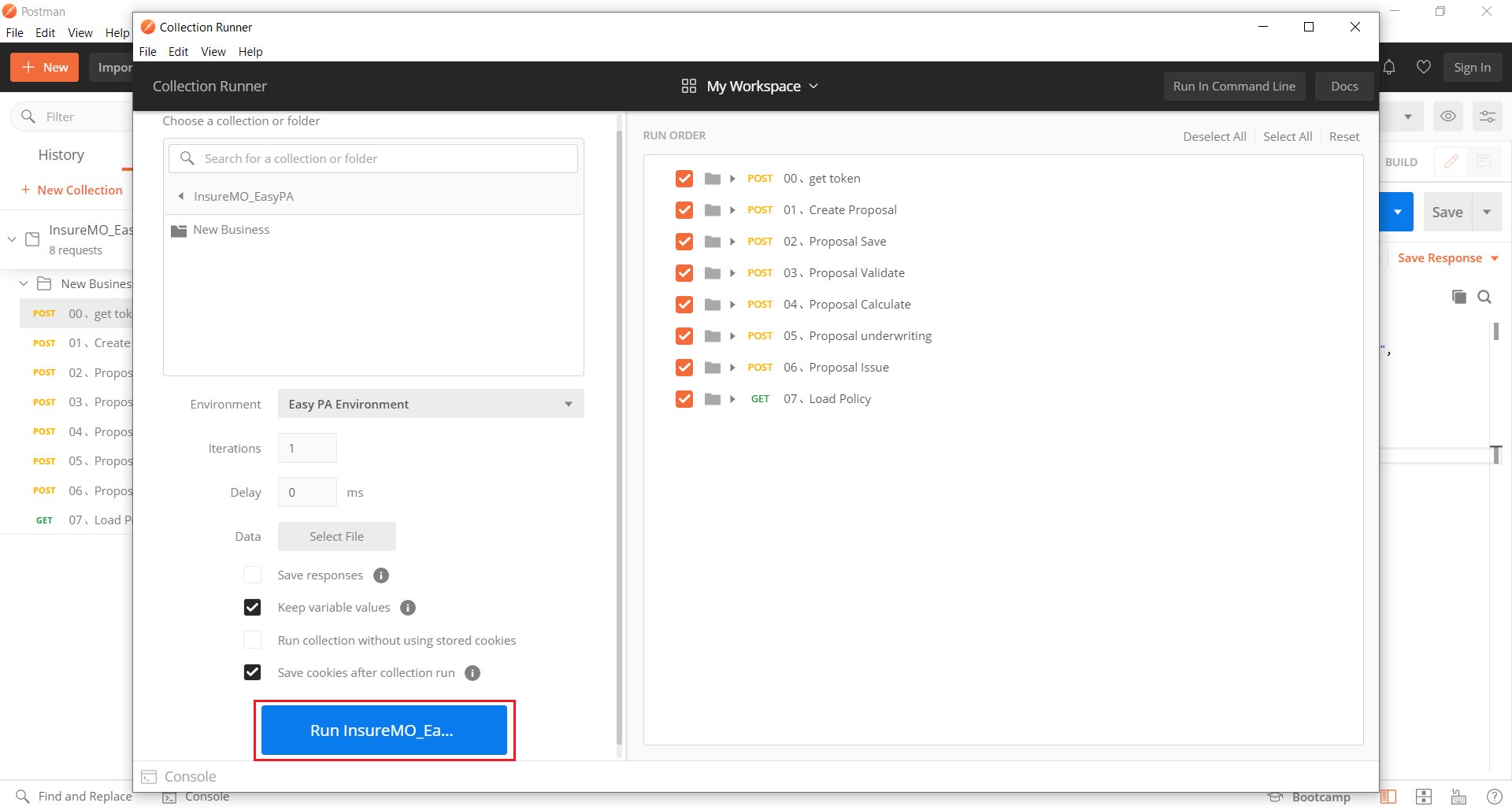
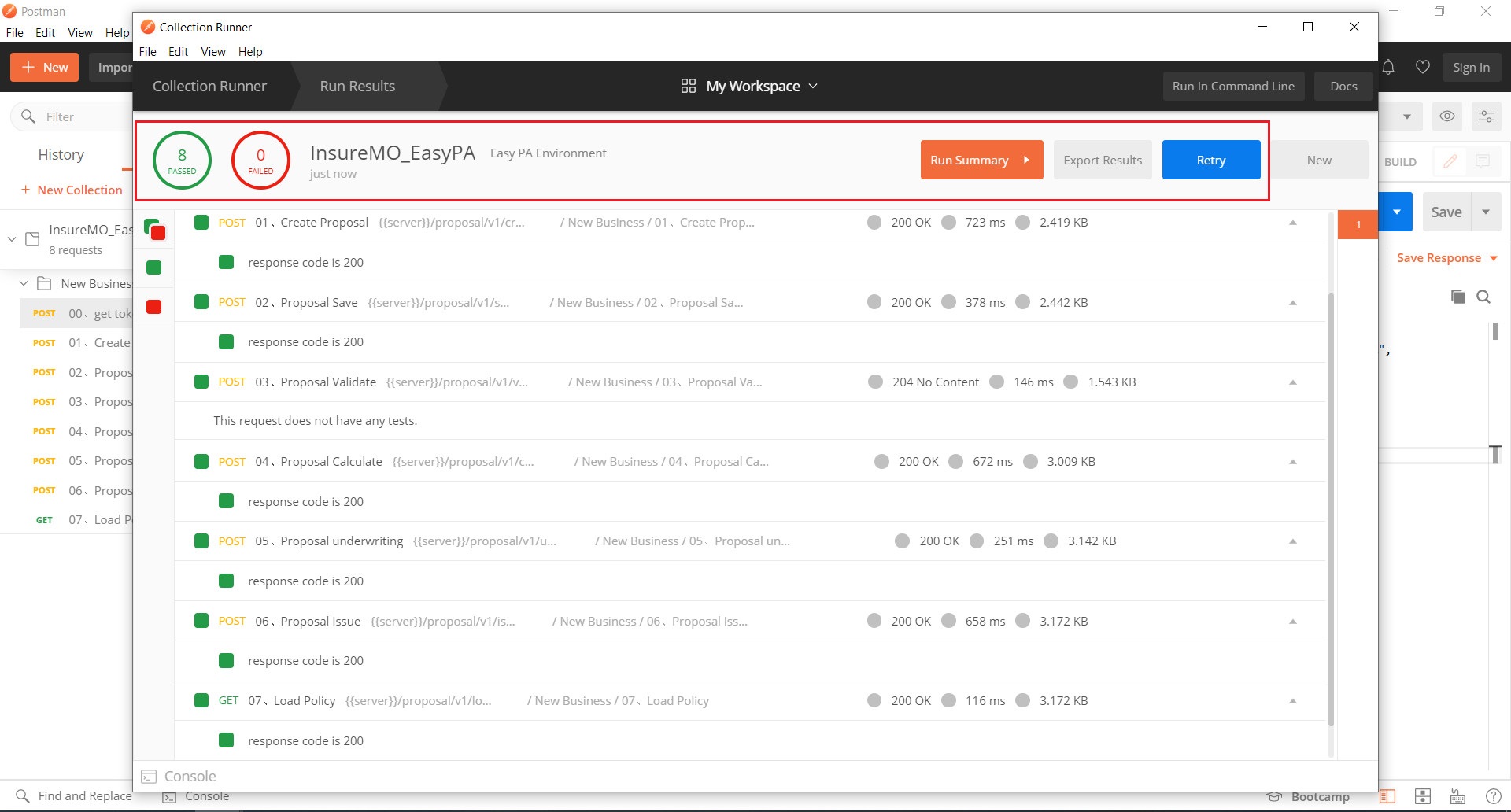
Click Run on the folder, and the tool will run the entire process in the sequence of APIs.
Policy Json Body Introduction
To call the proposal API, it’s crucial to put the right policy json object which is different by each product and market.
To understand more details on how Policy JSON is reached out, see Policy JSON Creation Guide for further information.
Quick Glance at Product Configuration
All policy API behavior is triggered based on our rich product configuration data. If you are interested, the following guide will help you have a quick exploration on our rich product configuration tool further to understand how API is working as such.
See comprehensive configuration training program to have a complete understanding on our configuration capabilities.
Product Structure
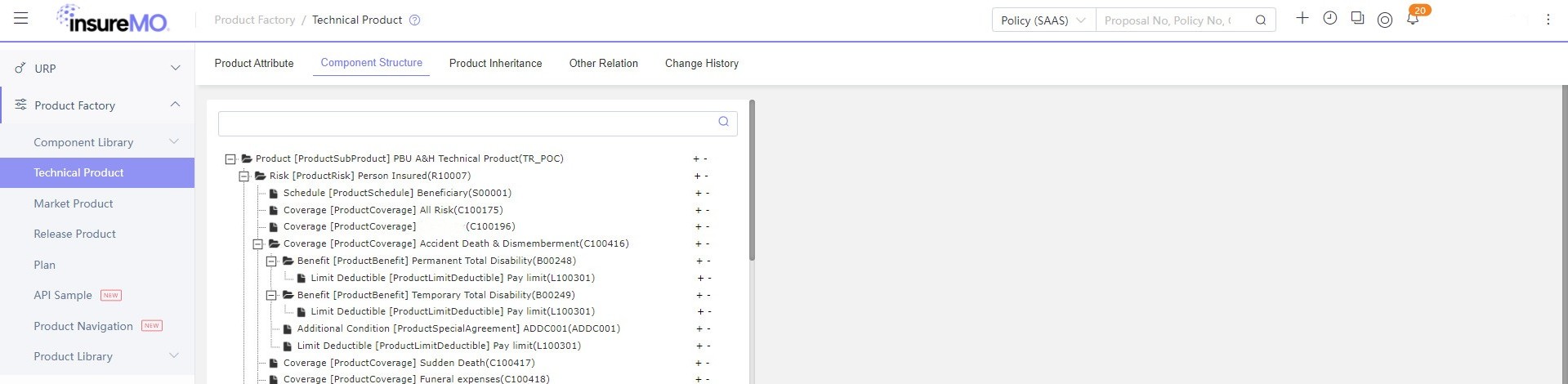
The following is an illustration of basic travel product structure used in the collection guide. Menu: Product Factory > Component Library/Technical Product/Market Product Technical Product Name/Code: PBU A&H Technical Product, TR_POC Market Product Name/Code: Oversea Travel, TBTI
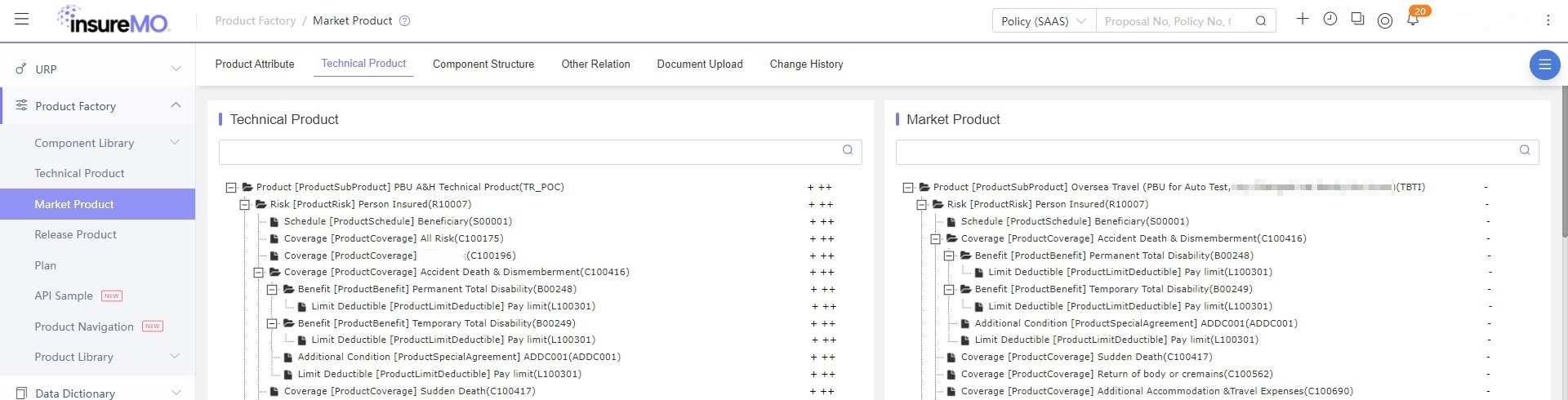
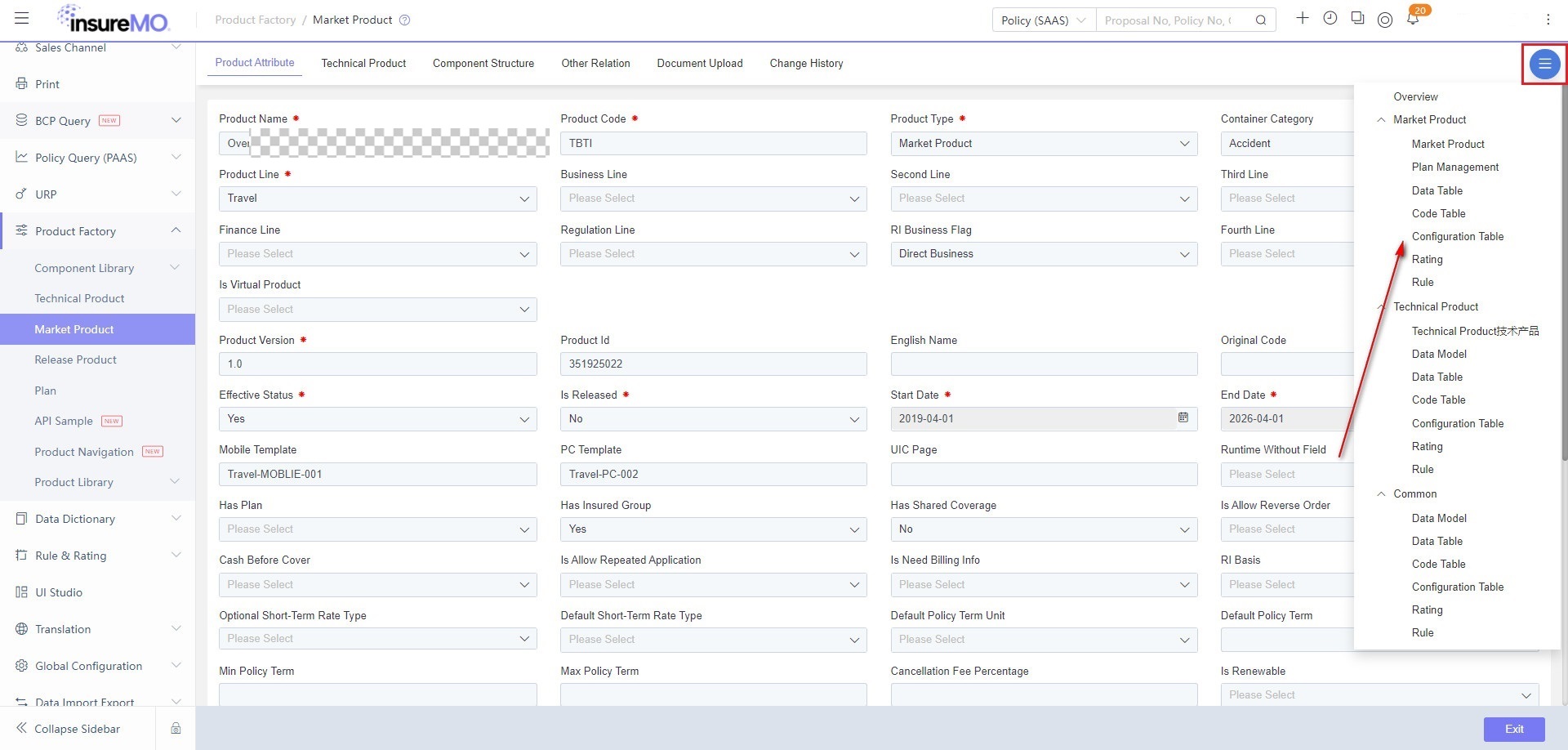
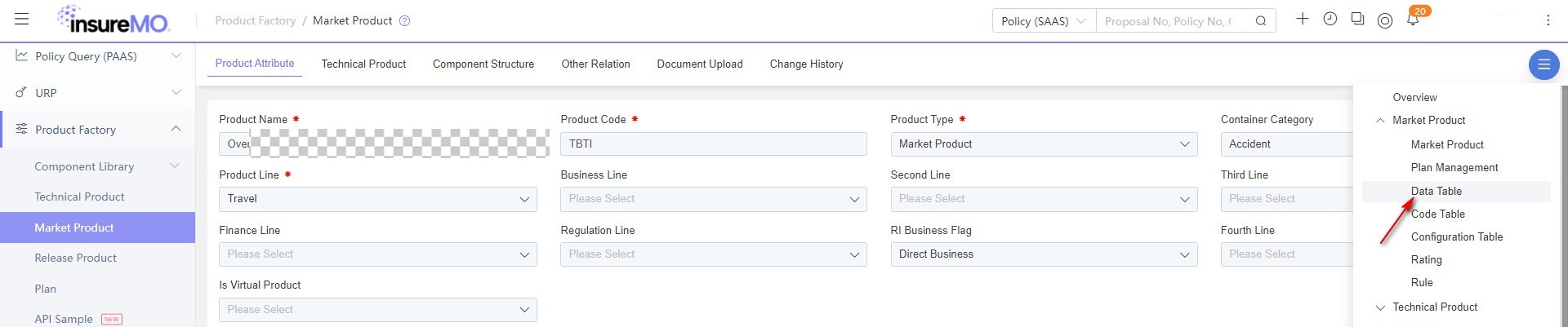
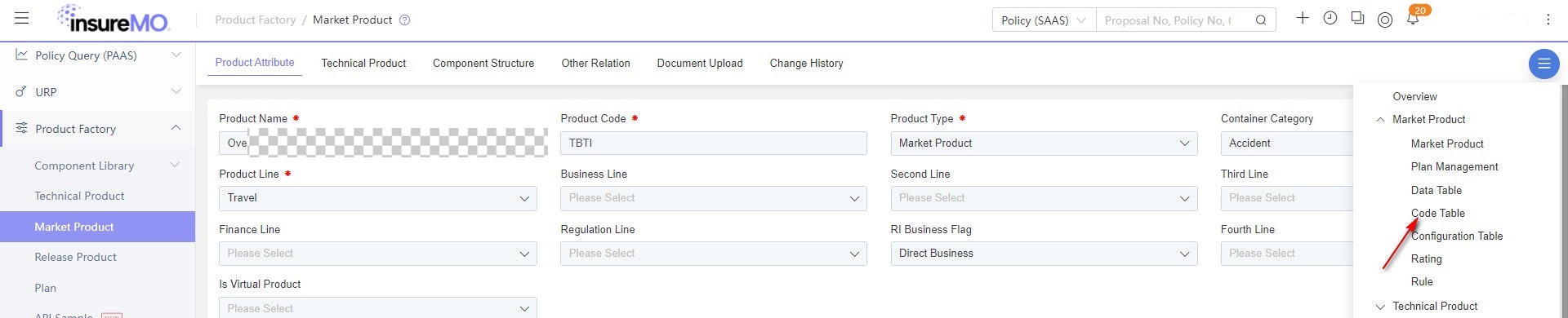
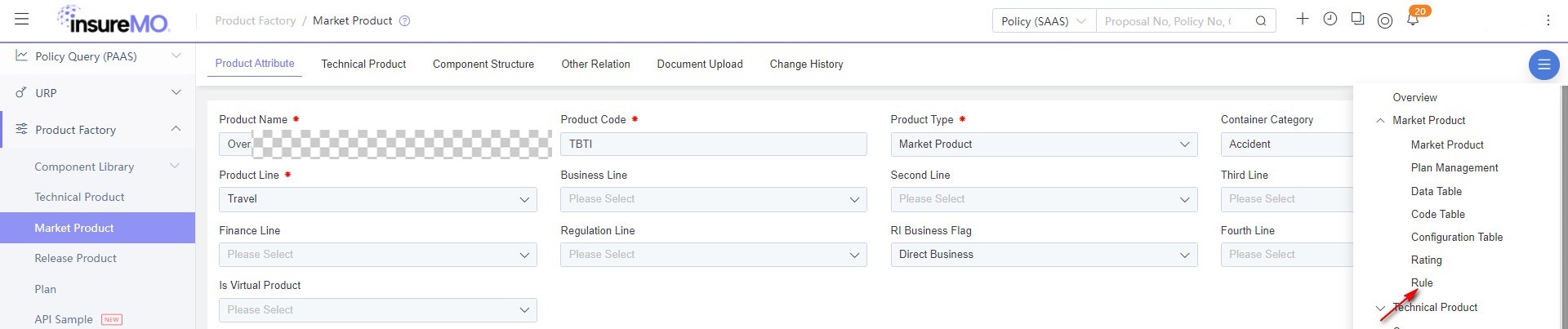
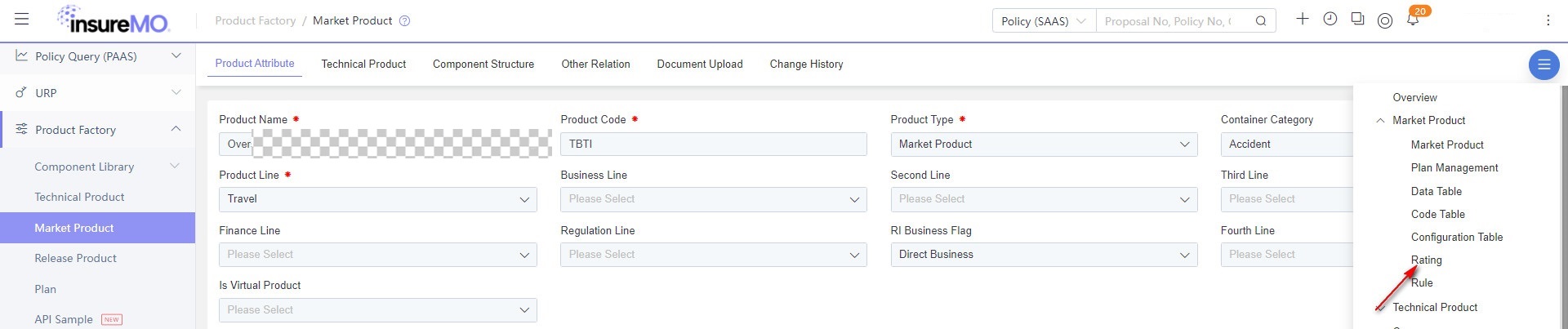
The right side of the market product provides a navigation bar, which can quickly link to the corresponding module of the market product.
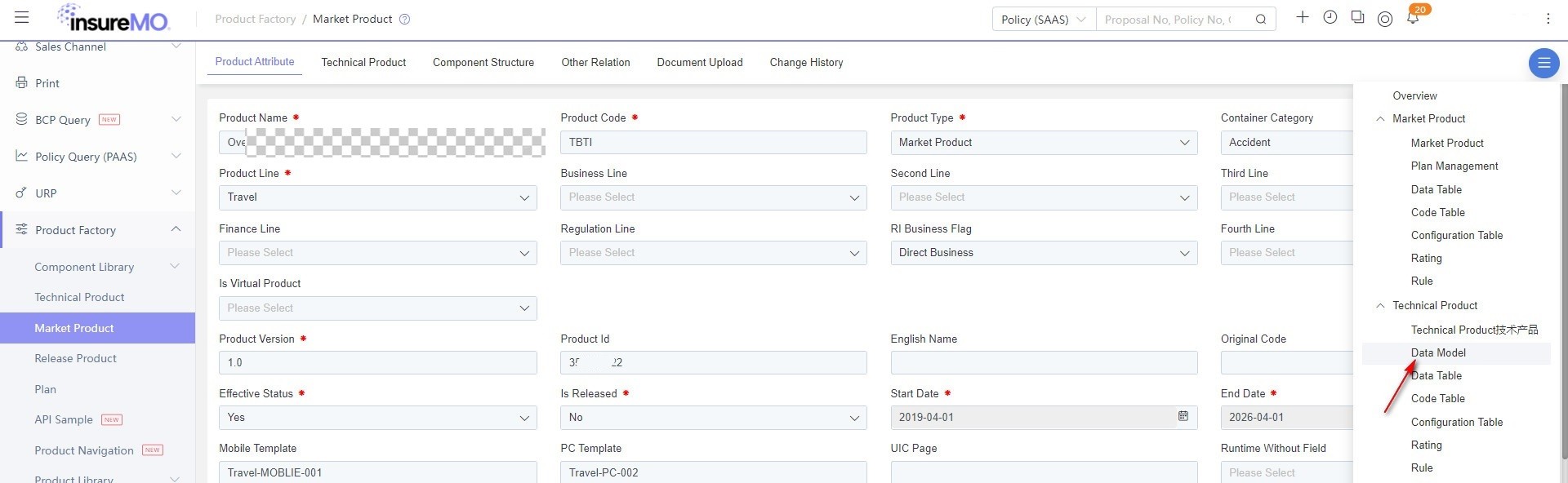
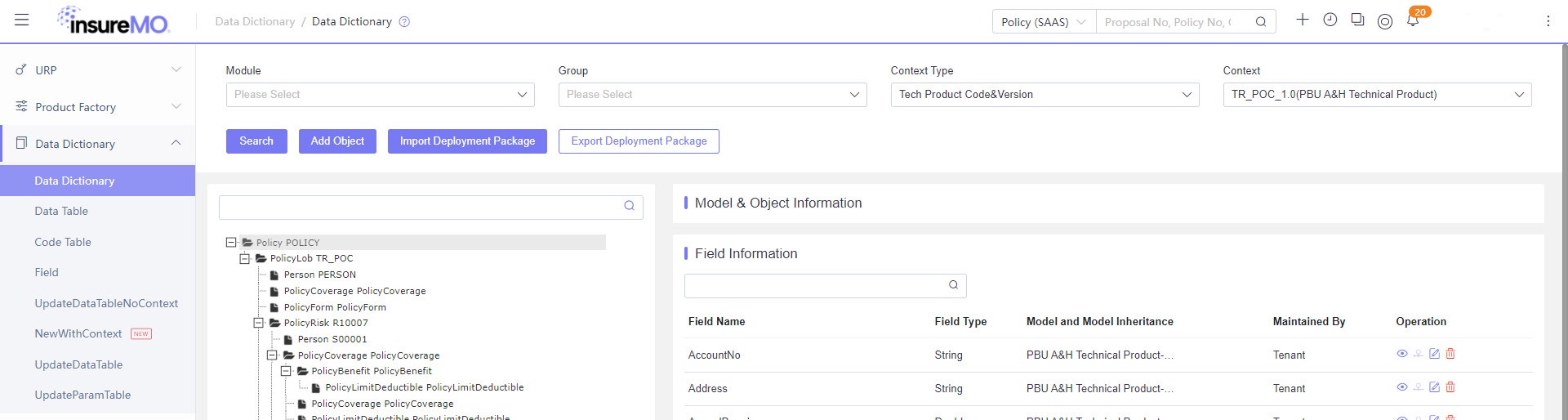
Data Dictionary
After the product structure is configured, you must create your own policy model in data dictionary and add new fields to the models.
Data Table
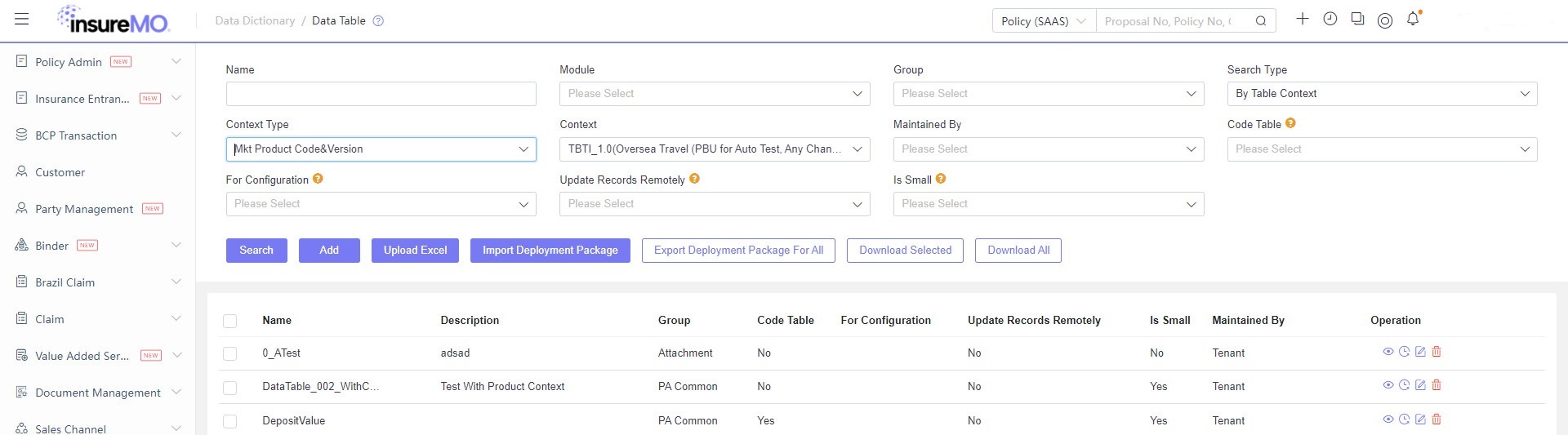
Data table as a set of data source must be defined for the code table.
Code Table
Code Table must be defined to perform backend validation and front-end dropdown list to determine which column is the display value.
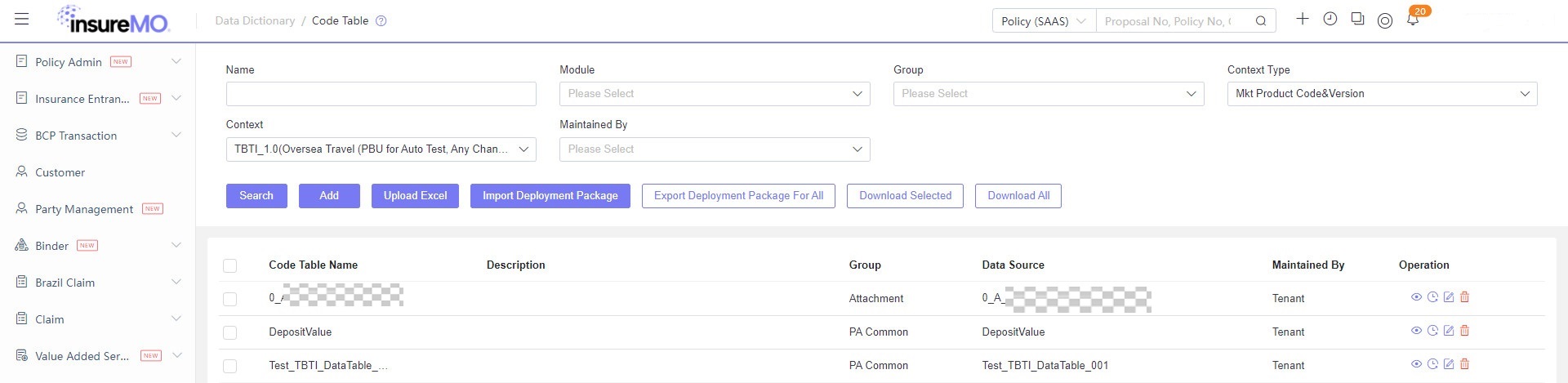
Rule Configuration
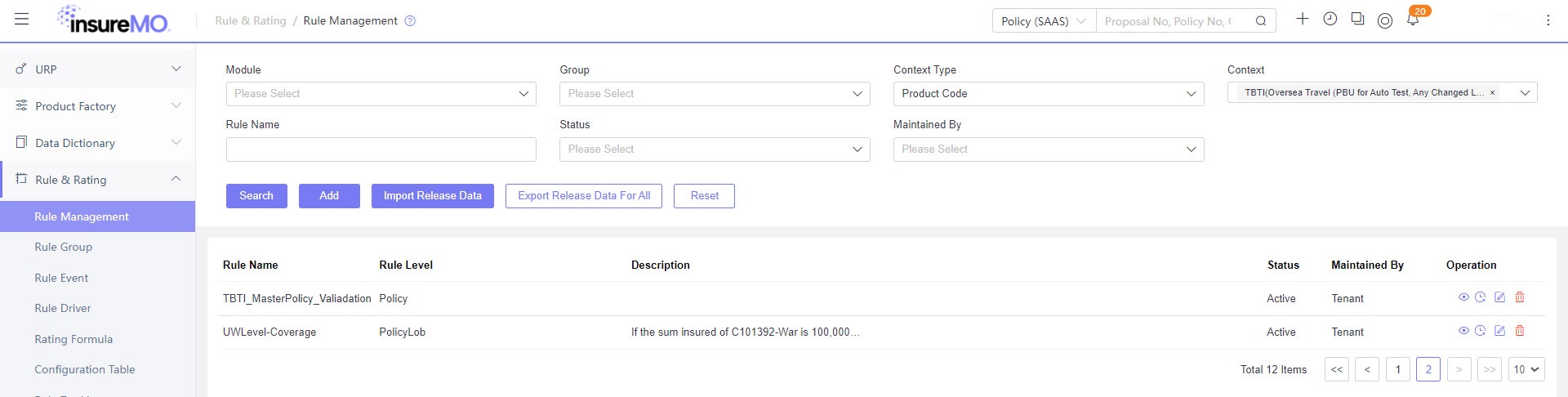
Multiple validation rules need to be configured to make sure issuance condition can be matched. Sample Rule Name: UWLevel-Coverage
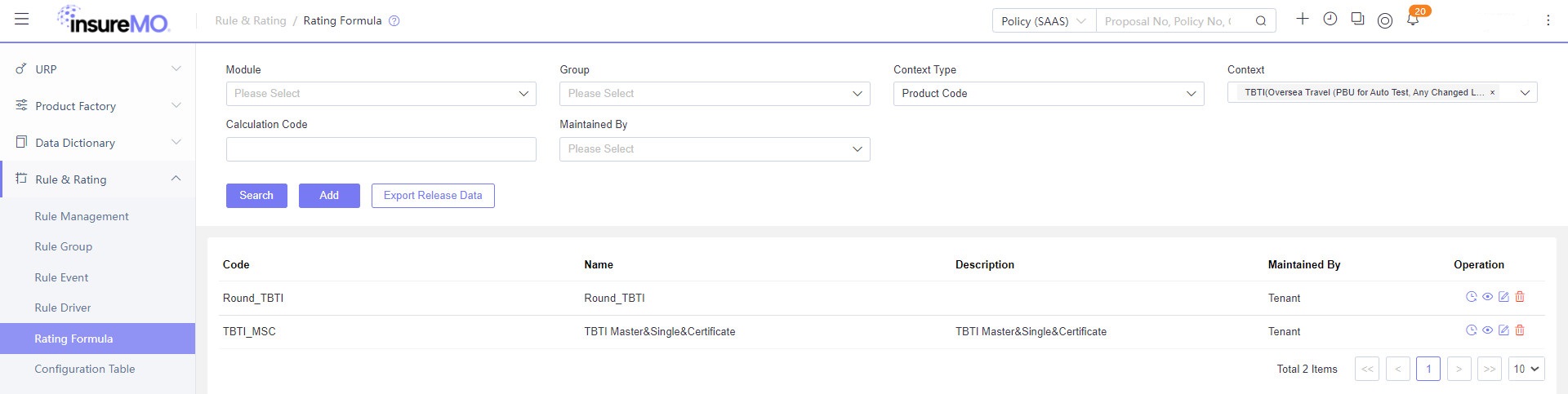
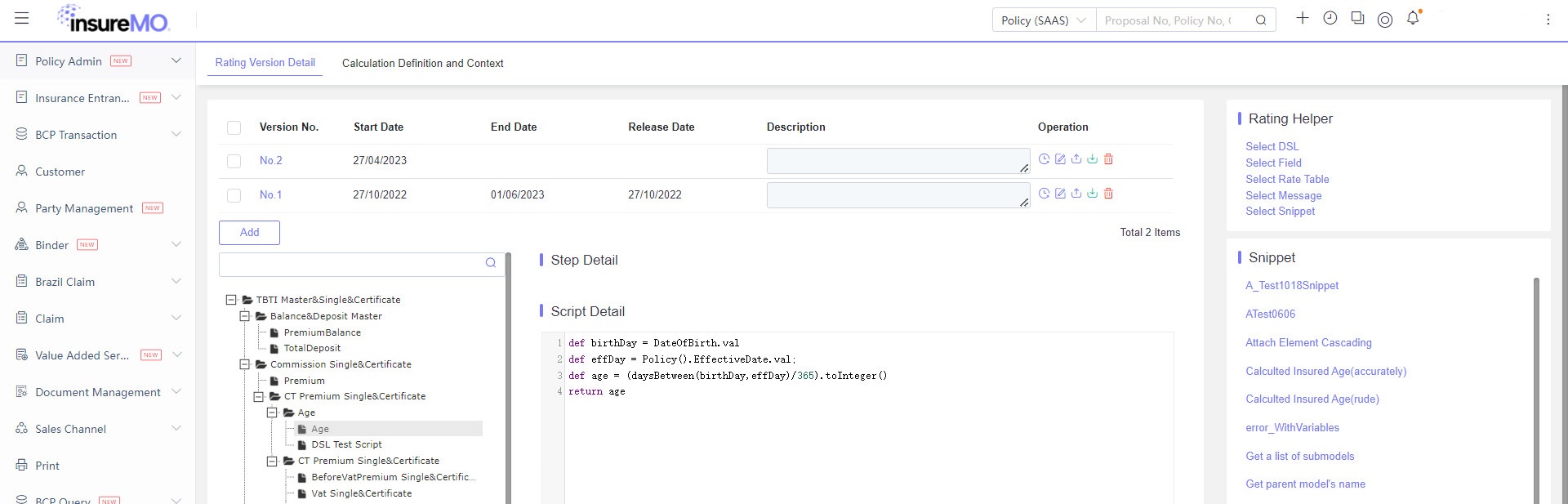
Rating Configuration
Rating logic must be defined to calculate premium precisely. Sample Rating Name: TBTI_MSC, New Business Trans Rating In Market Product Rating node, “Product Premium Calculation” refers to a calculation group. It can automatically read rating bound with the market product. If there is no other logic, New Business Rating will be left unchanged. If you want to enrich tenant-level common logic, you can add here.
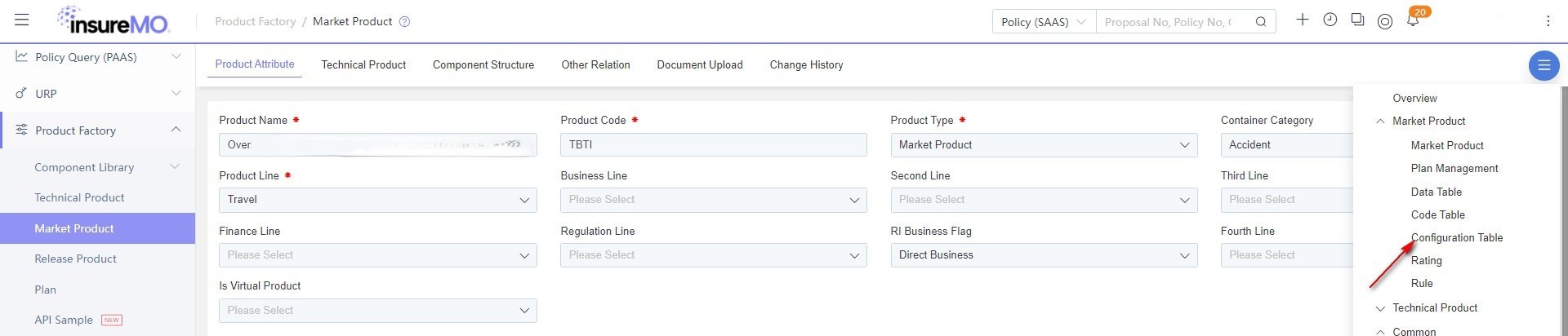
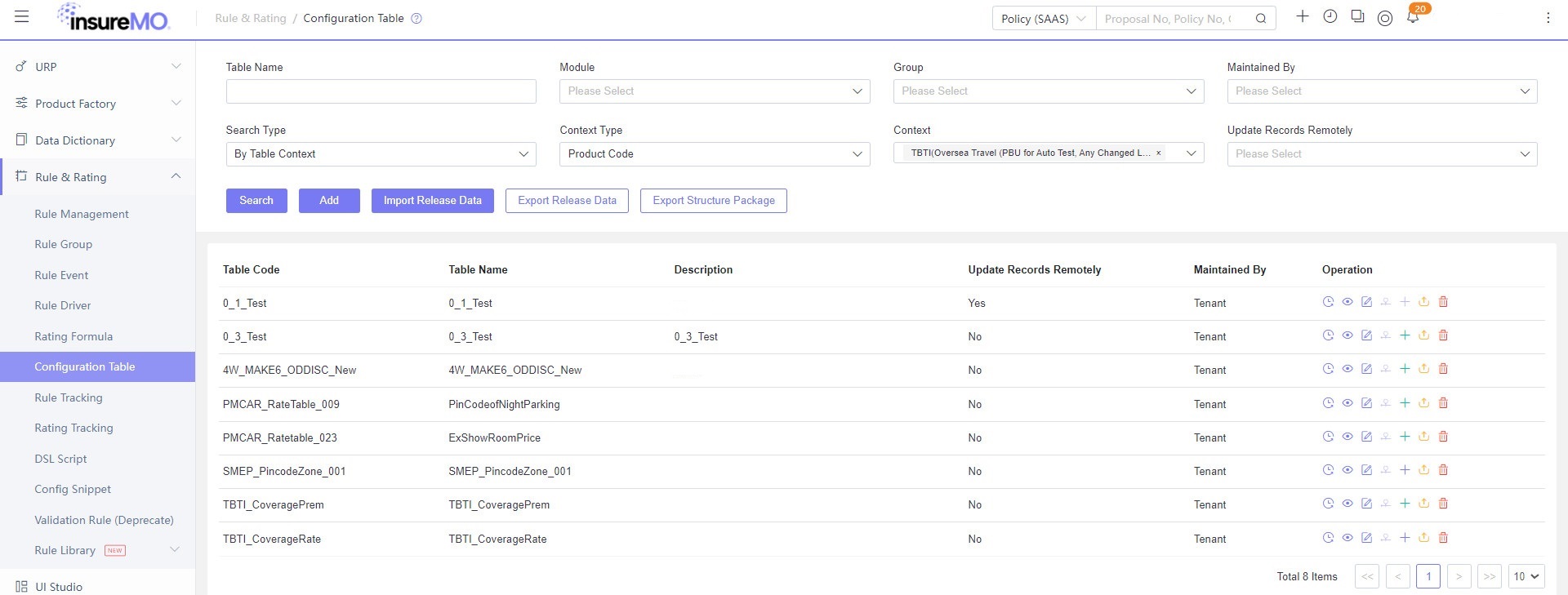
Configuring a Configuration Table
Rate table must be configured to calculate premium rates precisely. Sample Rate Table Name: TBTI_CoveragePrem
Troubleshooting
Most of the error messages should be self-explanatory enough for users to understand and conduct self-troubleshooting.
If you find any issue during your API trial process requiring further clarification, you can seek InsureMO support team for assistance.