Basic Concept
Currently, the customer is provided as a standalone module.
Different from some other system design, there’s no relationship between current customer module and party module.
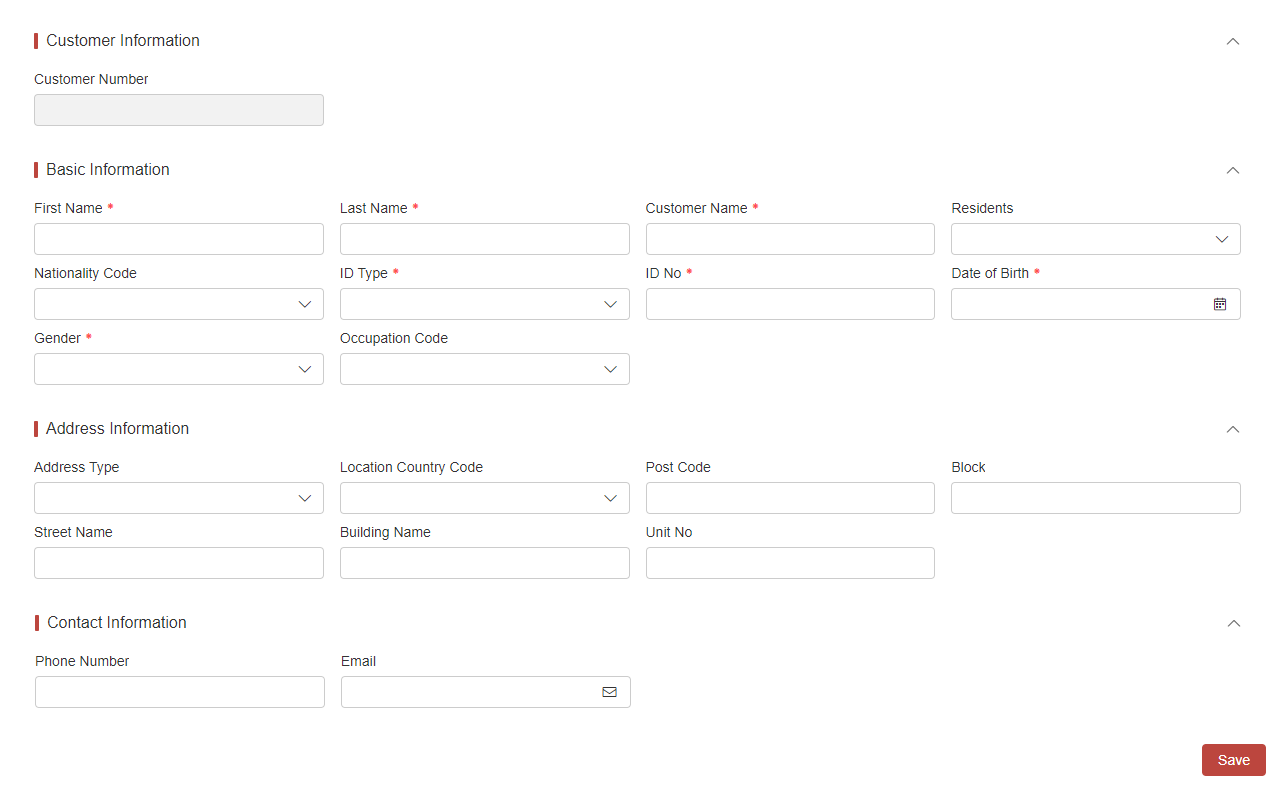
The system allows for the maintenance of not only basic information for individual and organizational customers, but also their addresses and contact details through both via UI and API.
In addition, the platform presets three templates for quick UI display switching.
User Scenario
Our platform is designed for anyone who needs to manage customer information.
Basic UI Operation
-
Log in to the home page of InsureMO and click Customer on the left menu bar.
-
Customer information is considered sensitive and will not be displayed by default to protect privacy. Customers can enter key words to search corresponding data.
After choosing Individual or Organization, customers will then be asked to provide key information such as: Customer Number, Customer Name, Company Name, ID No. and Registration No.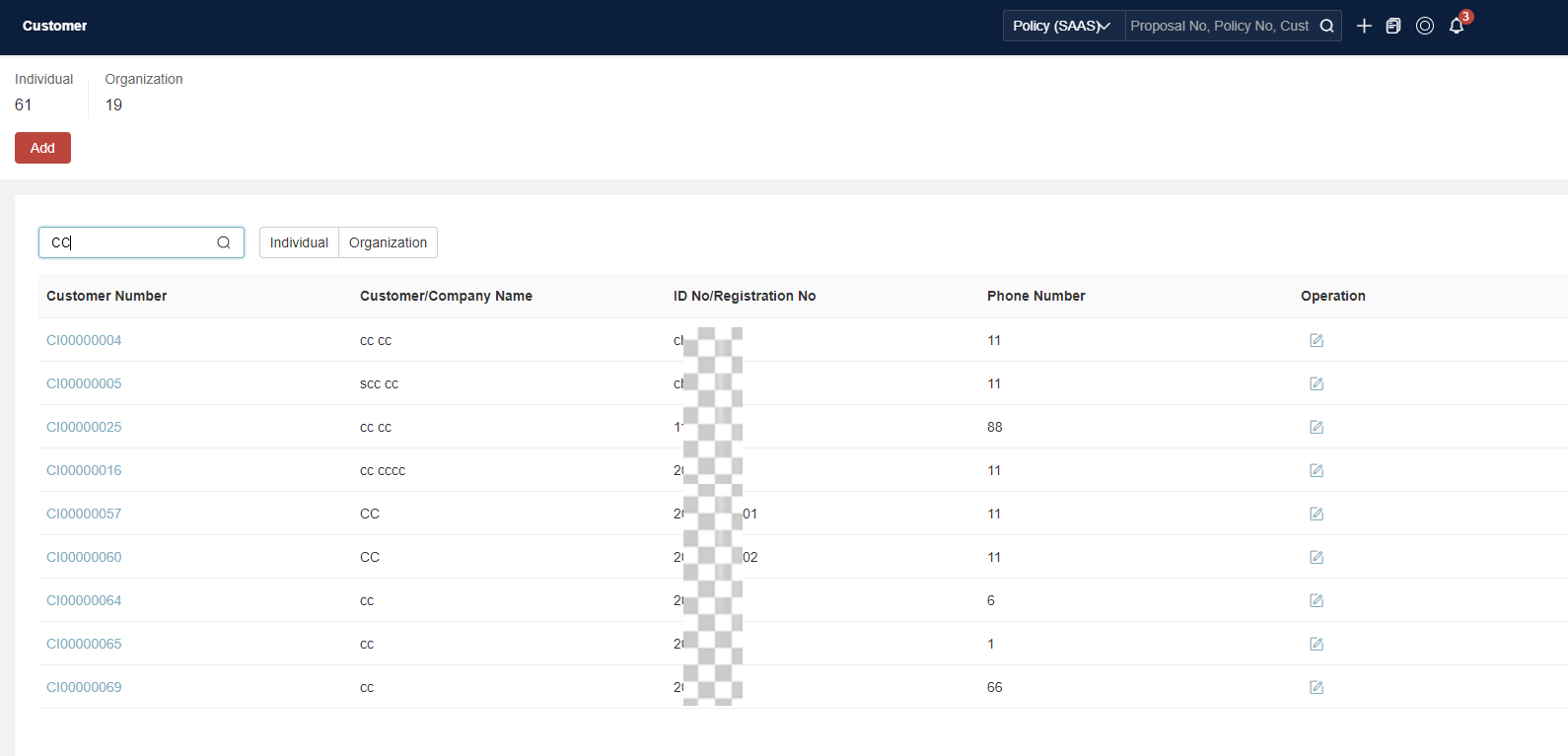
-
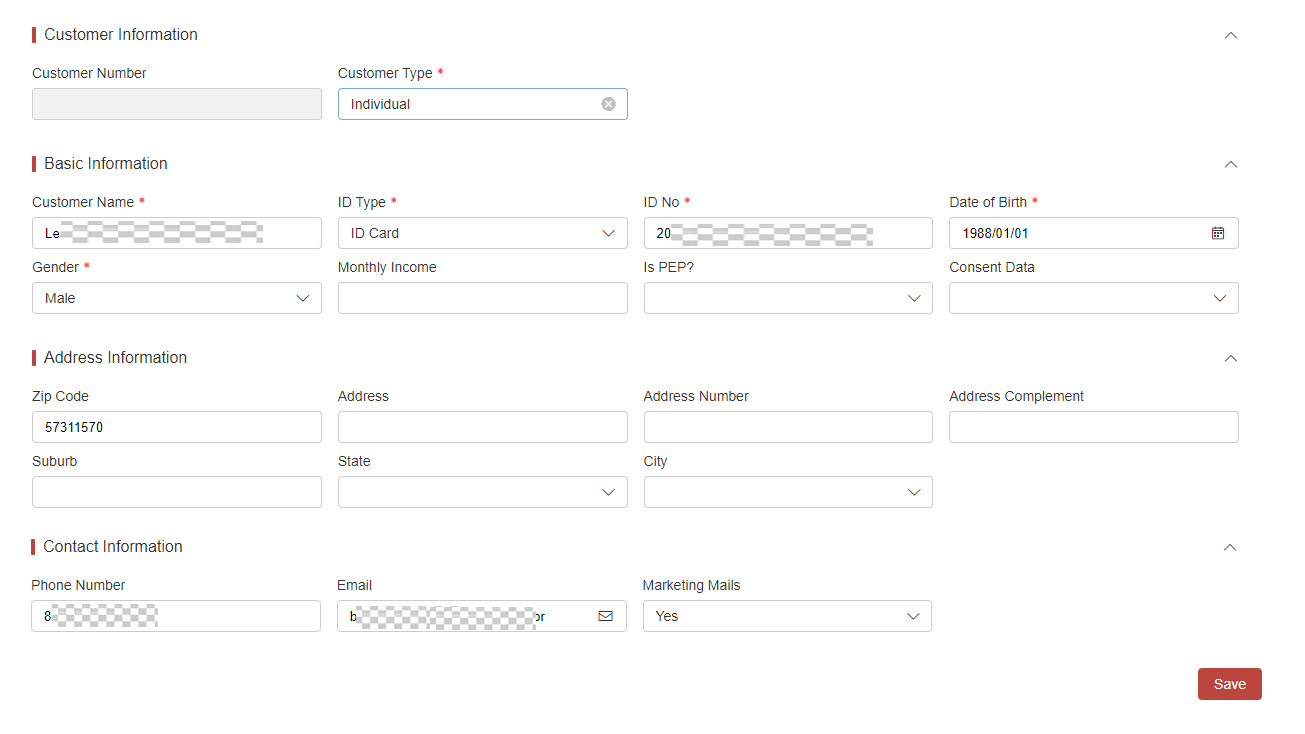
Click Add to add a customer, and fill in Basic/Address/Contact Information.
-
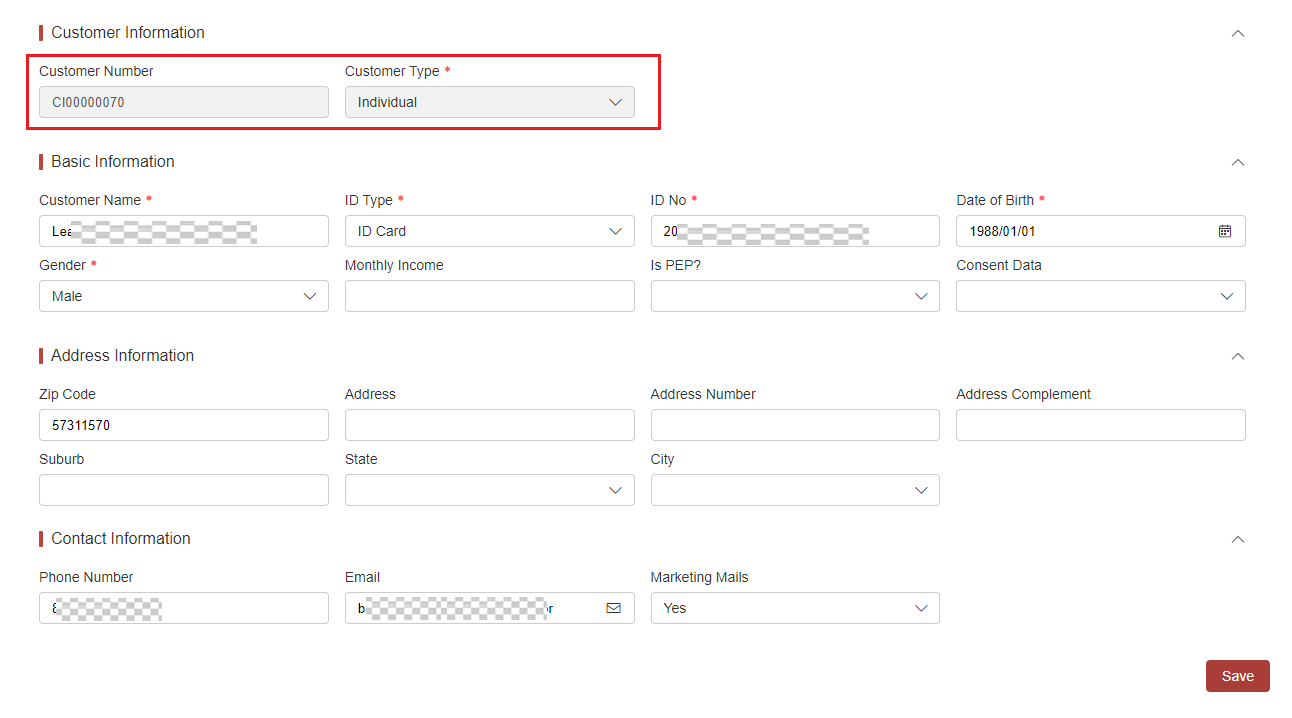
After clicking Save, a unique Customer Number will be generated, and the Customer Number and Customer Type cannot be changed.
-
If the added user already exists, the system checks if the ID Type and ID No. match any existing records. If a match is found, the information is automatically synchronized with the existing data and a new Customer Number is not generated.
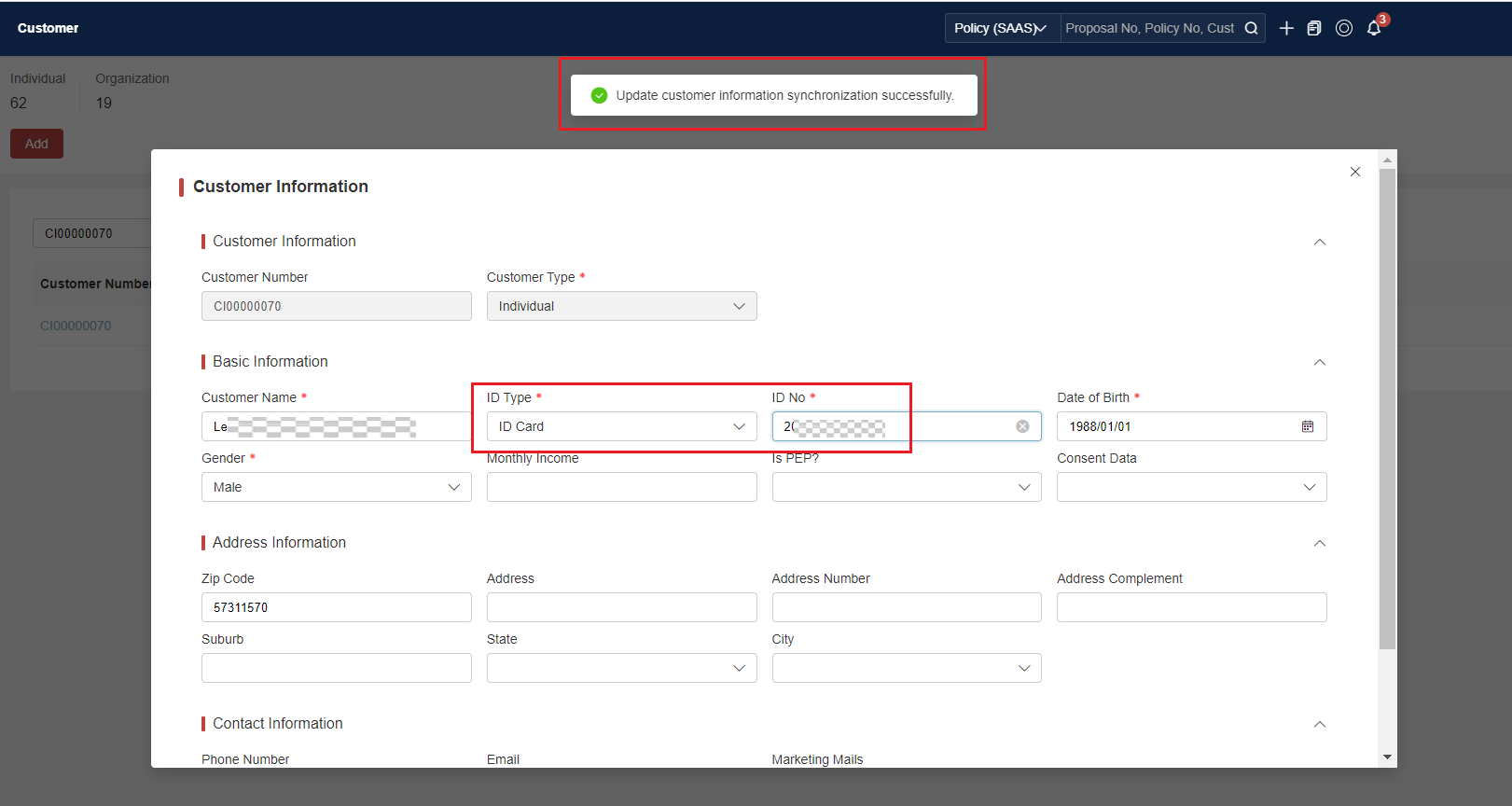
UI Display Modification
User Preference
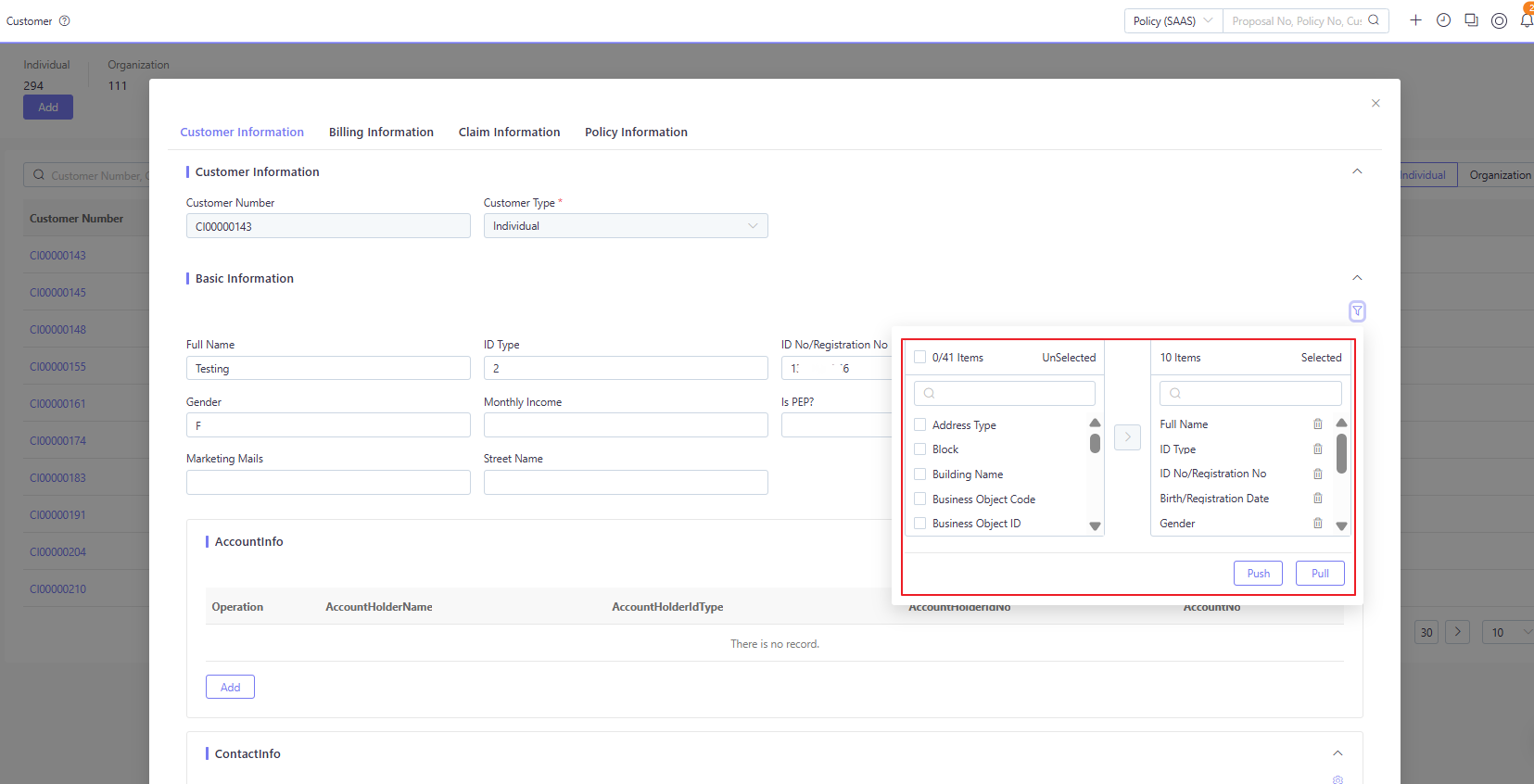
From platform 25.02 release, apart from default UI display, customer UI adopts user preference component to allow user to customize the UI display.
It’s driven by customer dd object configuration. For more details about user preference, see User Preference Guide.
Template Replacement (Deprecate)
Below feature is used before platform 25.02 release. After 25.02 release, we would suggest not to use them.
-
The platform offers three preset templates: BR, SG, and US. These templates are controlled through a global parameter customerTemplate (found in Global Configuration > Global Parameter > UIConfig). The default value of the platform is Dynamic, and the tenant can override it with BR, SG or US.
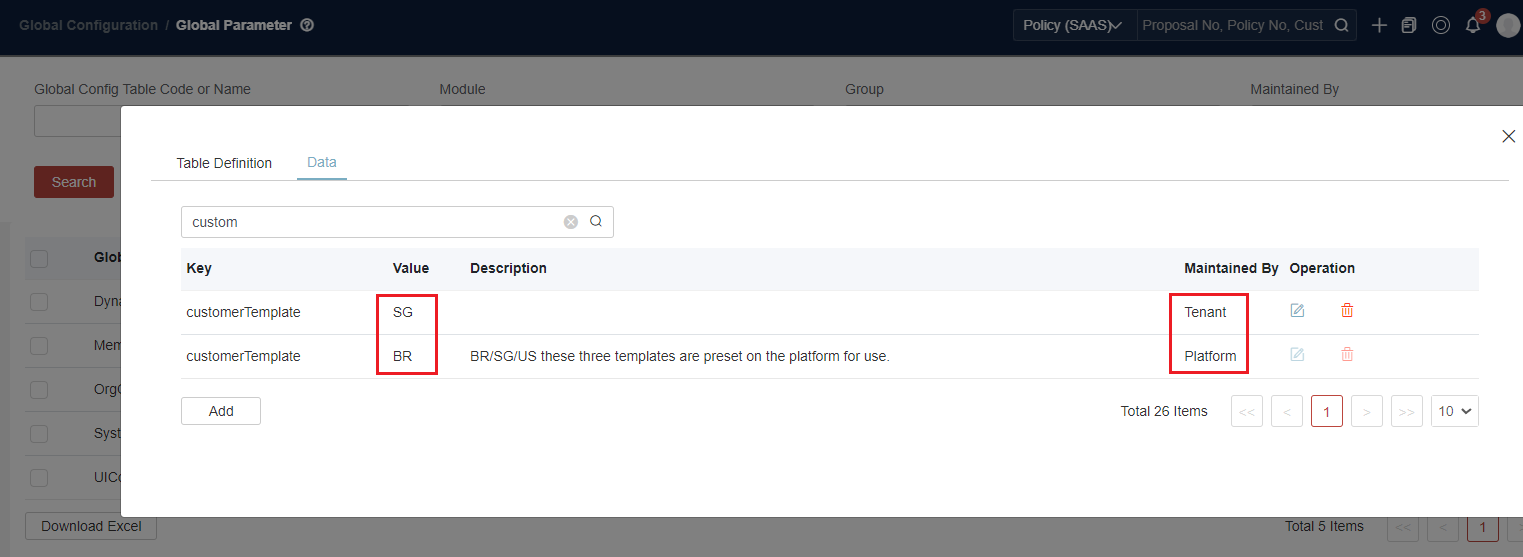
-
Check the Customer UI, because BR is a default value:
-
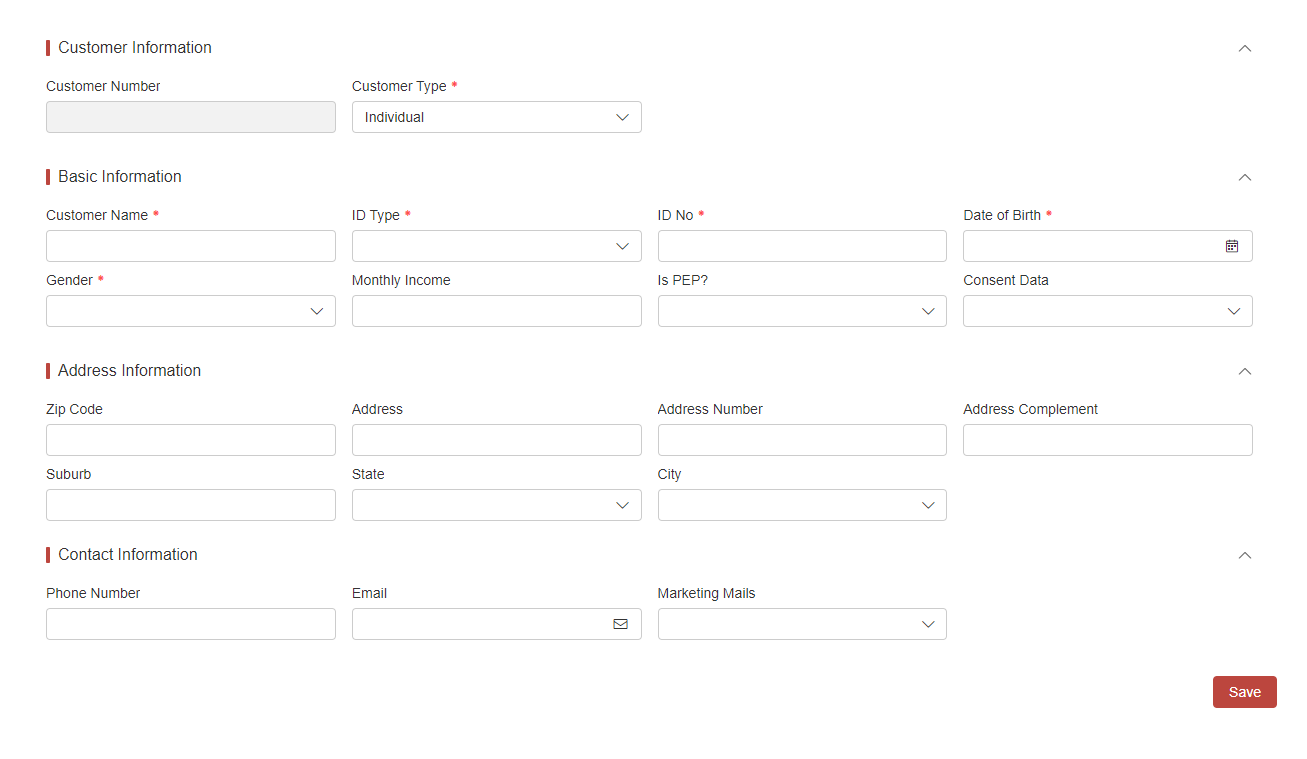
Override the value with SG, and check the Customer UI: