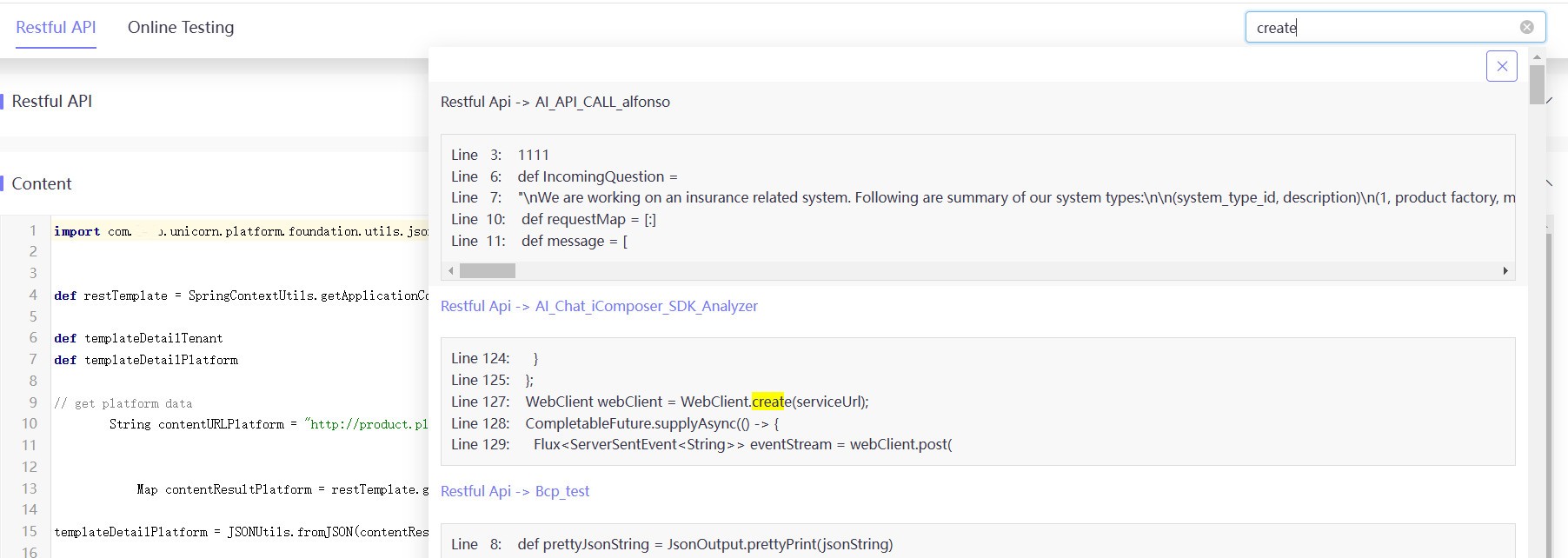
To faciliate users to quickly use iComposer, a web editor is provided for users to change the iComposer code. It’s suitable for training or quickly resolving small issues. This section primarily provides some tips for using the web editor efficiently.
For large-scale project implementation, we recommend using IDE Mode for code change. Also special attention should be paid to synchonization between web and ide change to prevent any changes from being overriden.
SDK and Method Prompters
To write the API orchestration more quickly, the system prompts various resources to invoke. Below are the key trigger points supported by the system:
After Import
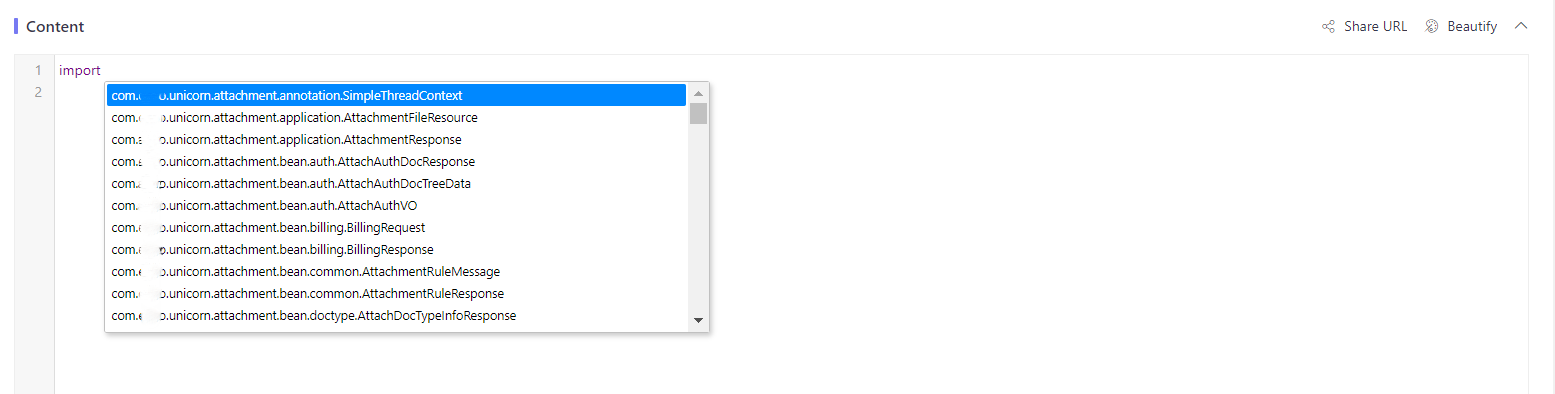
Key in import and click Alt. The system will list all available platform static methods for selection and use.
Get Methods for Import
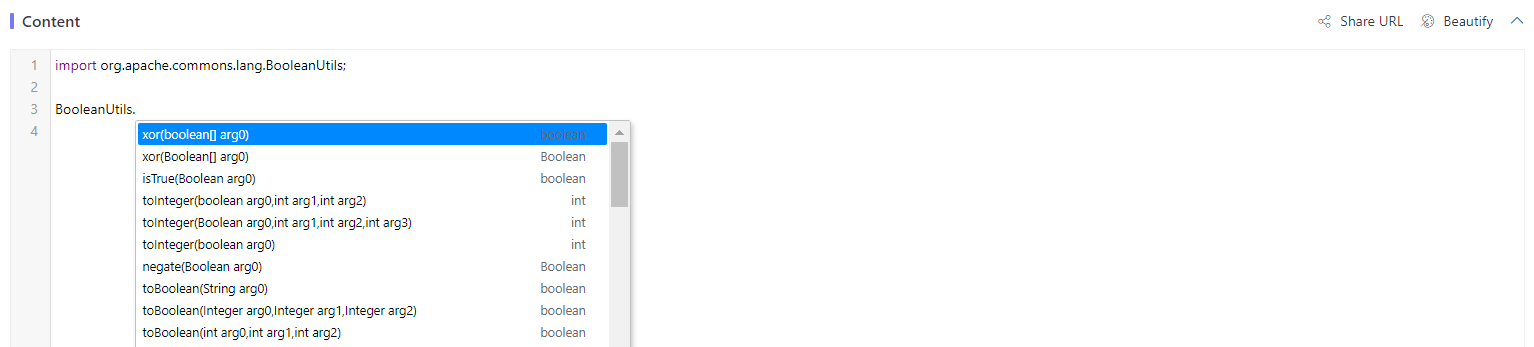
After you key in import paths, the system will list all available static methods for selection and use.
Inside getSDK()
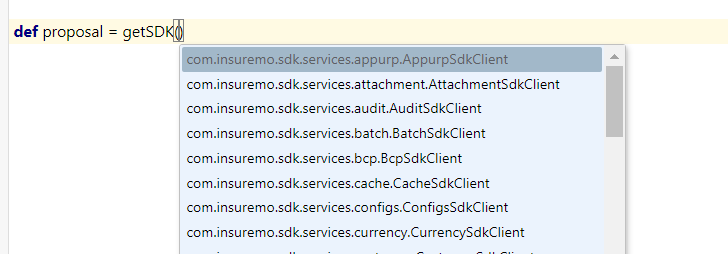
Key in getSDK() and click Alt. The system will list all available platform SDK APIs V2 for selection and invocation.
Get Methods for get SDKs
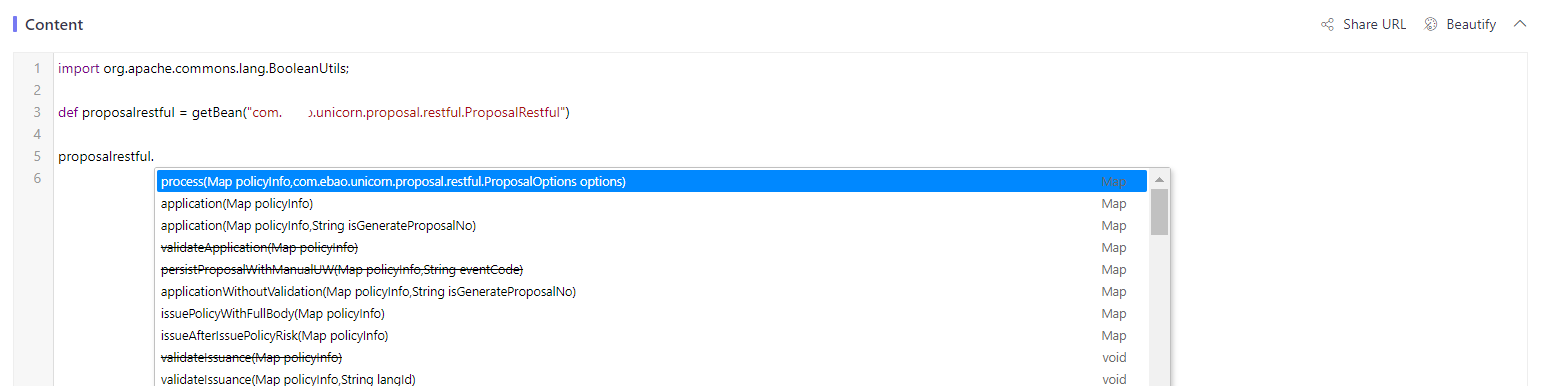
Once an object instance is created for getSDK(), click .. The system will list all available methods of the object for selection and invocation.
Inside getCommonService()
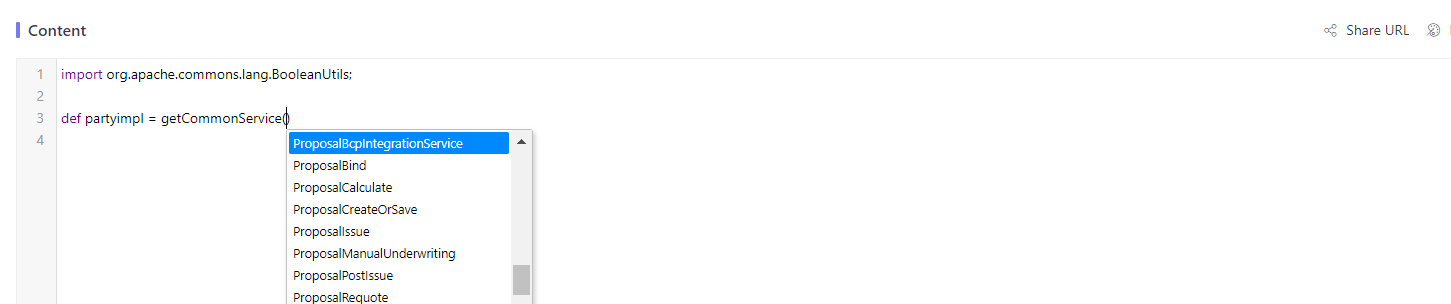
Key in getCommonService() and click Alt. The system will list all available common tenant services for selection and invocation.
Get Methods for getCommonService()
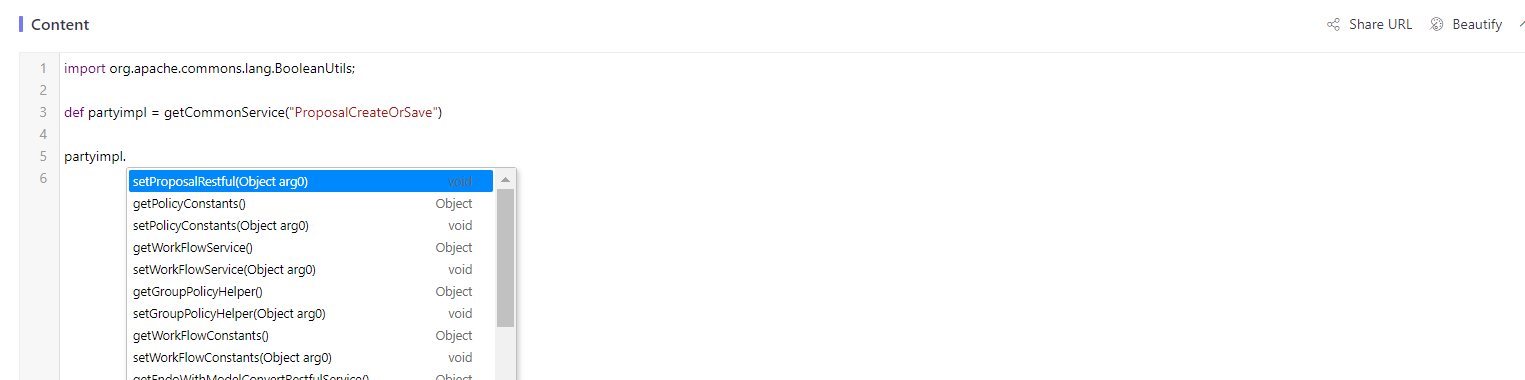
Once an object instance is created for getCommonService(), click .”. The system will list all available methods of the object for selection and invocation.
Any Place Except Above
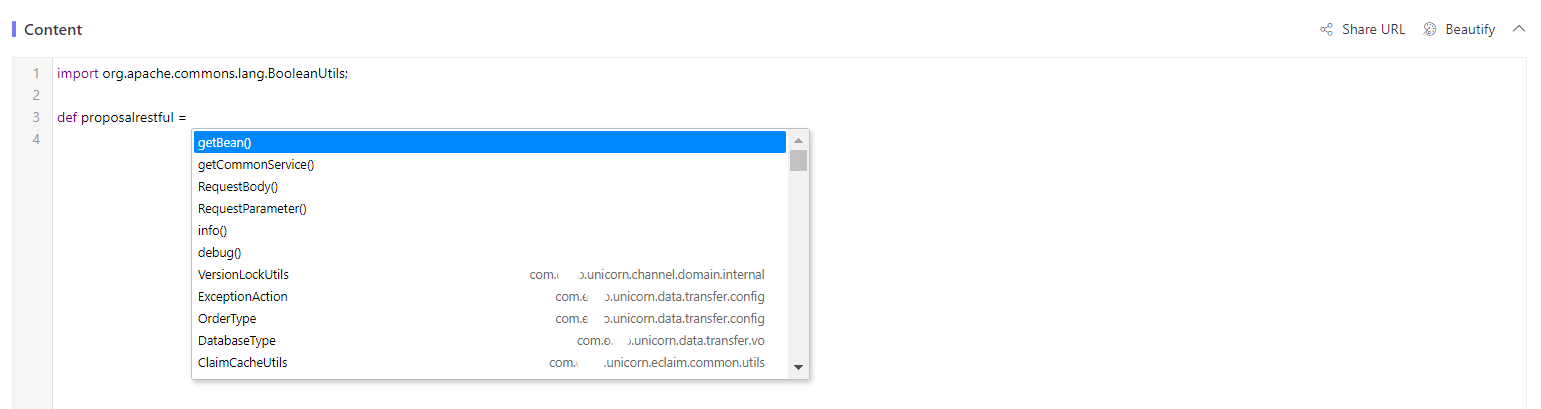
If the cursor is in any place except the above-mentioned ones, click Alt directly. The system will list all available pre-embedded static methods.
Quick Jump to Service Functions
If APIs or service functions invoke other service functions, it is essential to quickly jump to those service functions to check.
Although each service function needs to be declared via getCommonService (Service_Name), we now provide a facility to have a quick jump.
- Select the entire declaration line including
getCommonService. - Click Alt.
- A new window will open and display the service function’s information for quick viewing and further check.

AI Code Analyzer
The AI Code Analyzer is an AI-powered tool that can analyze code to:
- Automatically detect and analyze code structures.
- Identify potential issues including errors, security vulnerabilities, code smells, and adherence to coding standards.
- Optimize code and generate example code in real-time based on specified requirements, thereby improving code quality and boost development efficiency.
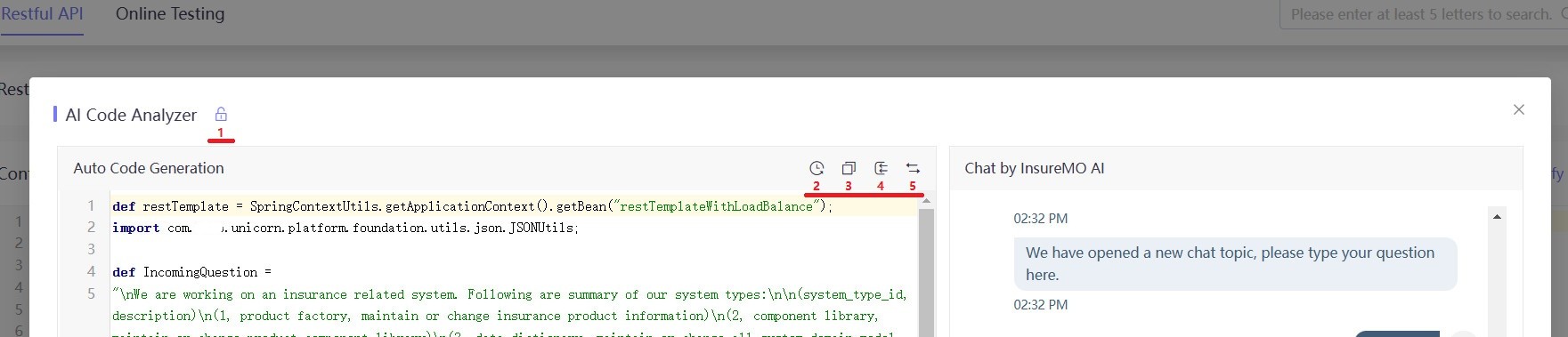
We provide a set of convenient operation tools to enhance users’ experience.
| No. | Tool | Function |
|---|---|---|
| 1 | Unpin the dialog | Only need a specific line from the Auto Code Generation dialog: 1. Unpin the dialog; 2. Copy the required code from the Auto Code Generation dialog; 3. Paste it into the content code dialog for further use. |
| 2 | Change History | Records every code modification in this conversation to quickly switch between versions of the code. |
| 3 | Copy Code | Quickly copys the entire block of code from the dialog. |
| 4 | Insert Code | Quickly inserts the entire block of code from the dialog. |
| 5 | Replace Code | Replaces the code in the Content dialog with the code from the Auto Code Generation dialog. |
SDK Analyzer
The SDK Analyzer is a user-friendly tool with a clean interface and clear functionality to improve development efficiency. It enables users to quickly locate, view API methods and generate example code.
SDK Search
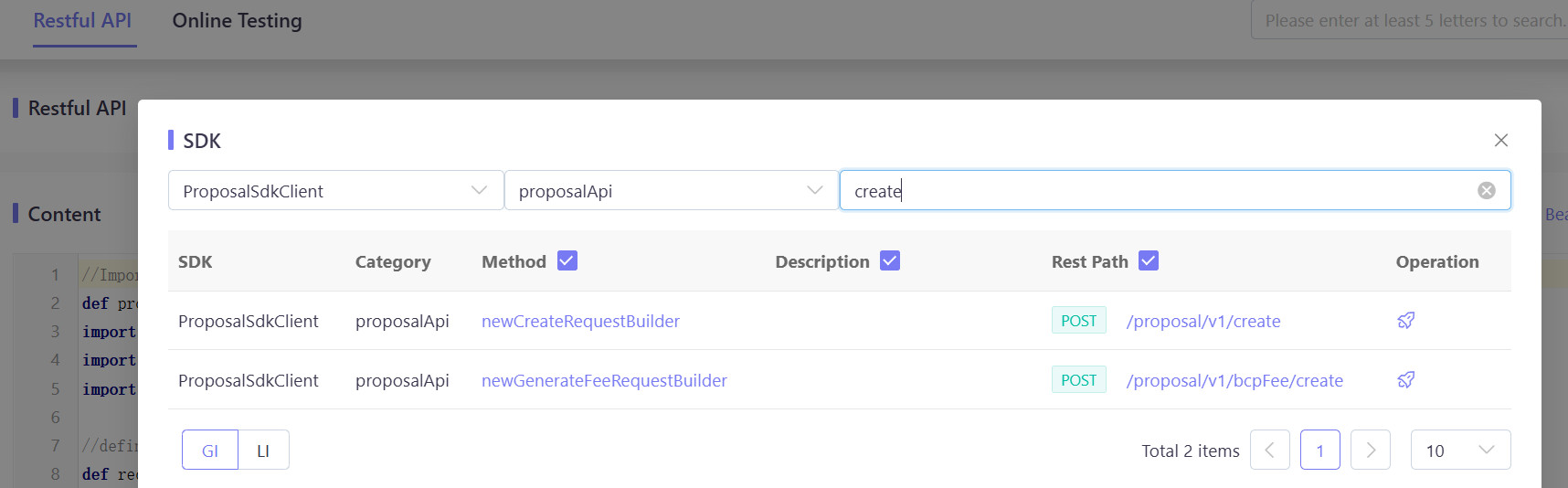
If users enter the SDK name and category name in the search bar, the system will automatically display a list of matching API methods. Through precise search, users can quickly find the required API without browsing the entire API list.
Method: Displays the specific name of the API method for direct identification of the required functionality.
Description: Provides a brief description of the API method to explain its purpose and functionality.
Rest Path: Displays the API request path. Clicking on it allows you to view detailed API documentation to learn more about parameters and usage examples.
Operation: Offers an automatic code generation feature to simplify your development process. Clicking on it will open the Auto Code Generation dialog.
Auto Code Generation
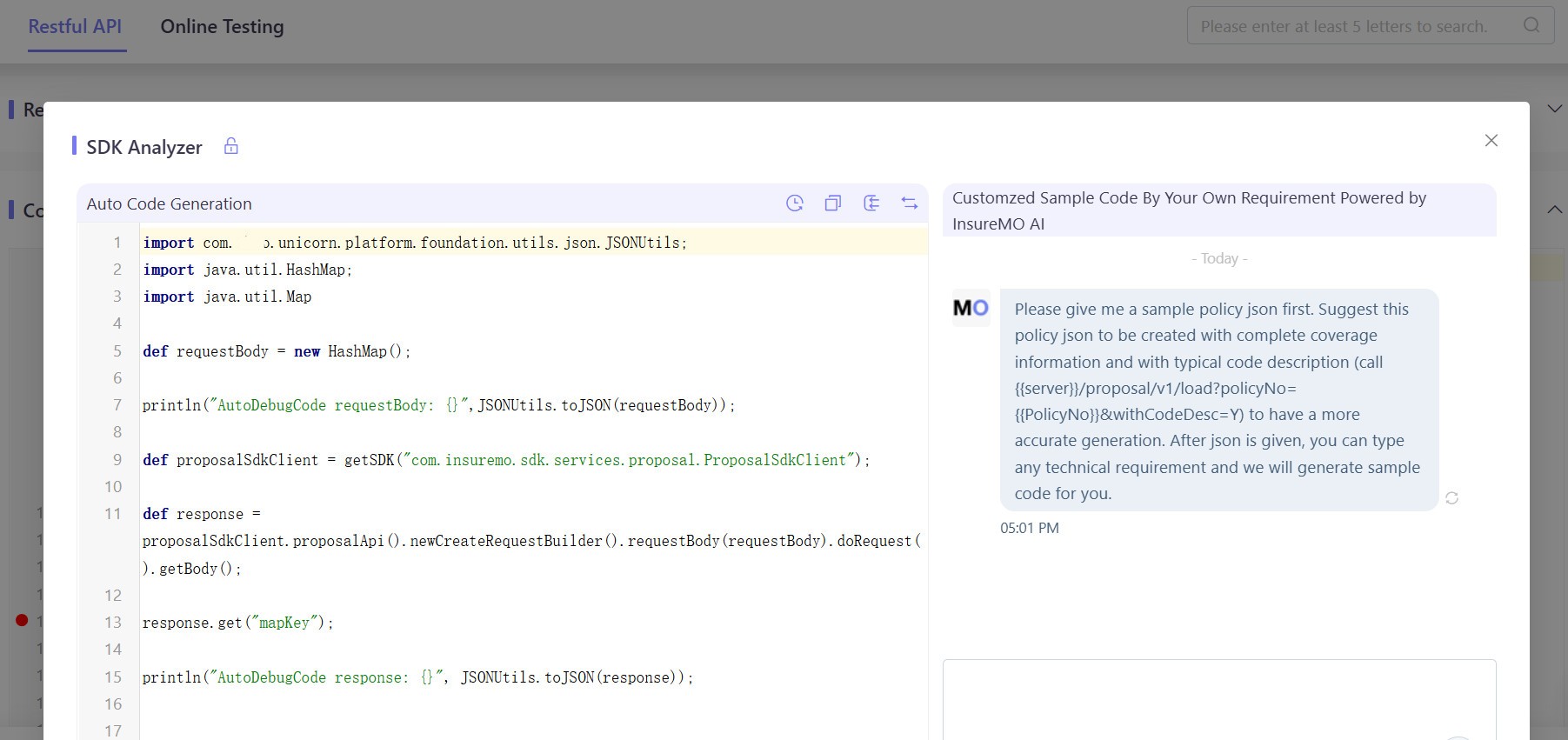
When you click Operation to access the code generation interface, the SDK Analyzer automatically generates code snippets based on the selected SDK, ready to use directly.
Interacting with AI
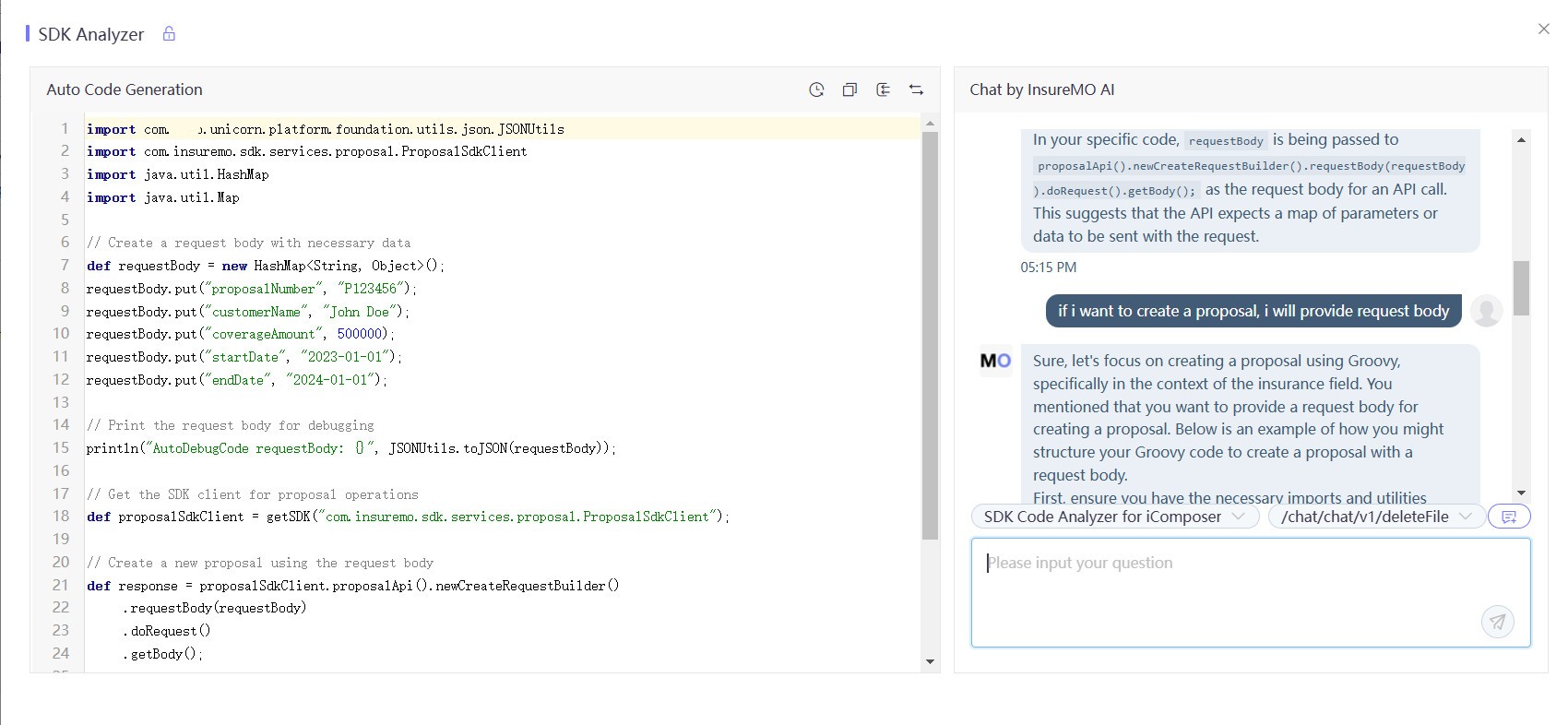
If your requirements change, you can interact with AI by providing a new description of your needs. AI will combine the SDK with your requirements to regenerate the code, meeting your customized needs.
Global Search
The global search tool is a must-have in the modern development environment, greatly enhancing development efficiency and the convenience of code management.
By entering keywords in the search box in the upper right corner, whether it’s an API name or a code snippet, you can quickly locate relevant RESTful APIs, service functions, and batch-related code.
This feature effectively reduces the time required for manual searches, enhances code navigation, and prompts the reuse and optimization of existing code.